
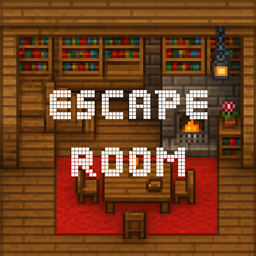
Escape Room Library Map for Minecraft 26.2
You find yourself in a wooden hut, and the door is locked. To escape, you must solve puzzles.
About the Escape Room Library map
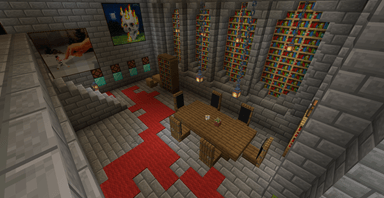
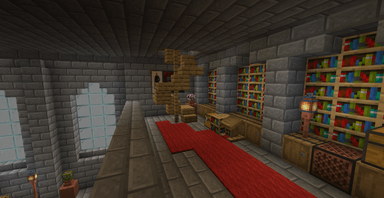
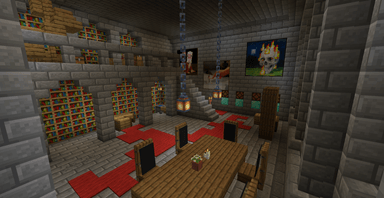
Enter an Escape Room map filled with mystery and challenge, where every corner of the house hides puzzles and secrets to uncover! Your goal is simple - find all the items and escape, but the path to the exit won't be easy. This cozy yet challenging house is packed with books, hidden compartments, and interactive elements that will test your observation skills, logical thinking, and creativity.
-The project includes a building with two main floors and two secondary floors -It has mysterious passages -Hidden objects -Puzzling mechanisms and command blocks -And more
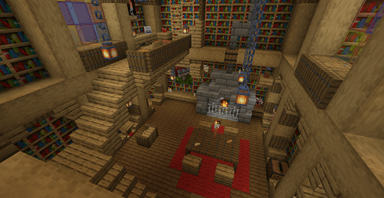
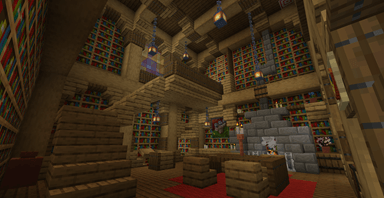
How to install Escape Room Library
With Millida Launcher
Install Millida Launcher
The launcher is free: download it at millida.net/launcher and sign in with any nickname.
Click “Install” on this page
The launcher opens and installs the map for Minecraft 26.2 automatically.
Launch the game
A profile with it appears in the launcher: click “Play”.
On a server
Replace the world folder
Stop the server and put the map folder in place of world (or set its name in level-name).
Or use the “To hosting” button
On Millida Hosting, the button at the top of the page uploads the file to your server and restarts it for you.
Versions
With dependencies
| Minecraft | Loader | File | Date | Actions |
|---|---|---|---|---|
| 26.2 | — | Escape Room Library 26.21.7 MB |
FAQ
Which Minecraft versions does Escape Room Library work on?
Only Minecraft 26.2: there are no files for other versions.
How do I download Escape Room Library?
With Millida Launcher: it installs Escape Room Library into a modpack by itself, for the right game version and loader. The launcher is free.
Reviews
Be the first to rate Escape Room Library



