

Pale Formations Data pack for Minecraft 26.1.2
Eerie structures of unknown origin await deep within the Pale Garden. Who... rather, what, made these?
- views
- 32 views
- Updated
- Updated 02.05.2026
- 1.21.9 — 26.1.2
 Data pack
- Client and server
About the Pale Formations data pack
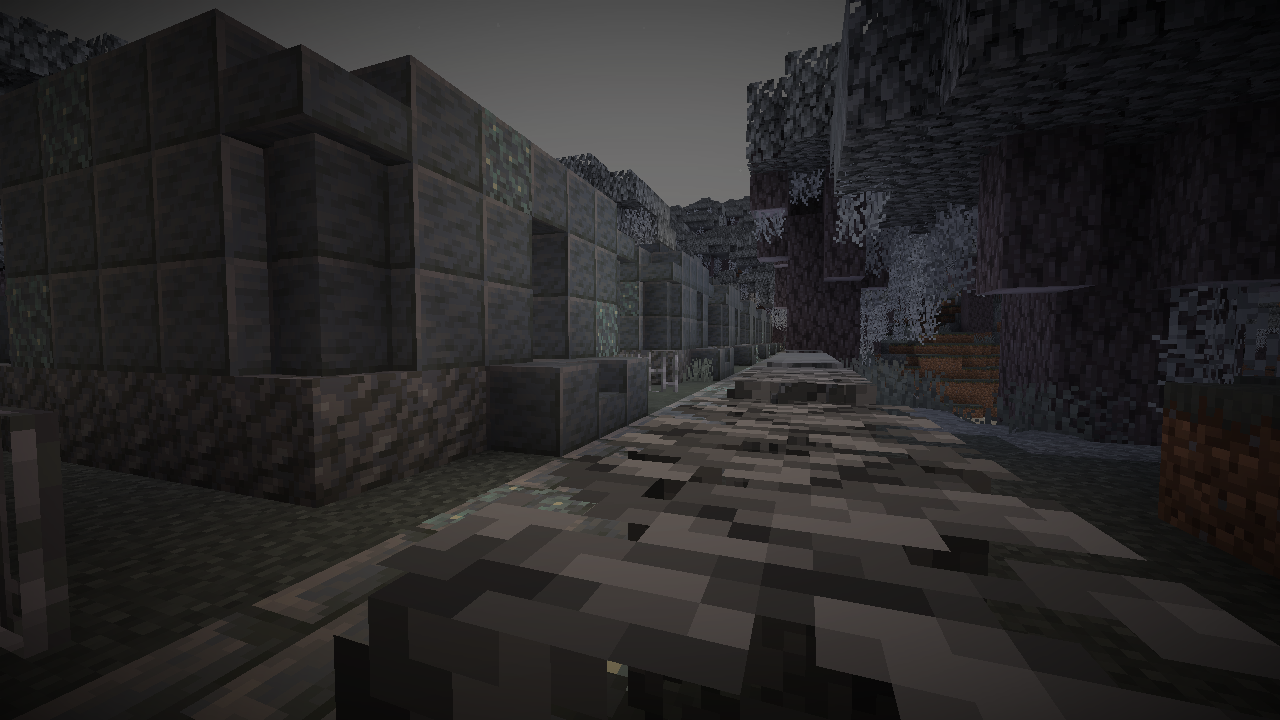
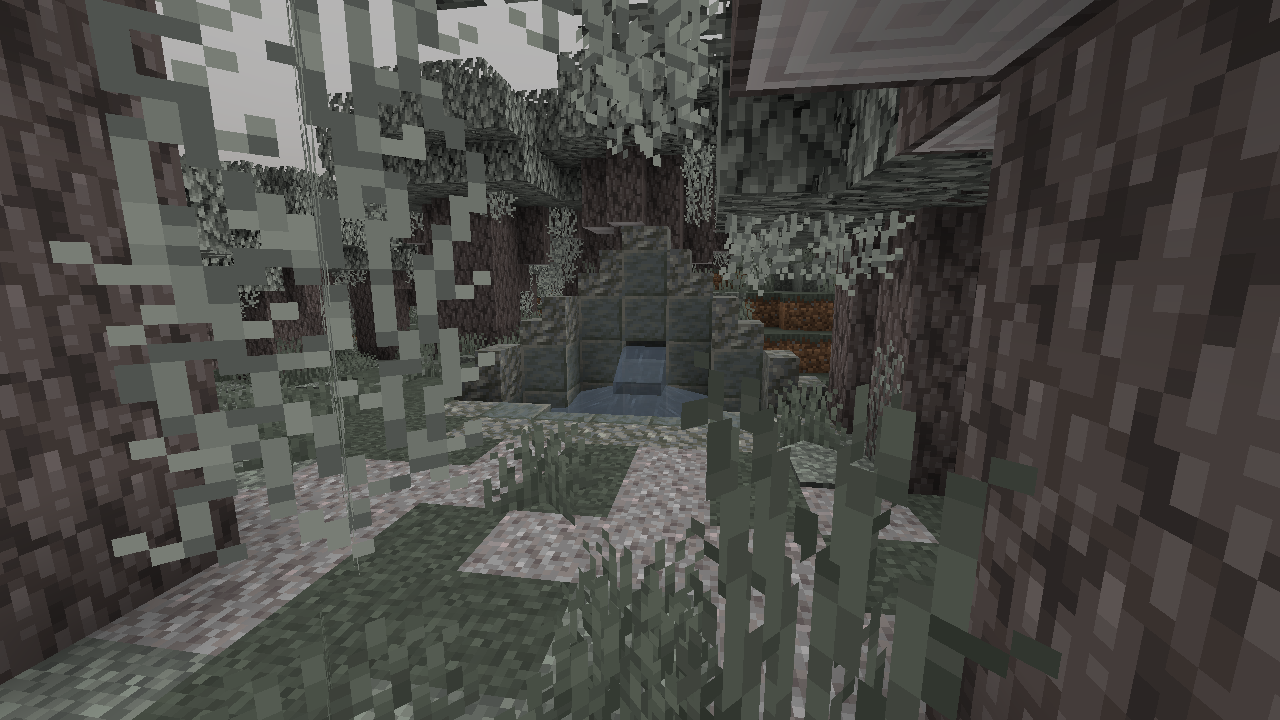
The Pale Garden biome is inhabited. A variety of strange, mysterious structures lurk amongst the trees.
If you brush suspicious gravel around them, maybe you will discover answers.. especially at night. It seems the very forest around you rewards bravery...

Currently 12 structures, with 26 total unique variations. Check the gallery for more examples.

Check out our other projects!

Wabi-Sabi Structures

Revamped Shipwrecks

Unwrecked Ships

How to install Pale Formations
With Millida Launcher
Install Millida Launcher
The launcher is free: download it at millida.net/launcher and sign in with any nickname.
Click “Install” on this page
The launcher opens and installs the data pack for Minecraft 1.21.9–26.1.2 automatically.
Launch the game
A profile with it appears in the launcher: click “Play”.
Manually
Download the archive
Pick the file Pale Formations 1.0.10-26.1 Datapack.zip (295 KB) for your game version.
New world: “Data Packs”
When creating a world, click “Data Packs”, drag the archive into the window, then move it to “Selected”.
Existing world: the datapacks folder
Put the archive into saves/<world>/datapacks and type /reload in game.
On a server
Archive goes into the server world’s datapacks
The world/datapacks folder on the server; players do not need to install anything.
Reload the data
Type /reload in the server console or restart the server.
Use the “To server” button
On Millida Hosting, the button at the top of the page uploads the file to your server and restarts it for you.
Versions
With dependencies
| Minecraft | Loader | File | Date | Actions |
|---|---|---|---|---|
| 26.1 | Data pack | 26.1295 KB | ||
| 1.21.11 | Data pack | 1.21.11295 KB |
FAQ
Which Minecraft versions does Pale Formations work on?
There are files for 26.1.2, 26.1.1, 26.1, 1.21.11, 1.21.10, 1.21.9. The newest is 26.1.2.
Does Pale Formations work on a server?
Yes: the data pack goes into the datapacks folder of the server world, and players do not need to install anything.
How do I download Pale Formations?
With Millida Launcher: it installs Pale Formations into a modpack by itself, for the right game version and loader. The launcher is free.
Reviews
Be the first to rate Pale Formations


