

Create Ore Crushing Fix Data pack for Minecraft 1.19.2, 1.18.2
Optimized Create's crushing recipe for some mods
- views
- 76 views
- Updated
- Updated 26.09.2026
- 1.18.2 — 1.19.2
 Data pack
- Client and server
This DataPack has the following features
- Mods Stone ore and Deepslate ore crushing recipe optimization.
- Add variant tag to ores to solve recipe problems that occur when using Almost Unified.
Temporarily only support Thermal Foundation, Immersive Engineering, Mekanism, All the Ores, Blue Skies, if you install other mods to increase the ore may lead to its lack of crushing Recipe, if you have other module requirements can be submitted Issue or add the corresponding ore in the DataPack ore tag.
If Almost Unified is installed, it is recommended to go to config\almostunified\unify.json and add "end", "everbright", "everdawn" to the stoneStrata.

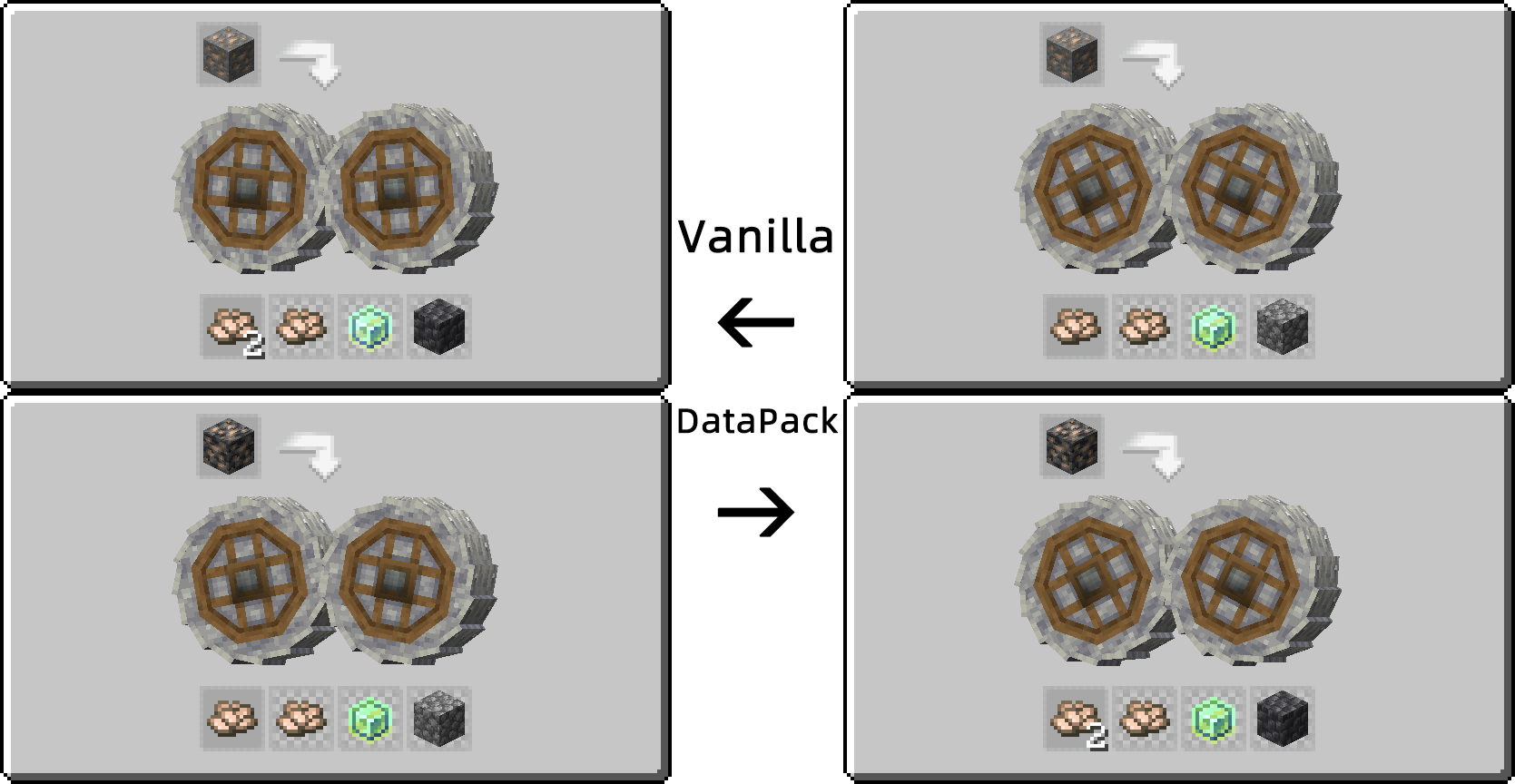
Mods ore recipe optimization
Mods' ores do not produce corresponding cobblestone when they are crushed, Deepslate ores do not produce additional crushed ores.
Optimized to increase the corresponding cobblestone, Deepslate ore will produce an additional crushed ore.

Ore Unified Fix
Almost Unified ores will result in both Stone and Deepslate ores having two recipes at the same time.
After the fix, the recipes for Stone and Deepslate ores can be processed normally using the corresponding treatment.
How to install Create Ore Crushing Fix
With Millida Launcher
Install Millida Launcher
The launcher is free: download it at millida.net/launcher and sign in with any nickname.
Click “Install” on this page
The launcher opens and installs the data pack for Minecraft 1.18.2–1.19.2 automatically, together with its dependencies: Create.
Launch the game
A profile with it appears in the launcher: click “Play”.
Manually
Download the archive
Pick the file Create_Ore_Crushing_Fix_1.19.2_v0.1.zip (190 KB) for your game version.
New world: “Data Packs”
When creating a world, click “Data Packs”, drag the archive into the window, then move it to “Selected”.
Existing world: the datapacks folder
Put the archive into saves/<world>/datapacks and type /reload in game.
On a server
Archive goes into the server world’s datapacks
The world/datapacks folder on the server; players do not need to install anything.
Reload the data
Type /reload in the server console or restart the server.
Use the “To server” button
On Millida Hosting, the button at the top of the page uploads the file to your server and restarts it for you.
Versions
With dependencies
| Minecraft | Loader | File | Date | Actions |
|---|---|---|---|---|
| 1.18.2 | Data pack | 1.18.2190 KB | ||
| 1.19.2 | Data pack | 1.19.2190 KB | ||
| 1.18.2 | Data pack | 1.18.2190 KB | — |
What it needs to run
- Mekanismoptional
- Dependencyoptional
- Createrequired
- Dependencyoptional
- Immersive Engineeringoptional
FAQ
Which Minecraft versions does Create Ore Crushing Fix work on?
There are files for 1.19.2, 1.18.2. The newest is 1.19.2.
Does Create Ore Crushing Fix work on a server?
Yes: the data pack goes into the datapacks folder of the server world, and players do not need to install anything.
What does Create Ore Crushing Fix need to work?
Required: Create. Without it the data pack will not start. Optional: Mekanism, Dependency, Immersive Engineering.
Where can I download Create Ore Crushing Fix safely?
On this page: the file Create_Ore_Crushing_Fix_1.19.2_v0.1.zip (190 KB) is stored on Millida’s server, with no link shorteners. SHA-1 checksum: b9ff7be4ead6266fac2a7a7f9859c445120677a5.
Reviews
Be the first to rate Create Ore Crushing Fix


