
Zen Visuals Ressourcenpaket für Minecraft 26.50
Dieser Shader verbessert Minecraft mit besserer Beleuchtung, satteren Farben, realistischer Atmosphäre und biomspezifischen Stimmungen. Er liefert ein flüssigeres, lebendigeres visuelles Erlebnis und bleibt dabei dem ursprünglichen Stil des Spiels treu.
Über das Zen Visuals-Ressourcenpaket

Zen Visuals is a refined shader pack designed to enhance Minecraft’s overall visual quality. It focuses on improving lighting, colors, and environmental ambience to create a smoother, cleaner, and more immersive atmosphere throughout your world.
Features: Zen Visuals not only upgrades overall visuals but also adds glowing effects for better visibility. Ores glow softly, mobs have a noticeable highlight, and items emit a subtle shine, making exploration and gameplay clearer and more engaging.
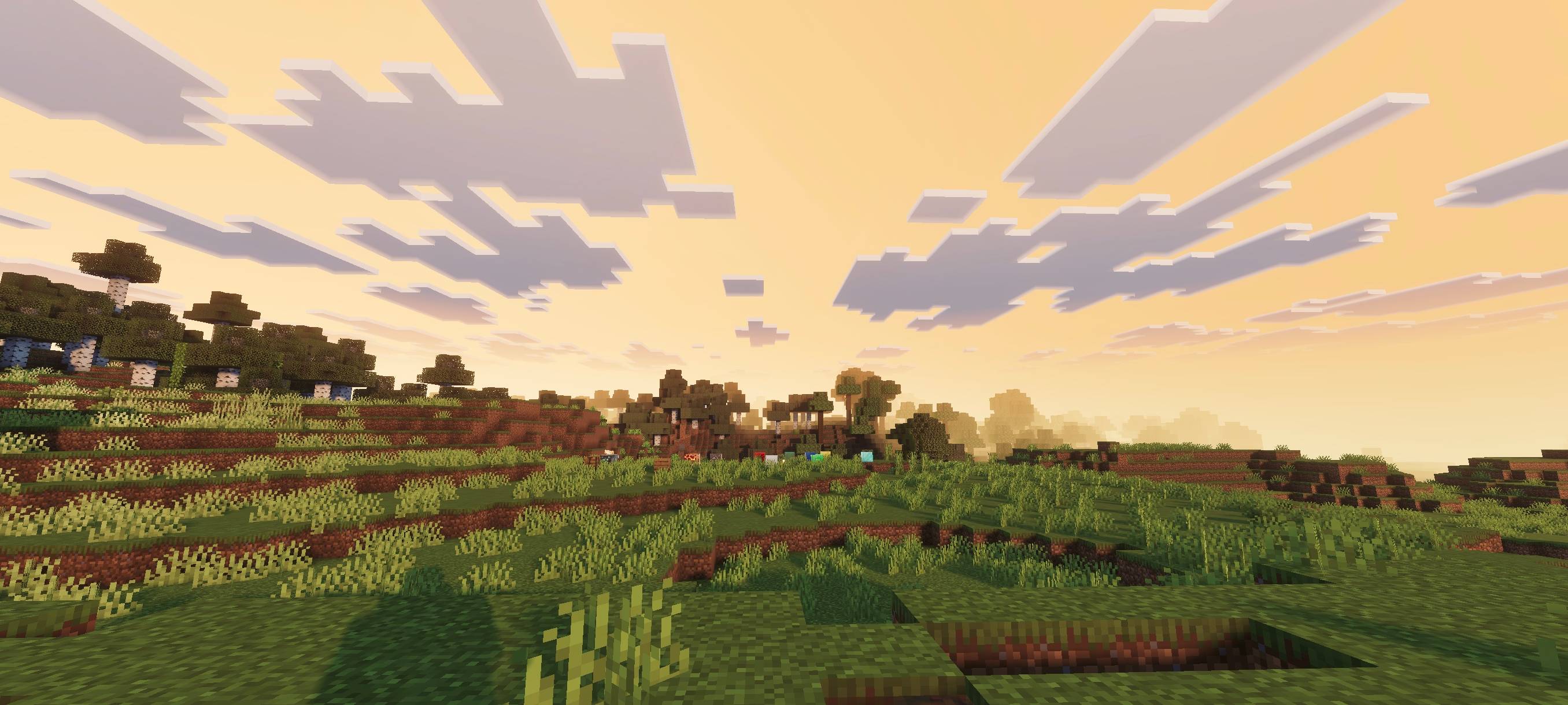
Development Status: The pack is actively being improved with new lighting tweaks, color adjustments, and visual refinements that will be added through future updates.
Important: For the shader to work correctly, make sure to turn ON Vibrant Visuals in your game settings.

Installation von Zen Visuals
With Millida Launcher
Install Millida Launcher
The launcher is free: download it at millida.net/launcher and sign in with any nickname.
Click “Install” on this page
The launcher opens and installs the resource pack for Minecraft 26.50 automatically.
Launch the game
A profile with it appears in the launcher: click “Play”.
Manually
Download the archive
Pick the file Zen-Visuals.mcpack (2.1 MB) for your game version. No need to unpack it.
Put it in the resourcepacks folder
The easiest way: “Options”, then “Resource Packs”, then “Open Pack Folder”, and drag the archive there.
Enable the pack
In the same window, move the pack to the right-hand “Selected” column and click “Done”.
Versionen
Mit Abhängigkeiten
| Minecraft | Loader | Datei | Datum | Aktionen |
|---|---|---|---|---|
| 26.50 | — | Zen-Visuals.mcpack2.1 MB |
FAQ
Which Minecraft versions does Zen Visuals work on?
Only Minecraft 26.50: there are no files for other versions.
Where can I download Zen Visuals safely?
On this page: the file Zen-Visuals.mcpack (2.1 MB) is stored on Millida’s server, with no link shorteners. SHA-1 checksum: e9519f8b1c0a7921eb8f2be02cccd92c8ba06447.
Bewertungen
Bewerten Sie Zen Visuals als Erster



