

Über das YEN Shader-Ressourcenpaket
Prepare to be amazed by the scenery in minecraft, as you will witness the sun casting its quite interesting glow during the day, and the moon illuminating the night with its gentle radiance. A magical cherry blossom forest aura as one might say, where every moment exudes serenity, see you there.
FEATURES:
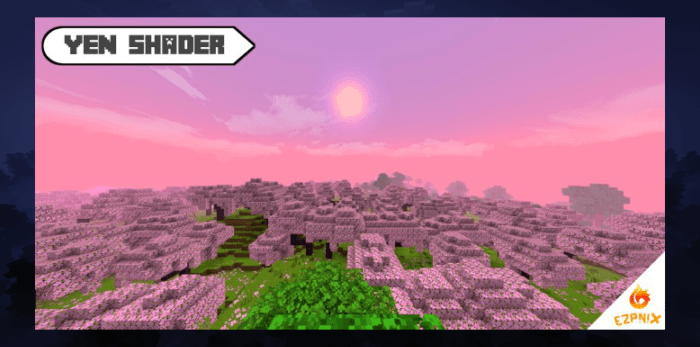
- Cherry blossom atmosphere
- Grass and water animations
- Realistic sun and moon
- Pink serenity fog
- Fps boost
NEW UPDATES:
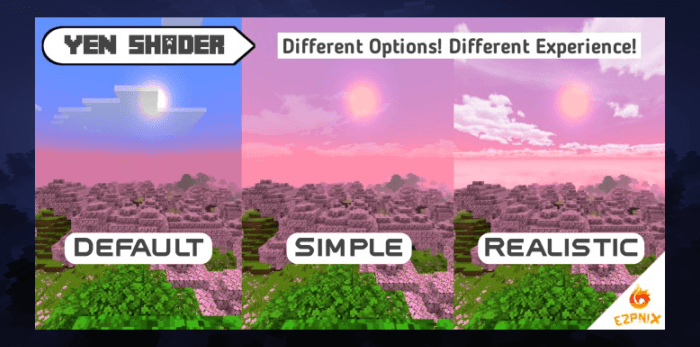
- Added multiple skies to choose from in the settings
- Modified a few of the pipeline codes to decrease stuttering
- Shader now supports the latest version of minecraft, but don't test this on beta versions though
SYSTEM REQUIREMENTS:
- 2GB+ RAM / Octa-core Processor
- Minecraft Bedrock Edition

Check out for more updates on: https://ezpnix.wordpress.com
Installation von YEN Shader
With Millida Launcher
Install Millida Launcher
The launcher is free: download it at millida.net/launcher and sign in with any nickname.
Click “Install” on this page
The launcher opens and installs the resource pack for Minecraft 1.18–1.20 automatically.
Launch the game
A profile with it appears in the launcher: click “Play”.
Manually
Download the archive
Pick the file YEN Shader.mcpack (9.4 MB) for your game version. No need to unpack it.
Put it in the resourcepacks folder
The easiest way: “Options”, then “Resource Packs”, then “Open Pack Folder”, and drag the archive there.
Enable the pack
In the same window, move the pack to the right-hand “Selected” column and click “Done”.
Versionen
Mit Abhängigkeiten
| Minecraft | Loader | Datei | Datum | Aktionen |
|---|---|---|---|---|
| 1.18 | — | YENSHADER.mcpack9.4 MB |
FAQ
Which Minecraft versions does YEN Shader work on?
There are files for 1.20, 1.19, 1.18. The newest is 1.20.
Where can I download YEN Shader safely?
On this page: the file YEN Shader.mcpack (9.4 MB) is stored on Millida’s server, with no link shorteners. SHA-1 checksum: a59bb811ae4a8ed336310aa5c2cfdb3eac1725c5.
Bewertungen
Bewerten Sie YEN Shader als Erster


