

Über das Vibrant Normals-Ressourcenpaket
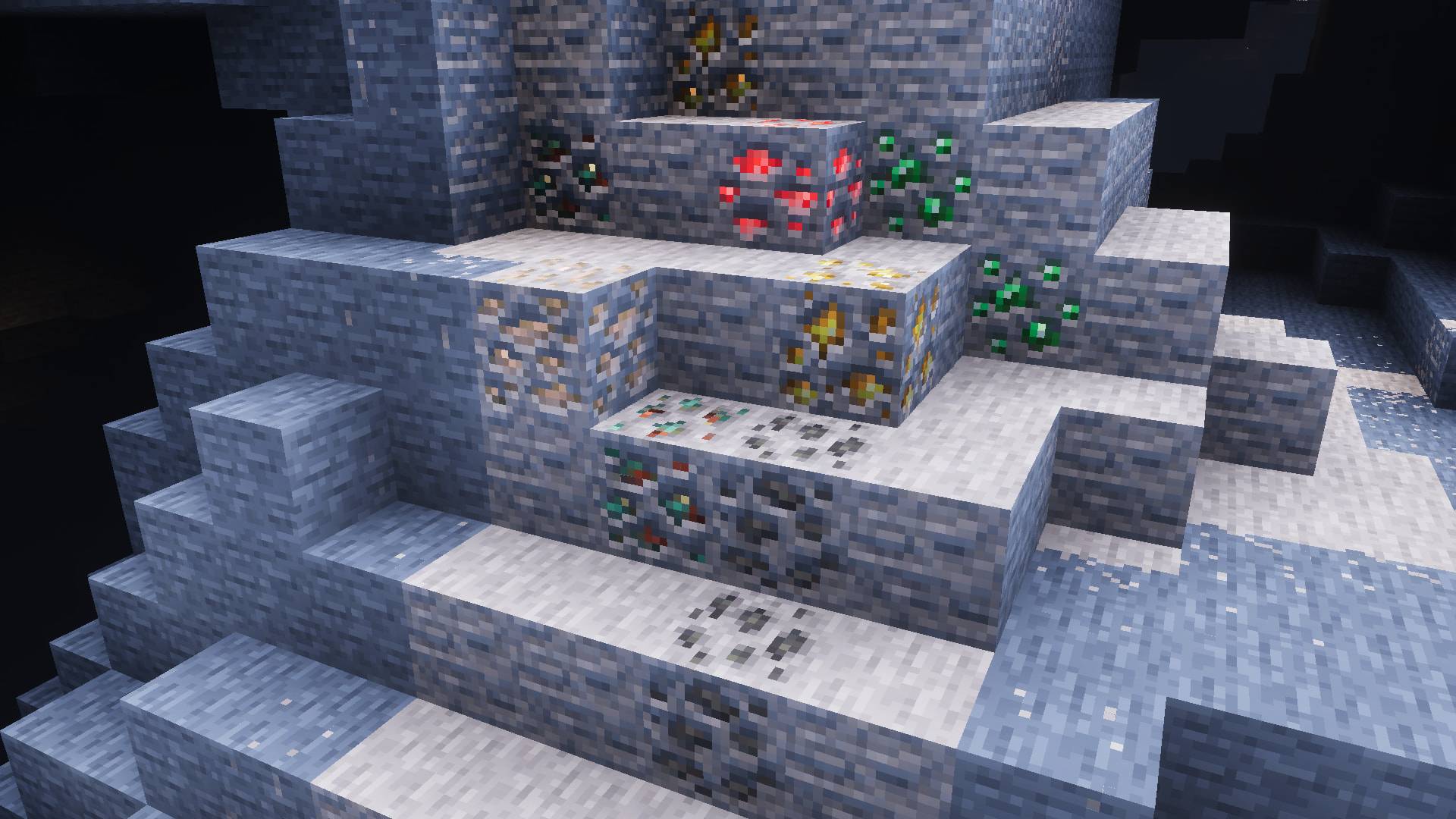
Vibrant Normals is the the official modified version of the Vanilla RTX Normals resource pack for the new Vibrant Visuals graphics mode.
It adds handcrafted 16x normal maps for all vanilla survival, creative, and secret blocks of vanilla Minecraft, plus flavorfully detailed materials similar to Vanilla PBR Graphics Pack.
It also comes with a few basic modifcations to game's default caustics and color grading that vastly improve default Vibrant Visuals' appearance, however, for a more definitive experience, you can activate the lighting-only subpack of Vanilla PBR for Vibrant Visuals above this pack to essentially combine them together.
Installation von Vibrant Normals
With Millida Launcher
Install Millida Launcher
The launcher is free: download it at millida.net/launcher and sign in with any nickname.
Click “Install” on this page
The launcher opens and installs the resource pack for Minecraft 1.21.120–26.10 automatically.
Launch the game
A profile with it appears in the launcher: click “Play”.
Manually
Download the archive
Pick the file Vibrant-Visuals-Normals-1.0.0.mcpack (2.5 MB) for your game version. No need to unpack it.
Put it in the resourcepacks folder
The easiest way: “Options”, then “Resource Packs”, then “Open Pack Folder”, and drag the archive there.
Enable the pack
In the same window, move the pack to the right-hand “Selected” column and click “Done”.
Versionen
Mit Abhängigkeiten
| Minecraft | Loader | Datei | Datum | Aktionen |
|---|---|---|---|---|
| 1.21.120 | — | Vibrant-Normals-1.0.0.mcpack2.5 MB |
FAQ
Which Minecraft versions does Vibrant Normals work on?
There are files for 1.21.120–26.10, 12 versions in total. The newest is 26.10.
Where can I download Vibrant Normals safely?
On this page: the file Vibrant-Visuals-Normals-1.0.0.mcpack (2.5 MB) is stored on Millida’s server, with no link shorteners. SHA-1 checksum: db0307e9f8ca2ab97ea434d902e3e455100674a8.
Bewertungen
Bewerten Sie Vibrant Normals als Erster


