
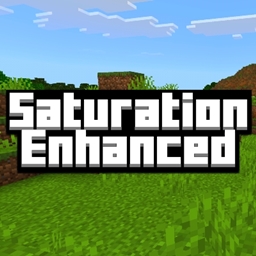
Saturation Enhanced Ressourcenpaket für Minecraft 1.21.111
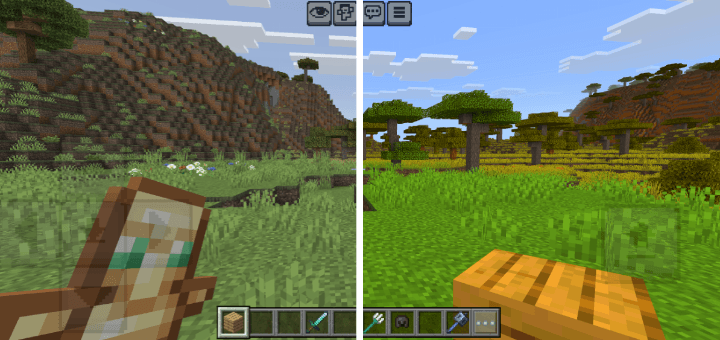
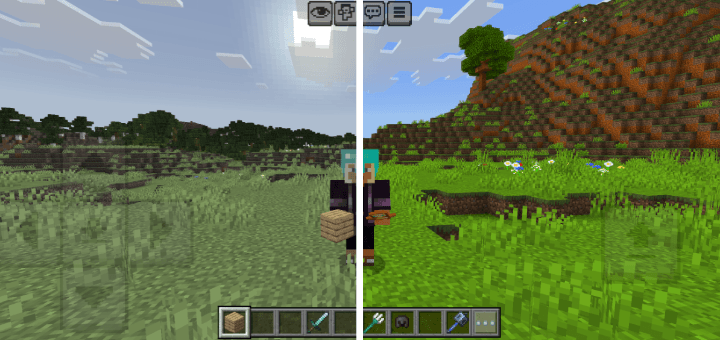
Dieses Pack erhöht die Sättigung in Minecraft und macht Farben lebendiger.
Saturation Enhanced
Description: This Minecraft pack enhances the game's saturation and makes every element look visually vibrant and appealing. Colors pop naturally without being overwhelming.
What makes this pack different from other saturated packs? This pack covers every single texture in Minecraft, including UI, items, entities, blocks, and more. The entire game achieves the same level of saturation, providing a consistent and balanced vibrant experience throughout.
Pack size: Around 38-40 MB. Since this pack enhances saturation for every single texture, the size is slightly larger than usual.
If you prefer a pack with slightly lower saturation, you can check out this one: Saturation Balanced.
Installation von Saturation Enhanced
With Millida Launcher
Install Millida Launcher
The launcher is free: download it at millida.net/launcher and sign in with any nickname.
Click “Install” on this page
The launcher opens and installs the resource pack for Minecraft 1.21.111 automatically.
Launch the game
A profile with it appears in the launcher: click “Play”.
Manually
Download the archive
Pick the file Saturation_Enhanced.mcpack (40 MB) for your game version. No need to unpack it.
Put it in the resourcepacks folder
The easiest way: “Options”, then “Resource Packs”, then “Open Pack Folder”, and drag the archive there.
Enable the pack
In the same window, move the pack to the right-hand “Selected” column and click “Done”.
Versionen
Mit Abhängigkeiten
| Minecraft | Loader | Datei | Datum | Aktionen |
|---|---|---|---|---|
| 1.21.111 | — | Saturation_Enhanced.mcpack39.7 MB 1 |
Bewertungen
Bewerten Sie Saturation Enhanced als Erster



