

Recolored Ressourcenpaket für Minecraft 1.21.130
Es interpretiert Minecrafts Farbkarten neu auf eine Weise, die sich einzigartig anfühlt, aber dem Vanilla-Gefühl treu bleibt!
Über das Recolored-Ressourcenpaket
Recolored revamps Minecraft's colormaps, that in a sense it feels more alive and new, while still sticking to that vanilla feel many love!
Recolored changes many biomes colors such as Birch, Flower Forests, Savannahs and, so much more!...
Images:
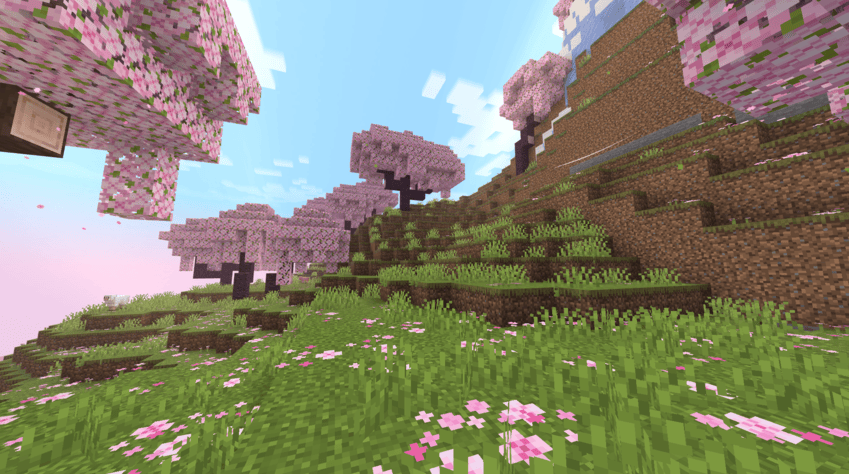
Cherry Blossom
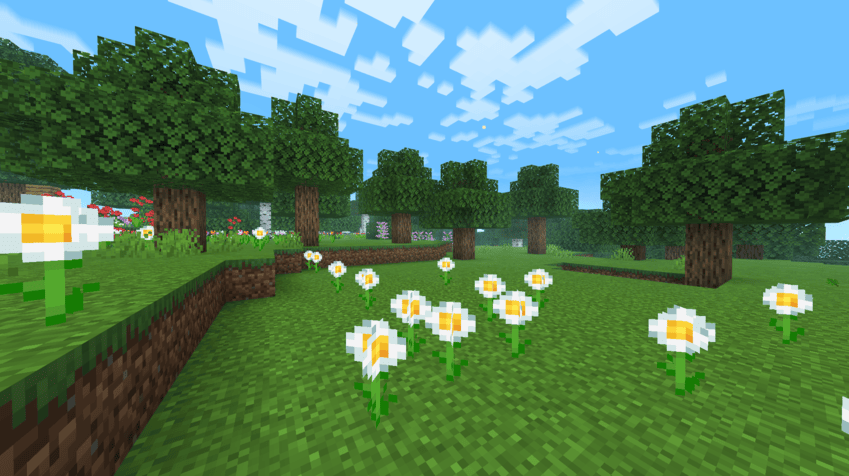
Flower Forest
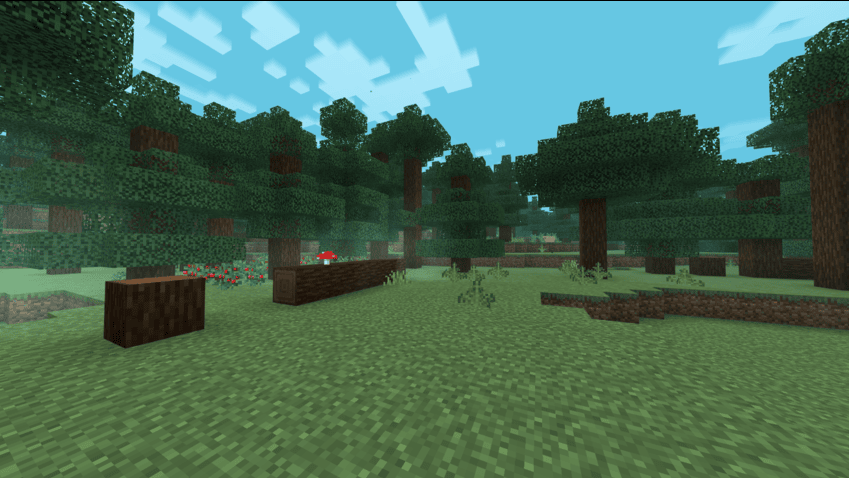
Taiga
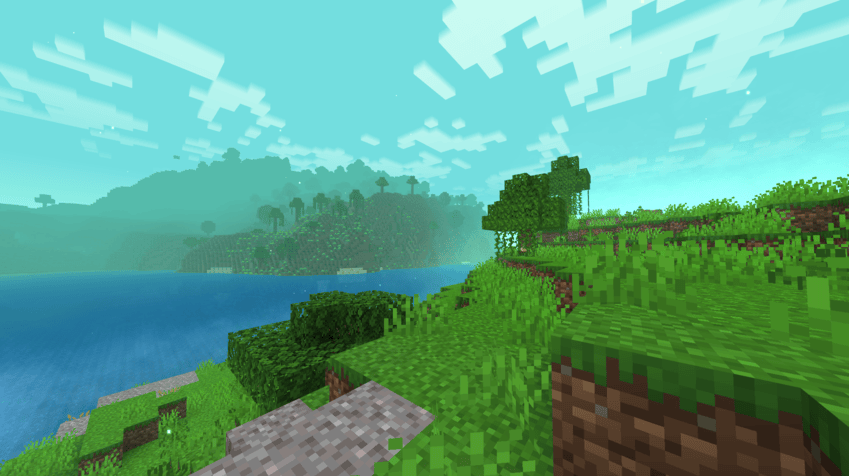
Jungle
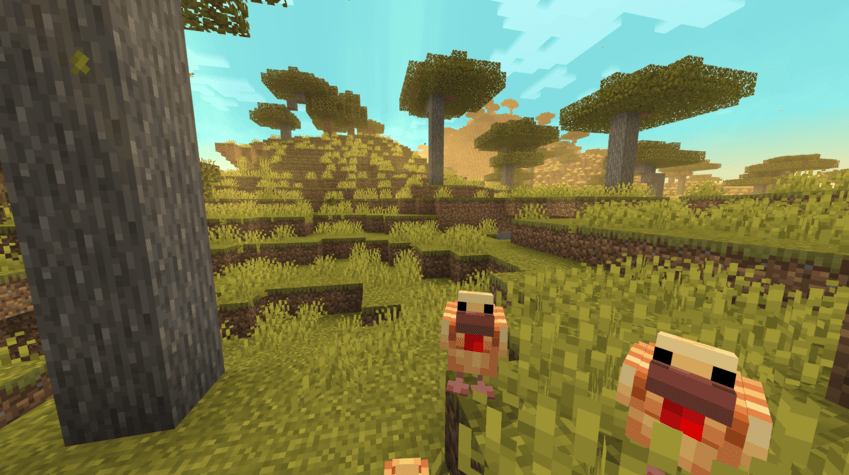
Savannah
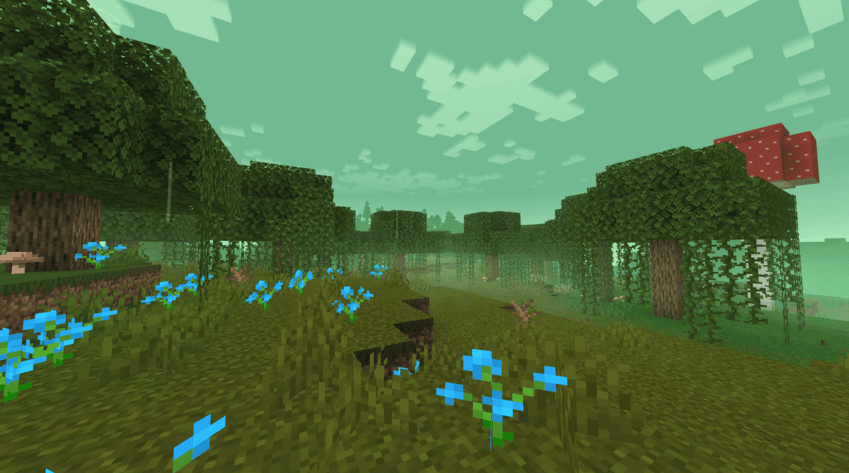
Swampland
NOTE: The custom skyboxes and visual effects are assests from Realistic Biomes, by Oreville Studios. All rights belong to Oreville Studios, all assests FROM Oreville Studios in the screenshot will NOT be included in the texture pack
Comparison
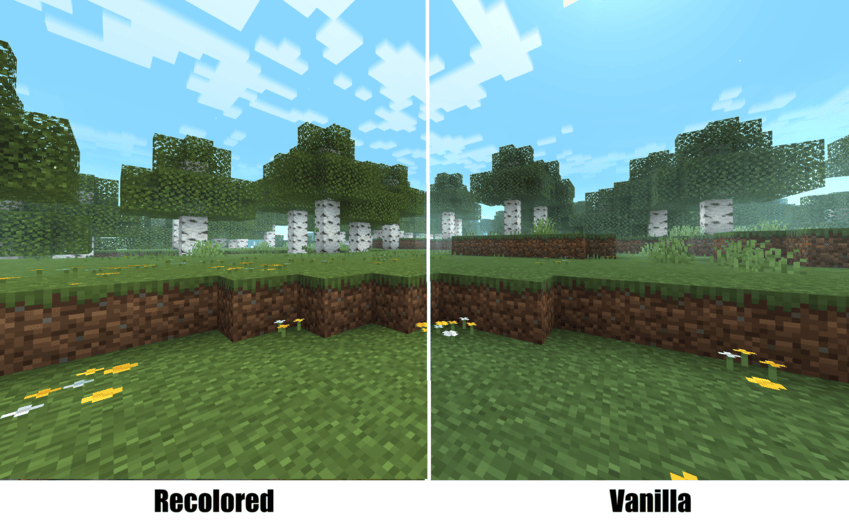
BIRCH
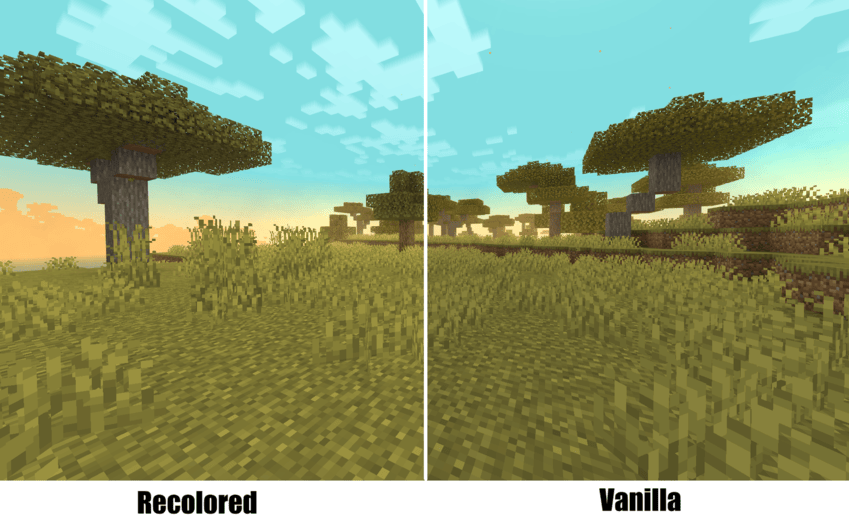
Savannah
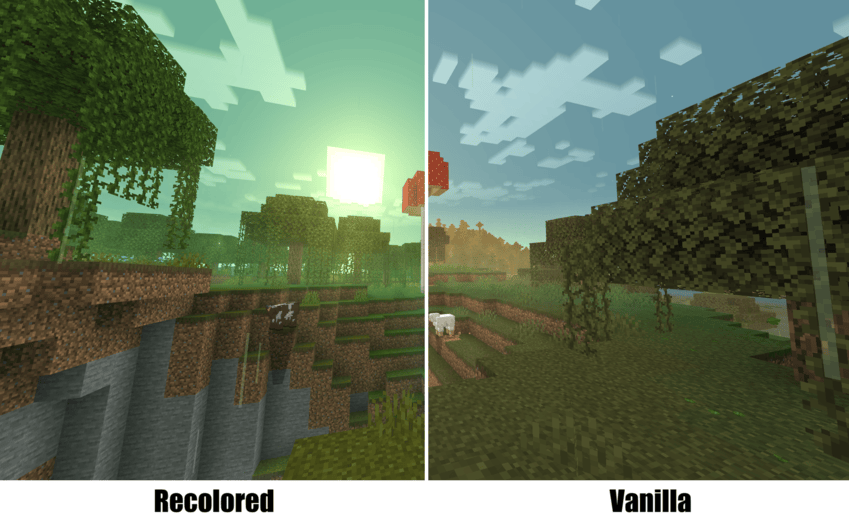
Swamp
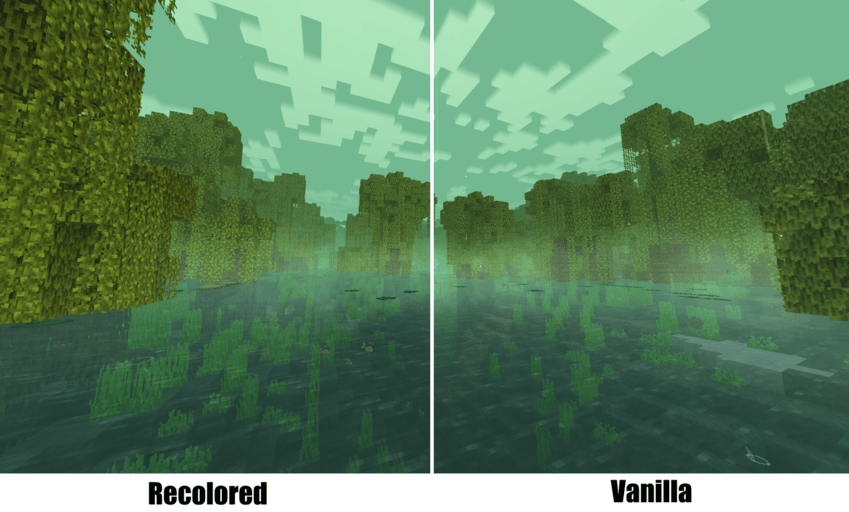
Mangrove Swamp
VIBRANT VISUALS!
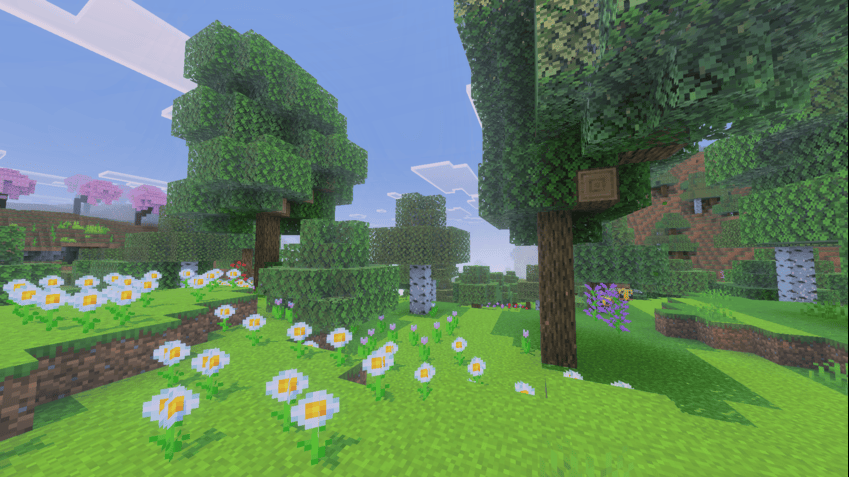
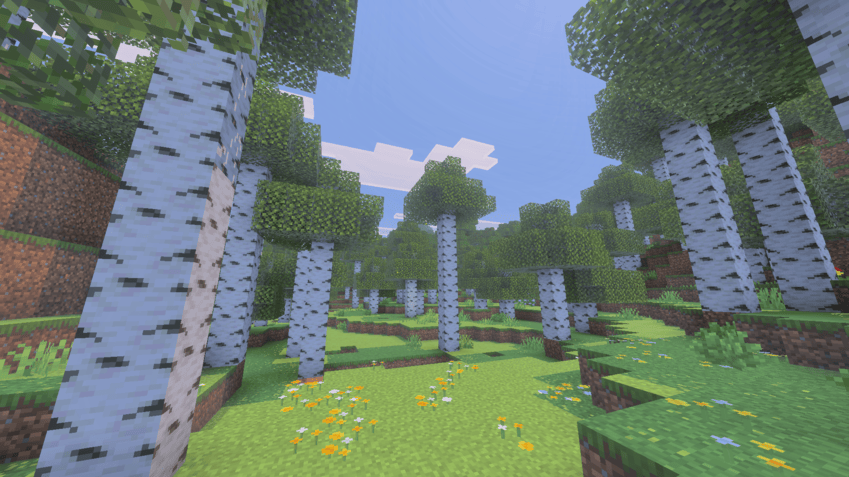
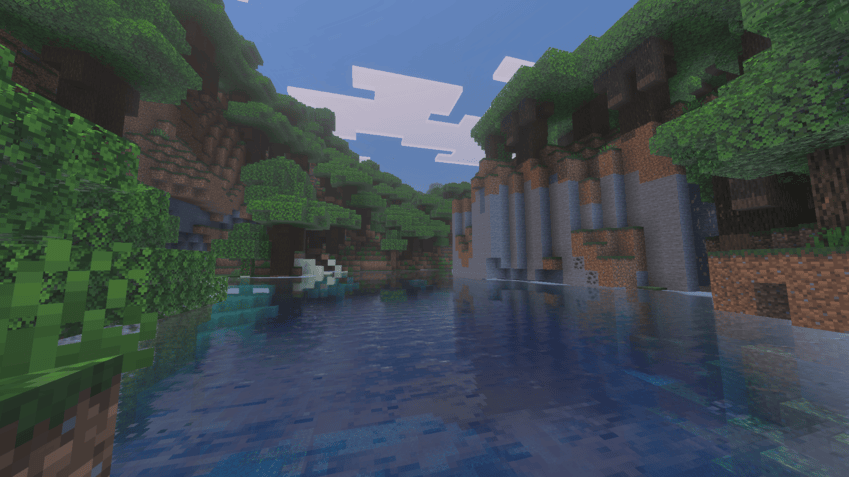
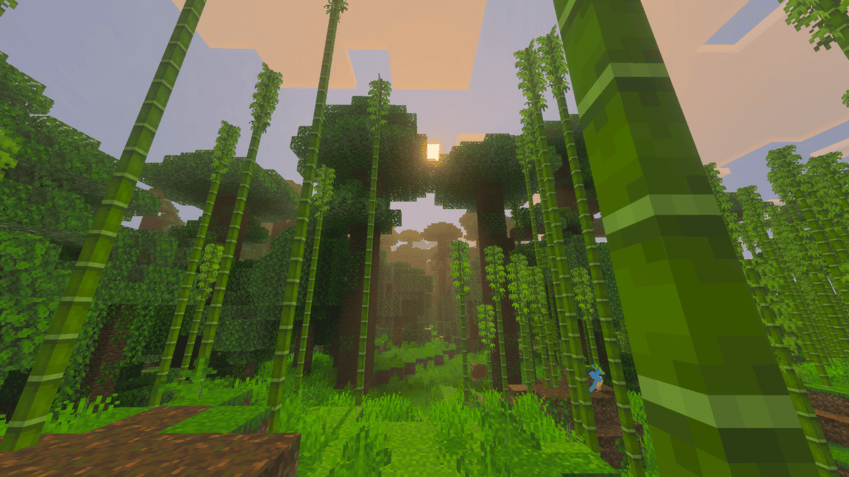
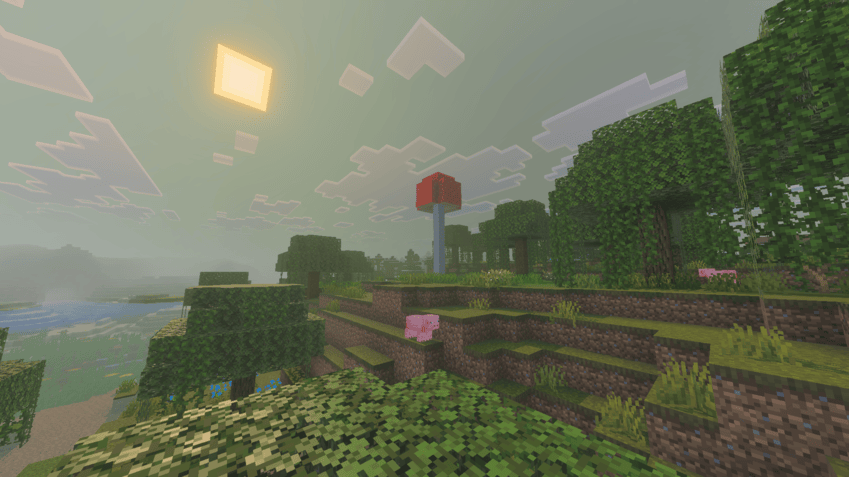
Soon to be Added!
- Refreshed water colors
- Matched & Particles
- New Fog colors
- and many more to come!...
Installation von Recolored
With Millida Launcher
Install Millida Launcher
The launcher is free: download it at millida.net/launcher and sign in with any nickname.
Click “Install” on this page
The launcher opens and installs the resource pack for Minecraft 1.21.120–1.21.130 automatically.
Launch the game
A profile with it appears in the launcher: click “Play”.
Manually
Download the archive
Pick the file Recolored.mcpack (2.5 MB) for your game version. No need to unpack it.
Put it in the resourcepacks folder
The easiest way: “Options”, then “Resource Packs”, then “Open Pack Folder”, and drag the archive there.
Enable the pack
In the same window, move the pack to the right-hand “Selected” column and click “Done”.
Versionen
Mit Abhängigkeiten
| Minecraft | Loader | Datei | Datum | Aktionen |
|---|---|---|---|---|
| 1.21.120 | — | Recolored.mcpack2.5 MB |
FAQ
Which Minecraft versions does Recolored work on?
There are files for 1.21.130, 1.21.124, 1.21.123, 1.21.122, 1.21.121, 1.21.120. The newest is 1.21.130.
Where can I download Recolored safely?
On this page: the file Recolored.mcpack (2.5 MB) is stored on Millida’s server, with no link shorteners. SHA-1 checksum: 2dfce74485e1e19ea2abe513ab1ff275c30bd692.
Bewertungen
Bewerten Sie Recolored als Erster


