
Über das Open Lower Grass-Ressourcenpaket
Low quality overview trailer
What is this?
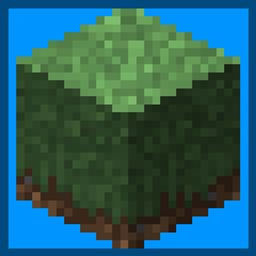
This is Open Lower Grass (OLG), it lowers the grass of every resource pack so that the terrain looks smoother.
Why did you make this?
I am seeing a lot of resource packs lately that make the grass lower so that the landscape looks nicer, I really loved how it looks but there was one main problem: it didn’t work with any resource packs I used.
How does it work?
I lower the original overlay and add the top texture as a filler, the result is this!
What blocks does it change?
Normal grass, snowed grass, path grass, mycelium and podzol.
Can I use it in my modpack?
Yes, if it’s not behind a pay wall, optional donations are fine, but don’t make the pack pay to play. A link back to this page would be appreciated but isn't required.
Currently supported mods for modded version:
Biomes o' Plenty
Aether Legacy
FAQ
- Will this lower my frame rate?
By a minuscule amount, yes, I’ve done everything to optimise the model and make it the best it can be, but I’m not a magician, it’s just more complex than the original and that’s the reality of it, most people won't notice the extremely minor frame drop.
- Will this truly work with ANY pack?
No, 99% of packs will work, but there are some asterisks, namely:
- It will not work with variating textures; it can only use 1.
- The resource pack must have the default Minecraft naming scheme.
- Will this look good on every pack?
No, it’s up to you to determine if it looks good, and it’s only a model, it depends on the other pack’s textures if it works well together.
- How can I access the modded version?
Go into the files tab, and download the modded version, this isn't the main file so it will not download when you click the normal download button.
- Will you (back)port to XX version?
Eventually.
Images
Installation von Open Lower Grass
With Millida Launcher
Install Millida Launcher
The launcher is free: download it at millida.net/launcher and sign in with any nickname.
Click “Install” on this page
The launcher opens and installs the resource pack for Minecraft 1.16–1.19.4 automatically.
Launch the game
A profile with it appears in the launcher: click “Play”.
Manually
Download the archive
Pick the file OLG_1.1.3_1.16+.zip (18 KB) for your game version. No need to unpack it.
Put it in the resourcepacks folder
The easiest way: “Options”, then “Resource Packs”, then “Open Pack Folder”, and drag the archive there.
Enable the pack
In the same window, move the pack to the right-hand “Selected” column and click “Done”.
Versionen
Mit Abhängigkeiten
| Minecraft | Loader | Datei | Datum | Aktionen |
|---|---|---|---|---|
| 1.17.1 | — | olg_1.1.3_1.16+17.6 KB 1 |
FAQ
Where can I download Open Lower Grass safely?
On this page: the file OLG_1.1.3_1.16+.zip (18 KB) is stored on Millida’s server, with no link shorteners. SHA-1 checksum: 68834a8553ccf1cb1e5b44ae10c52c7ddaf698d9.
Bewertungen
Bewerten Sie Open Lower Grass als Erster


