
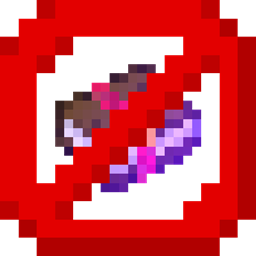
Über das No Enchants-Ressourcenpaket
No Enchants is a simple and lightweight resource pack that removes the animated purple "glint" from enchanted items, tools, and armor.
Features:
- Removes the enchantment glint entirely.
- Works on all items, weapons, tools, and armor.
- Perfect for PvP, building, or anyone who prefers a cleaner look.
- Super light, zero lag.
- Works with all other resource packs (just place this one on top in the load order).
- FPS booster.
Note: This is purely visual, your items are still enchanted and function normally.
Installation von No Enchants
With Millida Launcher
Install Millida Launcher
The launcher is free: download it at millida.net/launcher and sign in with any nickname.
Click “Install” on this page
The launcher opens and installs the resource pack for Minecraft 1.20–26.50 automatically.
Launch the game
A profile with it appears in the launcher: click “Play”.
Manually
Download the archive
Pick the file No Enchants.mcpack (7 KB) for your game version. No need to unpack it.
Put it in the resourcepacks folder
The easiest way: “Options”, then “Resource Packs”, then “Open Pack Folder”, and drag the archive there.
Enable the pack
In the same window, move the pack to the right-hand “Selected” column and click “Done”.
Versionen
Mit Abhängigkeiten
| Minecraft | Loader | Datei | Datum | Aktionen |
|---|---|---|---|---|
| 1.20.40 | — | No Enchants.mcpack6.6 KB |
FAQ
Which Minecraft versions does No Enchants work on?
There are files for 1.20–26.50, 54 versions in total. The newest is 26.50.
Where can I download No Enchants safely?
On this page: the file No Enchants.mcpack (7 KB) is stored on Millida’s server, with no link shorteners. SHA-1 checksum: e91bdd65fa6af798bc2073e44f19f889a79c7562.
Bewertungen
Bewerten Sie No Enchants als Erster


