
NeBux UI+ Ressourcenpaket für Minecraft 26.0.02
Ein einfaches UI-Paket, das dein normales Gameplay durch mehrere Funktionen erleichtert
MY OTHER PACKS
- NeBux Xtreme
- Quick Chat
- 3D Totems Generator
- NeBux Colorful Containers
ABOUT PACK
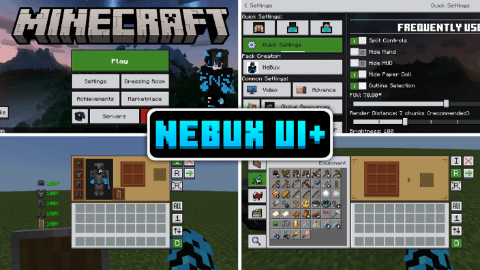
NeBux UI+ is a simple UI pack designed to enhance gameplay and improve accessibility in Minecraft Bedrock Edition. This pack refines the UI design while adding quick-access features that make navigation faster and more convenient.
FEATURES:
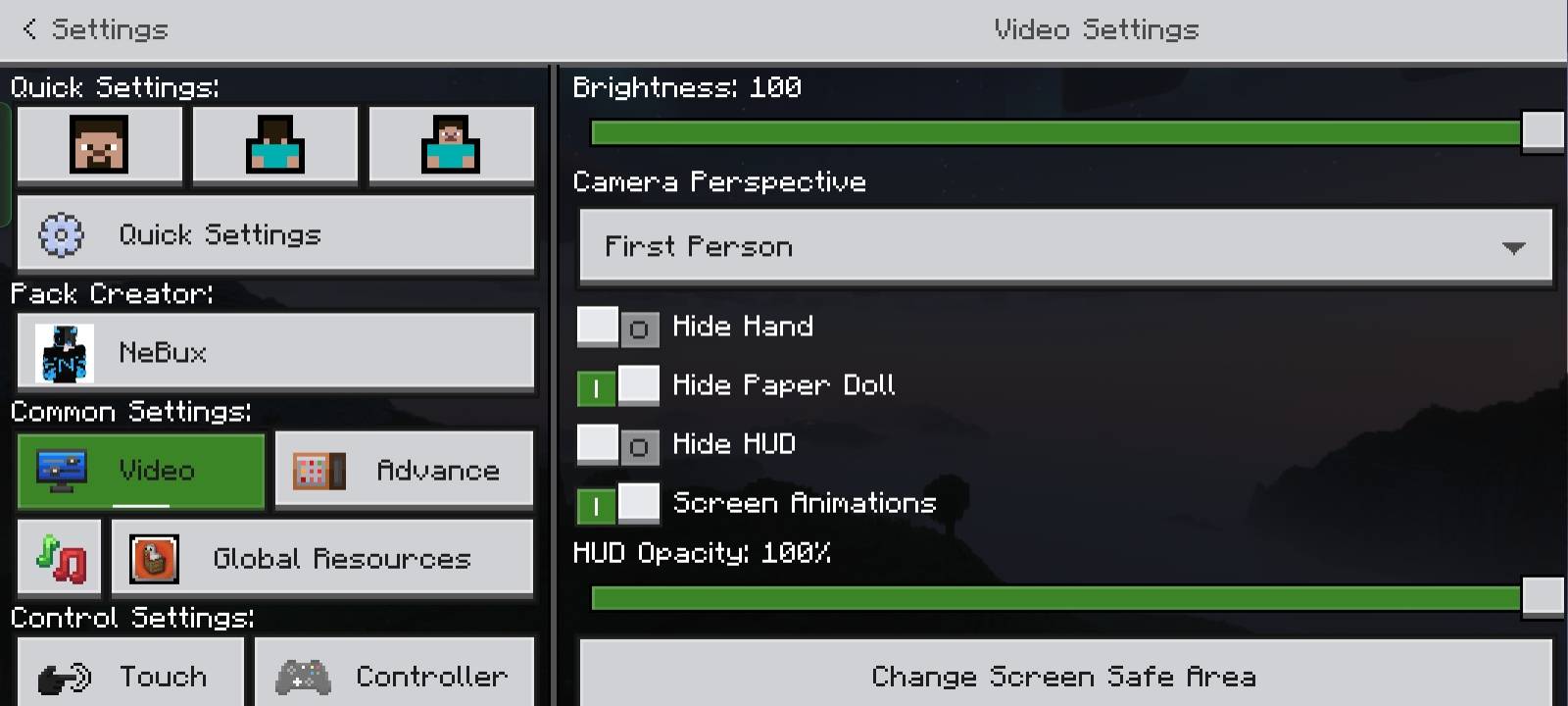
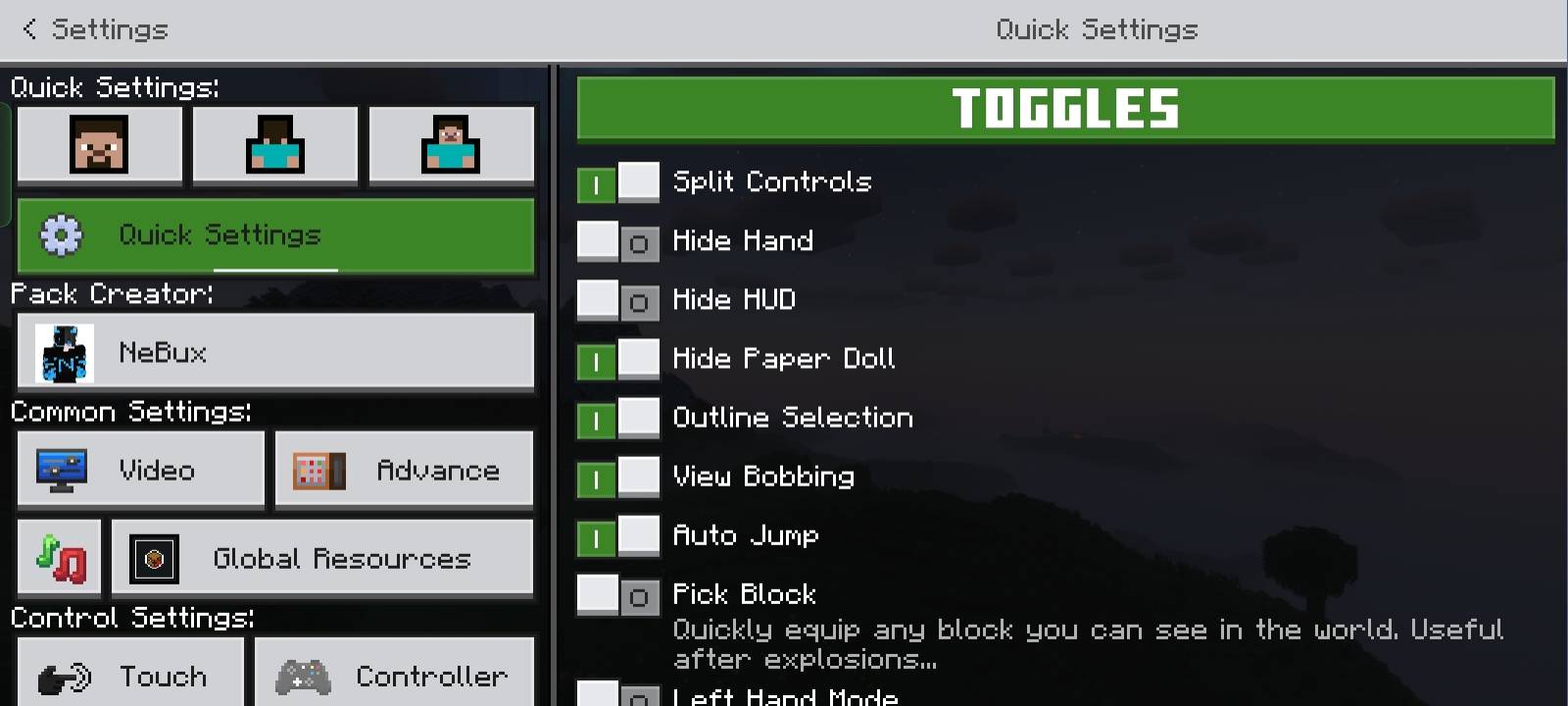
- Quick Settings - A new menu with frequently used toggles like FOV and Camera View for faster access.
- Quick Buttons - Adds shortcuts buttons like a direct Servers button and quick craft, quick drop, drop all, quick move etc. to skip extra navigation steps.
- Quick Craft & Quick Loot - Makes crafting and looting faster with optimized UI elements.
- F1 & F8 Buttons - Just like in Java Edition, F1 hides the HUD, and F8 toggles the paper doll.
- Exit Warning - Prevents accidental game exits by adding a confirmation prompt before quitting.
- Persistent Screens - Inventory, crafting, and other UI elements won’t close when the player takes damage.
- No Chat Input Limit - Removes the default character limit in the chat input box, allowing longer messages.
- Chat Quick Buttons - Adds Undo, Next buttons to improve chat interaction.
- UI Animations - Smooth animations that enhance the look and feel of the UI.
- Durability Viewer - Shows Armor and Tools durability "only on inventory screen".
- Trade Unlocker - Unlocks every trade so you don't need to level up every villager.
- Inventory Counter - Shows how many slots are left in your inventory.
- Inventory Full Warning - A simple warning shown at right top on HUD screen when your inventory gets full.
- Clock & Compass - Working compass and clock shown on HUD, no need to craft these.
- Xp Counter - Shows how much XP you have, visible in creative mode too.
- Enhanced Inventory - Better inventory buttons.
- Custom Containers - Every usable block like crafting table, furnace, etc. has custom GUI.
- Dimension Loading Screens - New loading screens according to the dimension.
- ToolTip Animations - Simple animation when switching items in hotbar, showing item name.
- Chat Select - A button on chat screen to select command or chat by clicking the line.
- Dark Mode - Requires separate "NeBux UI+ Dark Mode Extension" pack, placed above NeBux UI+.
- All Languages - Translated by AI; switch to en_US if translations seem off.
- Fixed storage section in settings screen.
- Added mod menu.
- Custom crosshairs adjustable through mod menu.
- Enchantment Guide.
- Furnace Guide.
- Blast Furnace Guide.
- Smoker Guide.
- F3 (Debug Screen).
- Fixed top middle buttons; use subpacks placement based on camera perspective button setting.
TERMS OF USE:
✅ What You Can Do:
- Modify this pack, but only for personal use.
- Showcase this pack on YouTube or other platforms, but you must provide the download link to this page. Direct links or paywall links are not allowed.
❌ What You Can't Do:
- Modify and reupload this pack as your own.
- Upload this pack to other websites without permission.
- Use any code/assets from this pack without permission (contact on Discord for permission; currently denied).
- Sell, monetize, or distribute this pack in any paid form.
- Upload this pack to third-party websites (like Minecraft pack platforms, MediaFire, Mega, Google Drive) and share your own links.
Please respect my work! :)
CREDITS:
A huge thanks to the following creators, whose codes, assets, and ideas greatly helped in developing this pack.
- minxhyz
- notnicto
- blurryfacee
- DVG YT
- Enchanted_Games
- epicth3emilis
- jobelike_mc
- mod_mcpe
- PepeOnMCPEDL
- project_client
- Real_tlgm
- Vixel
- llit_im_internet
- Kingybu
- Botanydev
- Vi_Tul
- Bruhh69
- Dimzcraft
If you enjoy my packs and want to support my work
❤️ Support Me on Ko-fi
Your support means a lot - thank you!
Installation von NeBux UI+
With Millida Launcher
Install Millida Launcher
The launcher is free: download it at millida.net/launcher and sign in with any nickname.
Click “Install” on this page
The launcher opens and installs the resource pack for Minecraft 26.0–26.0.02 automatically.
Launch the game
A profile with it appears in the launcher: click “Play”.
Manually
Download the archive
Pick the file NeBuxUI+_V1.4.2.mcpack (12 MB) for your game version. No need to unpack it.
Put it in the resourcepacks folder
The easiest way: “Options”, then “Resource Packs”, then “Open Pack Folder”, and drag the archive there.
Enable the pack
In the same window, move the pack to the right-hand “Selected” column and click “Done”.
Versionen
Mit Abhängigkeiten
| Minecraft | Loader | Datei | Datum | Aktionen |
|---|---|---|---|---|
| 26.0.02 | — | NeBuxUI+_V1.4.2.mcpack12 MB 1 |
FAQ
Which Minecraft versions does NeBux UI+ work on?
There are files for 26.0.02, 26.0. The newest is 26.0.02.
Where can I download NeBux UI+ safely?
On this page: the file NeBuxUI+_V1.4.2.mcpack (12 MB) is stored on Millida’s server, with no link shorteners. SHA-1 checksum: c2c80547704a5949c8cdeb41347553561f595d12.
Bewertungen
Bewerten Sie NeBux UI+ als Erster



