

HUD-X Ressourcenpaket für Minecraft 1.21.130
HUD-X verbessert dein Minecraft-HUD durch Hinzufügen von F1- (HUD ausblenden), F3- (Debug), F8- (Paper Doll) und M-Buttons (Mod-Menü). Außerdem enthält es eine Uhr, einen Kompass, einen Inventarzähler, einen XP-Zähler und einen erweiterten Debug-Bildschirm mit Koordinaten und Inventarstatus.
HUD-X
Description
HUD-X is a standalone HUD pack from my NeBux UI+ pack. It enhances your Minecraft HUD screen by adding many useful features and tools. The design is simple, clean, and player-friendly, giving you quick access to buttons, real-time counters, and extra in-game information. With HUD-X, you can manage your gameplay more easily while keeping the screen neat and attractive.
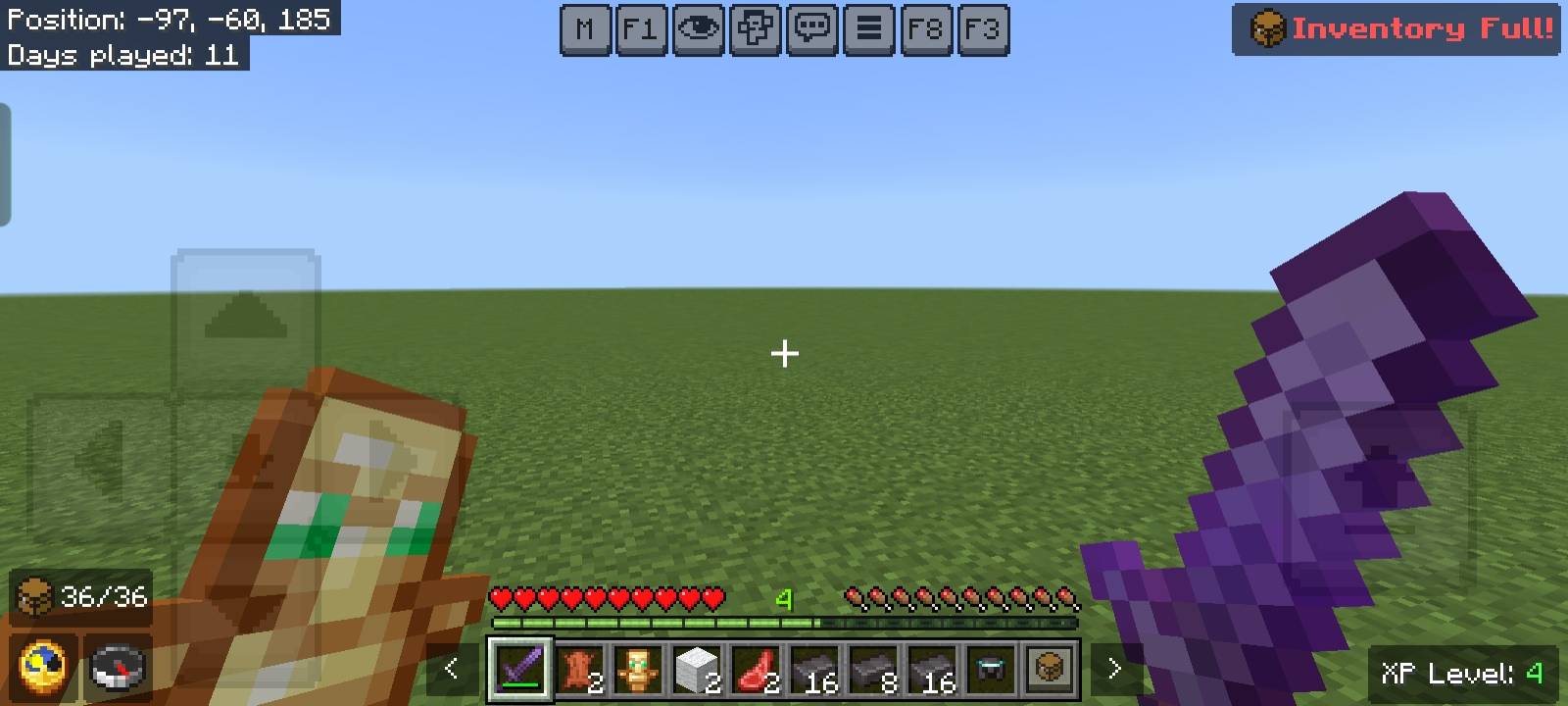
Features
- F1 - Hide or show the HUD instantly.
- F8 - Toggle the Paper Doll.
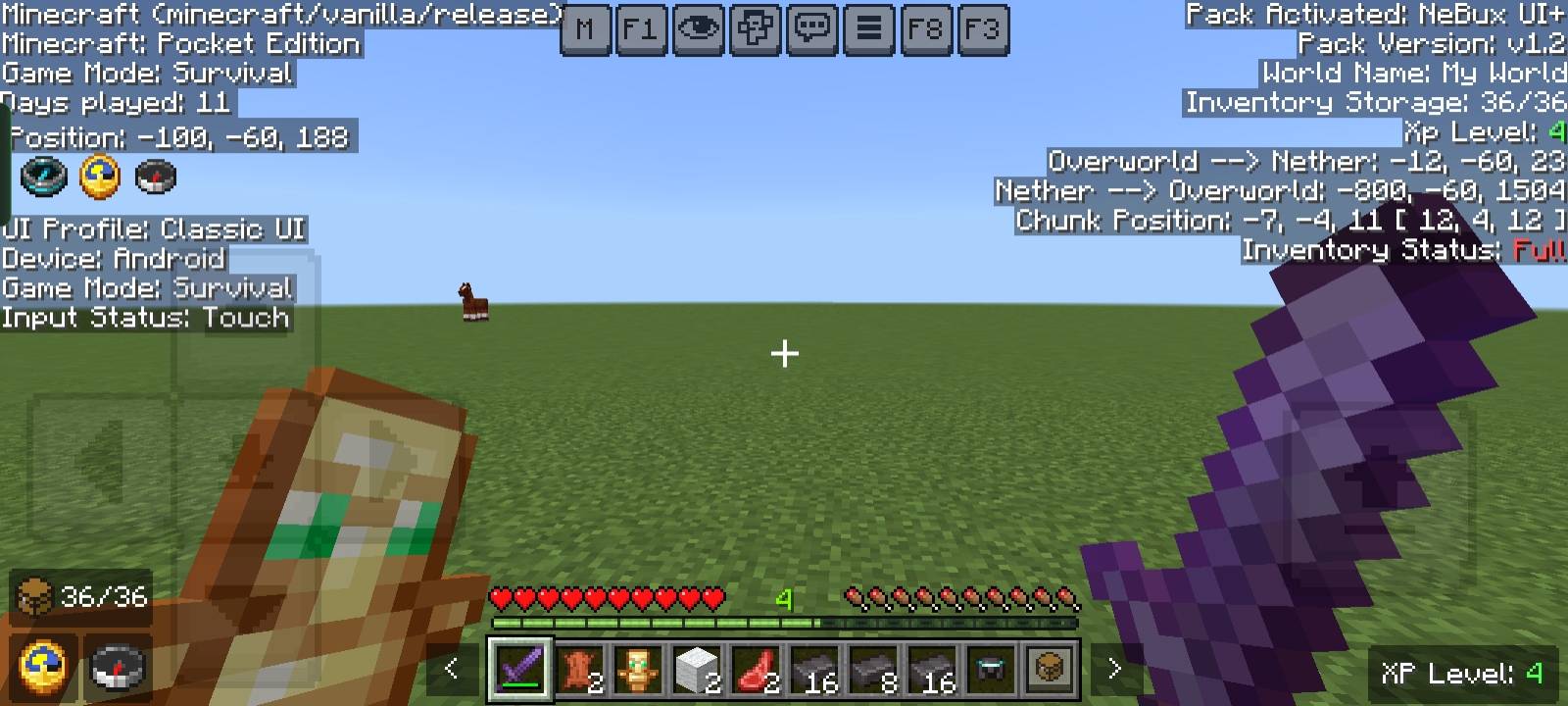
- F3 - Open the debug screen with advanced info.
- M - Access the mod menu.
- Clock - Always shows in-game time.
- Compass - Always shows direction.
- Inventory Counter - Displays filled and empty slots.
- XP Counter - Shows your current XP level.
- Inventory Full Warning - Alerts you when your inventory is completely full.
- Debug Screen - Shows inventory status, Nether & Overworld coordinates, chunk coordinates, and more.
If you enjoy my packs and want to support my work
❤️ Support Me on Ko-fi
Your support means a lot - thank you!
Installation von HUD-X
With Millida Launcher
Install Millida Launcher
The launcher is free: download it at millida.net/launcher and sign in with any nickname.
Click “Install” on this page
The launcher opens and installs the resource pack for Minecraft 1.21.130 automatically.
Launch the game
A profile with it appears in the launcher: click “Play”.
Manually
Download the archive
Pick the file HUD-X_v1.1.1.mcpack (2.1 MB) for your game version. No need to unpack it.
Put it in the resourcepacks folder
The easiest way: “Options”, then “Resource Packs”, then “Open Pack Folder”, and drag the archive there.
Enable the pack
In the same window, move the pack to the right-hand “Selected” column and click “Done”.
Versionen
Mit Abhängigkeiten
| Minecraft | Loader | Datei | Datum | Aktionen |
|---|---|---|---|---|
| 1.21.130 | — | HUD-X_v1.1.1.mcpack2.1 MB |
FAQ
Which Minecraft versions does HUD-X work on?
Only Minecraft 1.21.130: there are no files for other versions.
Where can I download HUD-X safely?
On this page: the file HUD-X_v1.1.1.mcpack (2.1 MB) is stored on Millida’s server, with no link shorteners. SHA-1 checksum: 501e96cc5b6a48c7d81f2deb5cd103dbc6ff86f5.
Bewertungen
Bewerten Sie HUD-X als Erster



