
ComputerCraft: Greg Flavored Ressourcenpaket für Minecraft 1.20.1, 1.21
Lass deine Computer und Doodads wie GregTech-Maschinen aussehen!
ComputerCraft: Greg Flavored
Warning! This resource pack doesn't feature turtles. Turtles are removed in most GregTech packs due to them completely breaking all progression, and changing their models has proven to be too big of a headache for me so they're not included :(. There is an (optional) KubeJS script in the repo that removes turtles from jei and crafting here
If you're on Fabric, Iris is required with a shader enabled. Why? I have no idea. it just wont work, the render types get all messed up for certain blocks. Forge works out of the box.
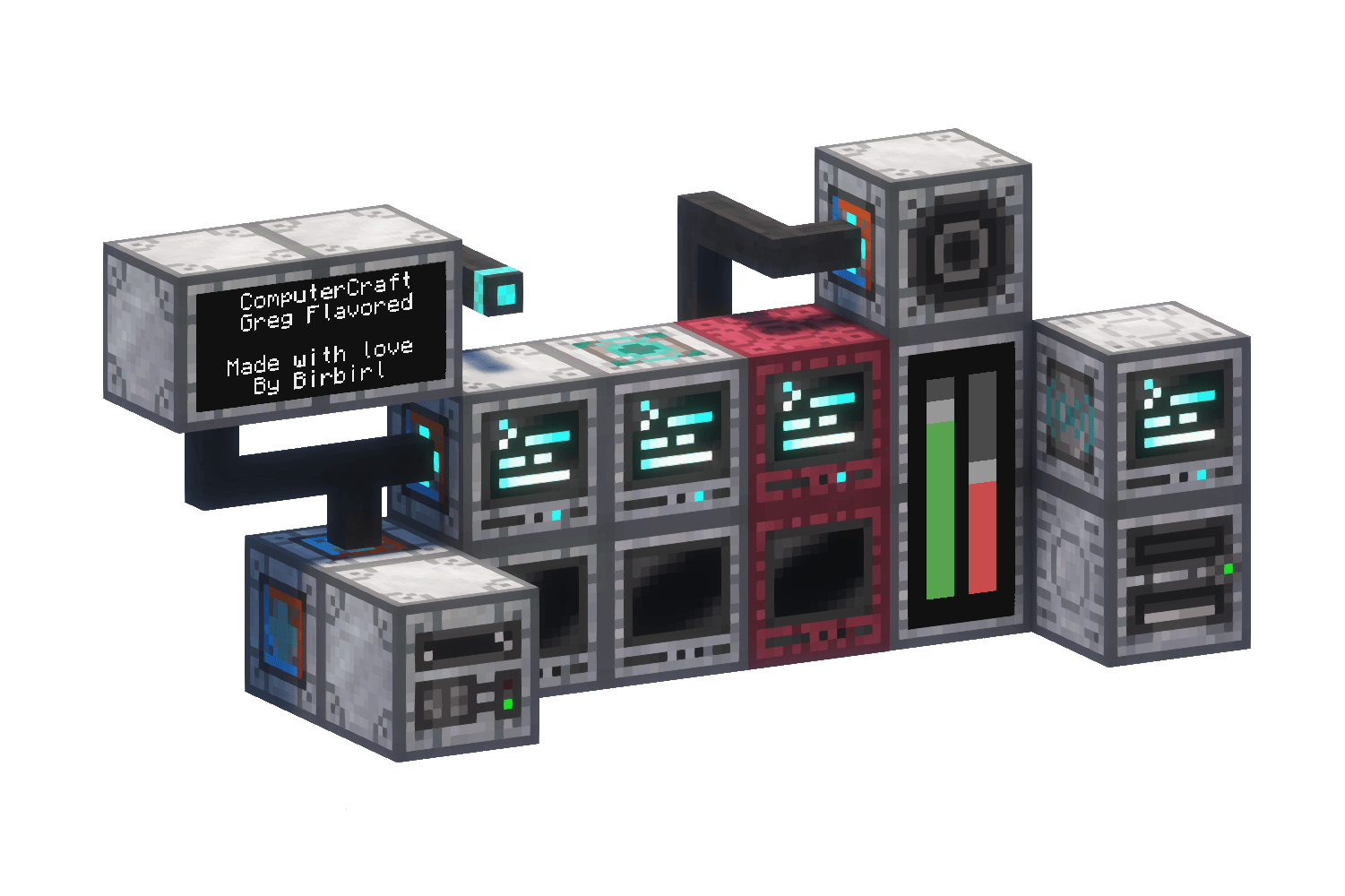
ComputerCraft: Greg Flavored is a family of easily customizable resource packs for CC: Tweaked (required) that tries to fit the style of GTCEu: Modern and GregTech Refreshed (both not required) with extra bloom support using Shimmer (optional). As of 1.1 it also supports Advanced Peripherals
CC:GF is Also as a set of KubeJS scripts used to integrate Computers into GregTech that can be found here, if you're playing a custom pack/a pack that doesn't manually add in computers, having the two scripts can help with balance and integrity. Just make sure your pack doens't already have recipie overrides for CC items :)
Thanks to Dadamalda, as of 1.1 the resourcepack now has Advanced Peripherals support! The KubeJS scripts adds new recipies and removes a couple unused items. If you're a modpack maker and want to include the script, remember to look through it!
This Resource Pack and certain releases contain original/modified textures and models from GregTech Refreshed, GTCEu: Modern, GregTech Programmer Art and CC: Tweaked

Installation von ComputerCraft: Greg Flavored
With Millida Launcher
Install Millida Launcher
The launcher is free: download it at millida.net/launcher and sign in with any nickname.
Click “Install” on this page
The launcher opens and installs the resource pack for Minecraft 1.19.4–1.21 automatically.
Launch the game
A profile with it appears in the launcher: click “Play”.
Manually
Download the archive
Pick the file ComputerCraft Greg Refreshed 1.1 - 1.20.1.zip (935 KB) for your game version. No need to unpack it.
Put it in the resourcepacks folder
The easiest way: “Options”, then “Resource Packs”, then “Open Pack Folder”, and drag the archive there.
Enable the pack
In the same window, move the pack to the right-hand “Selected” column and click “Done”.
Versionen
Mit Abhängigkeiten
| Minecraft | Loader | Datei | Datum | Aktionen |
|---|---|---|---|---|
| 1.20.2 | — | ComputerCraft Greg Refreshed 1.1935 KB 1 |
Bewertungen
Bewerten Sie ComputerCraft: Greg Flavored als Erster



