

Big Brain GUI Ressourcenpaket für Minecraft 1.21.8
Ein In-Game-Wiki, das nützliche Infoboxen anzeigt. Google nie wieder nach einfachen Spielinformationen!
Über das Big Brain GUI-Ressourcenpaket
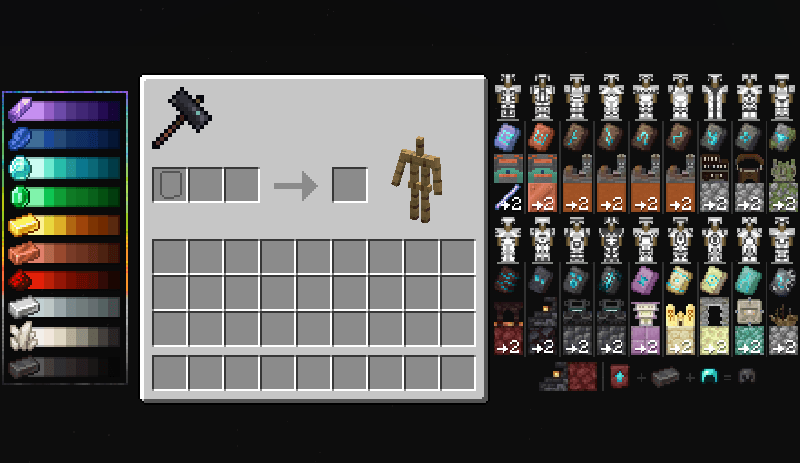
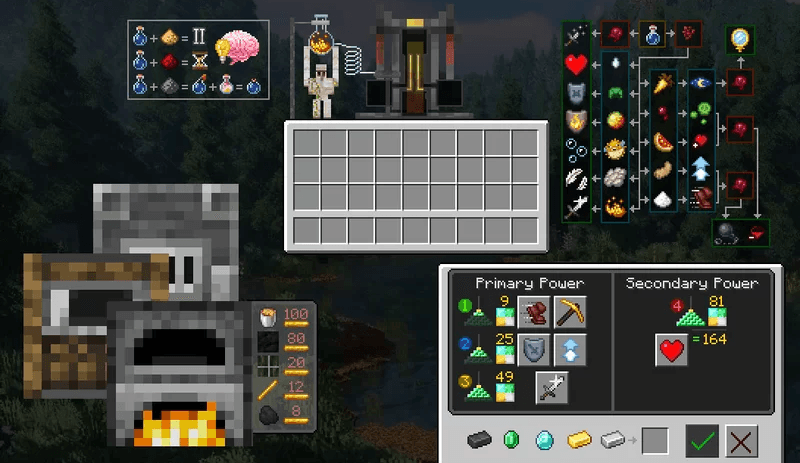
This resource pack adds interactive information panels to the game that show the data you need right in the game window. Now you don't need to open a browser to find out potion recipes, the cost of smithing work, villager trade conditions, or the amount of iron needed to craft a beacon. The panels appear when you hover over items, blocks, or interfaces, quickly displaying the numbers and descriptions you need. It is especially useful for beginners and for those who want to quickly navigate the game's mechanics without distraction.
The pack works on versions 1.21.7 and 1.21.8. It does not change textures or graphics, it only adds functional tooltips. The archive needs to be placed in the resourcepacks folder inside the Minecraft folder. It is suitable for those who value convenience and do not want to waste time searching online. The style of the panels is simple and minimalist, and does not distract from the main gameplay.
Frequently asked questions
How do I install the resource pack?
Unpack the archive and place the file in the resourcepacks folder inside the Minecraft folder.
Which versions does it work on?
It works on versions 1.21.7 and 1.21.8.
Is an additional mod required?
No, the resource pack works without additional mods.
Installation von Big Brain GUI
With Millida Launcher
Install Millida Launcher
The launcher is free: download it at millida.net/launcher and sign in with any nickname.
Click “Install” on this page
The launcher opens and installs the resource pack for Minecraft 1.21.7–1.21.8 automatically.
Launch the game
A profile with it appears in the launcher: click “Play”.
Manually
Download the archive
Pick the file 200IQ Big Brain GUI 1.21.7.zip (498 KB) for your game version. No need to unpack it.
Put it in the resourcepacks folder
The easiest way: “Options”, then “Resource Packs”, then “Open Pack Folder”, and drag the archive there.
Enable the pack
In the same window, move the pack to the right-hand “Selected” column and click “Done”.
Versionen
Mit Abhängigkeiten
| Minecraft | Loader | Datei | Datum | Aktionen |
|---|---|---|---|---|
| 1.21.8 | — | 200IQ Big Brain GUI 1.21.7.zip498 KB 2 |
FAQ
Where can I download Big Brain GUI safely?
On this page: the file 200IQ Big Brain GUI 1.21.7.zip (498 KB) is stored on Millida’s server, with no link shorteners. SHA-1 checksum: 3a882e72a641322efb0f8b19672dd09d8542abcc.
Bewertungen
Bewerten Sie Big Brain GUI als Erster



