

Über das Better Ores-Ressourcenpaket
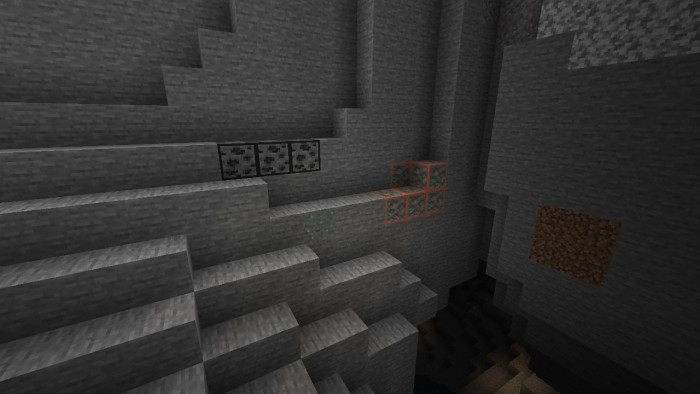
This mod improves visibility while mining by adding a subtle, outline around all ores. This outline makes it easier to distinguish ores from surrounding blocks, especially in dimly lit caves or cluttered environments. The mod ensures a clean, minimalist look that integrates seamlessly with Minecraft's visual style, helping you locate valuable resources without altering the game's aesthetic. Perfect for miners seeking efficiency without visual distractions!
Installation von Better Ores
With Millida Launcher
Install Millida Launcher
The launcher is free: download it at millida.net/launcher and sign in with any nickname.
Click “Install” on this page
The launcher opens and installs the resource pack for Minecraft 1.18–1.21.50 automatically.
Launch the game
A profile with it appears in the launcher: click “Play”.
Manually
Download the archive
Pick the file Better_Ores.mcaddon (271 KB) for your game version. No need to unpack it.
Put it in the resourcepacks folder
The easiest way: “Options”, then “Resource Packs”, then “Open Pack Folder”, and drag the archive there.
Enable the pack
In the same window, move the pack to the right-hand “Selected” column and click “Done”.
Versionen
Mit Abhängigkeiten
| Minecraft | Loader | Datei | Datum | Aktionen |
|---|---|---|---|---|
| 1.18.2 | — | Better_Ores.mcaddon271 KB |
FAQ
Which Minecraft versions does Better Ores work on?
There are files for 1.18–1.21.50, 28 versions in total. The newest is 1.21.50.
Where can I download Better Ores safely?
On this page: the file Better_Ores.mcaddon (271 KB) is stored on Millida’s server, with no link shorteners. SHA-1 checksum: 7579e08cf69d0f95c7995fc96d32bc96d2ed765c.
Bewertungen
Bewerten Sie Better Ores als Erster


