

 Vanilla-Spiel
Über das Best Saturation Pack-Ressourcenpaket

Transform the visual experience of the environment by granting greater saturation, while still maintaining the base style and perspective. Saturation is carefully increased in-game, preserving a balance between vibrancy and vanilla.
This pack was developed with the goal of visually enhancing the atmosphere and improving, at least a little, the experience without exaggerated changes, in order to maintain vanilla gameplay.

🎨 Features:
- More vibrant and lively colors.
- Support for vanilla: mobs, blocks, entities, and more.
- Vanilla standard (16x) lightweight, ideal for low‑spec PCs.
- For players who enjoy using features like Optifine or Continuity: certain versions include compatibility with connected glass through the ConnectedBlocks function.

⛏ Utility:
This pack works perfectly in both single-player worlds and vanilla servers. It doesn’t alter gameplay directly, so it won’t add or remove anything that changes your vanilla experience — only visual improvements.
If you’d like to keep the vanilla essence but make it a little more vibrant and colorful, this might be the one to try!
🌈 What Makes It Special?
We don’t claim this is one of the industry’s top packs, nor that it will be everyone’s favorite. What we do promise is to stay true to the essence it set out to deliver from the very beginning.
🎬 See It in Action
💎 Capture by versions
Chaos Cubed [26.2]
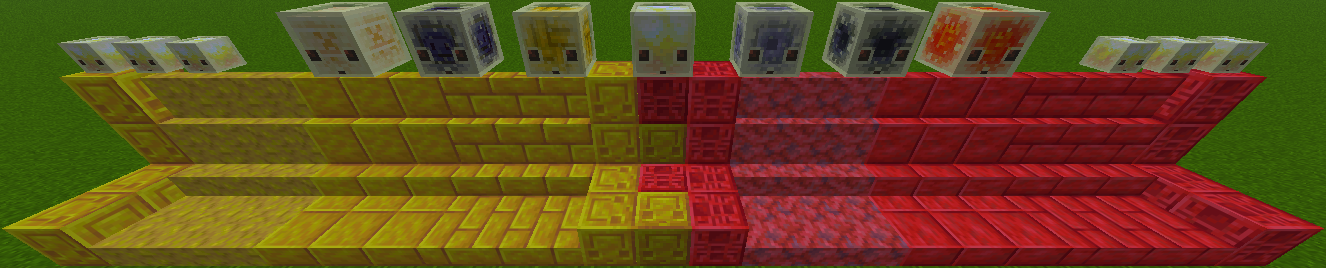
The Tricky Trials [1.21]
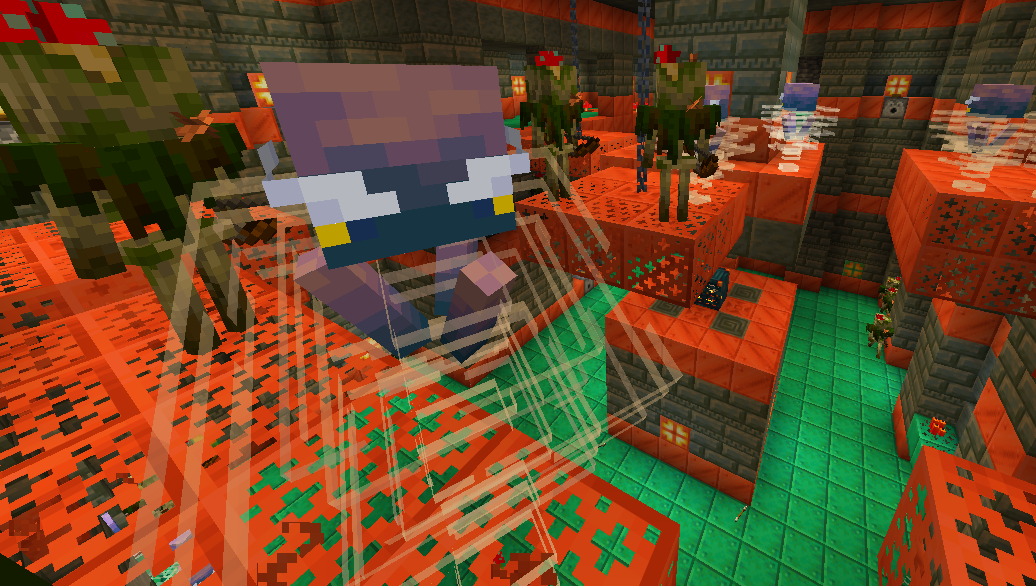
The Bundles of Bravery [1.21.2]
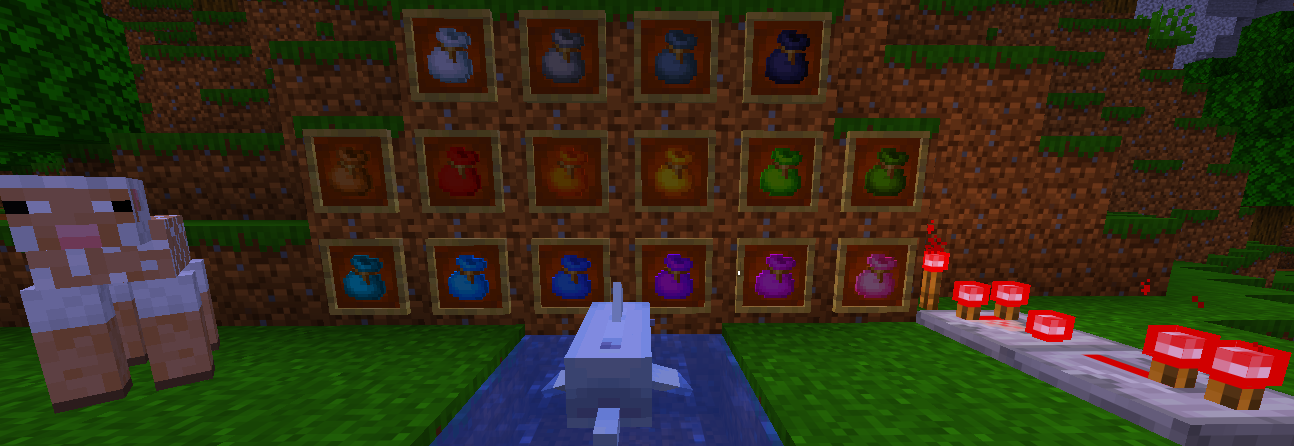
The Garden Awakens [1.21.4]
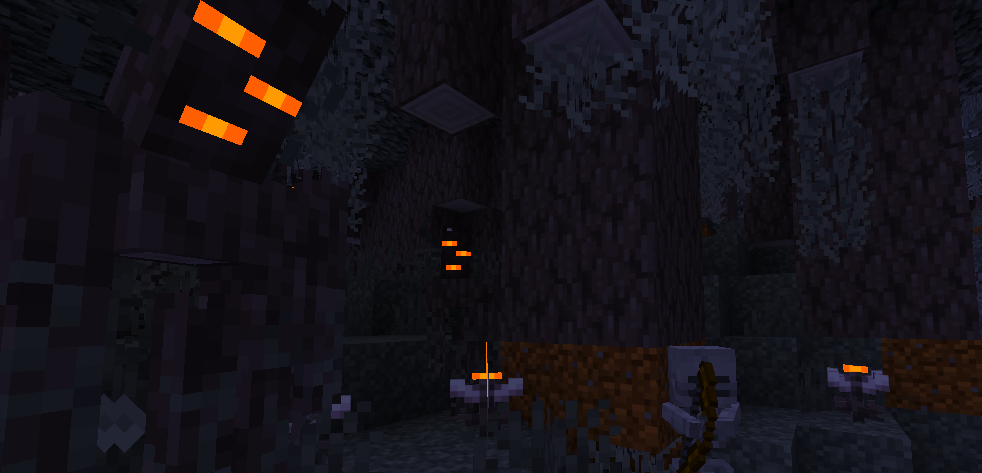
The Spring to Life [1.21.5]
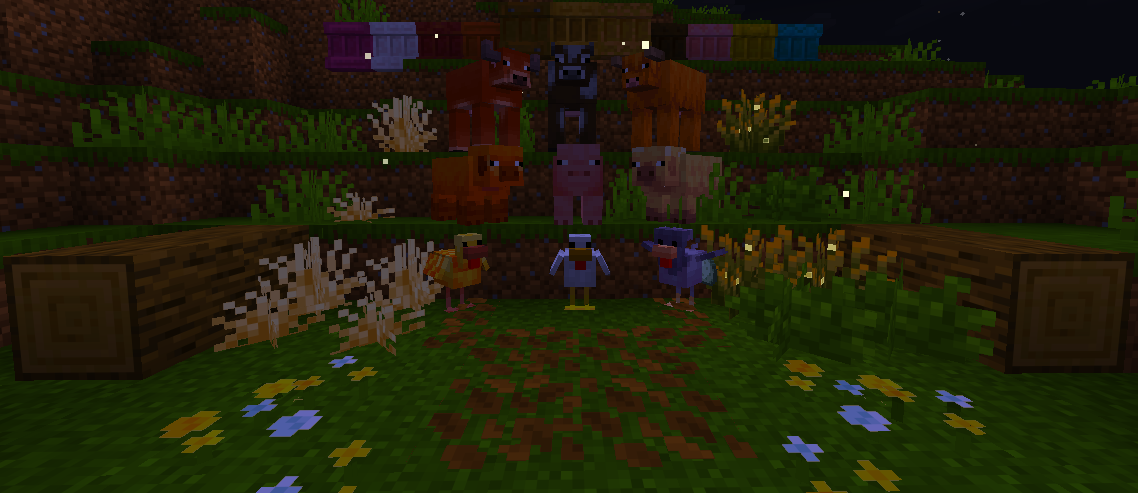
The Chase the Skies [1.21.7]
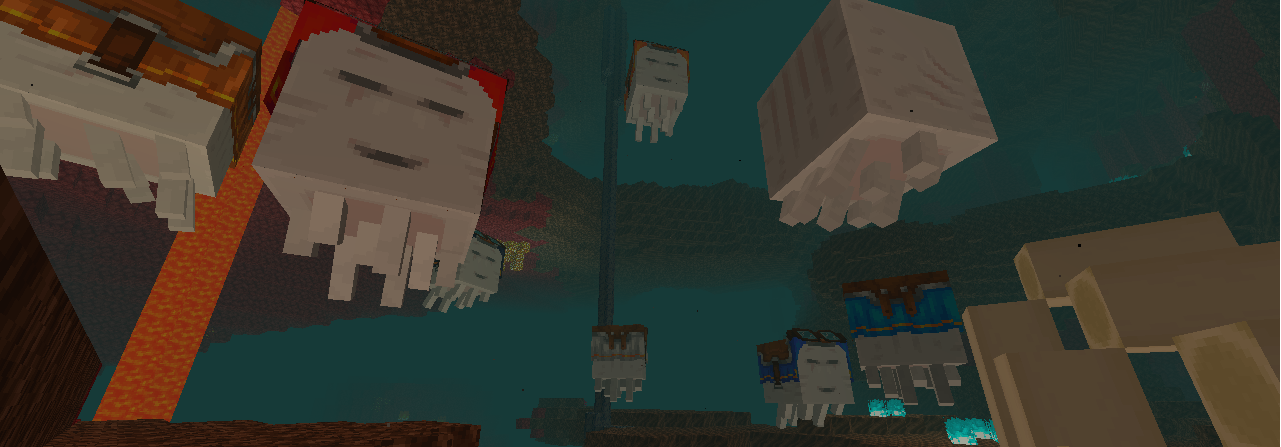
The Copper Age [1.21.9]
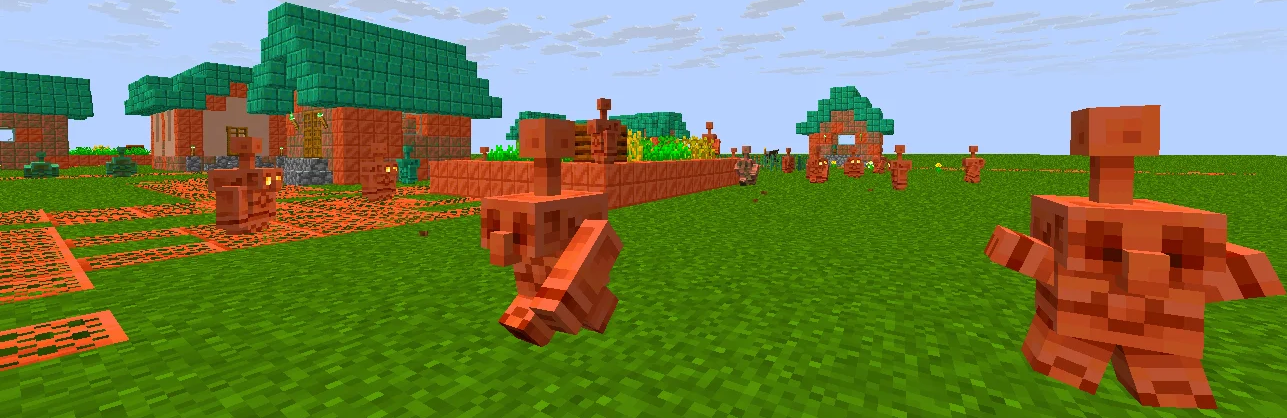
✨ Compatible with Minecraft Java:
- 26.2.x [Latest]
- 26.1.x
- 1.21.x
- 1.16.x
- 1.8.x
- 1.0.x
📥 Download it now and rediscover Minecraft in a more colorful, vibrant way!


Installation von Best Saturation Pack
With Millida Launcher
Install Millida Launcher
The launcher is free: download it at millida.net/launcher and sign in with any nickname.
Click “Install” on this page
The launcher opens and installs the resource pack for Minecraft 26.1–26.3 automatically.
Launch the game
A profile with it appears in the launcher: click “Play”.
Manually
Download the archive
Pick the file BestSaturation §4Test-2 §2(26.3).zip (25 KB) for your game version. No need to unpack it.
Put it in the resourcepacks folder
The easiest way: “Options”, then “Resource Packs”, then “Open Pack Folder”, and drag the archive there.
Enable the pack
In the same window, move the pack to the right-hand “Selected” column and click “Done”.
Versionen
Mit Abhängigkeiten
| Minecraft | Loader | Datei | Datum | Aktionen |
|---|---|---|---|---|
| 26.3 | — | 26.324.9 KB 2 | ||
| 26.3 | — | 26.31.3 MB 6 | ||
| 26.3 | — | 26.34.8 MB | ||
| 26.2 | — | 26.25.2 MB 1 | ||
| 26.1 | — | 26.15.5 MB |
FAQ
Which Minecraft versions does Best Saturation Pack work on?
There are files for 26.3, 26.2, 26.1.2, 26.1.1, 26.1. The newest is 26.3.
Does Best Saturation Pack need mods?
No, the resource pack works in the plain game without loaders: put it into the resourcepacks folder and enable it in the options.
How do I download Best Saturation Pack?
With Millida Launcher: it installs Best Saturation Pack into a modpack by itself, for the right game version and loader. The launcher is free.
Bewertungen
Bewerten Sie Best Saturation Pack als Erster


