
Über das Bedrock Refined-Ressourcenpaket
Made with care in my free time, this modpack is built to refine the Bedrock Edition experience without breaking the vanilla charm.
It brings together custom UI, quality-of-life tweaks, helpful utilities, and visual upgrades through textures - all designed to feel intuitive and smooth.
Whether you're a casual builder, a Redstone tinkerer, or an explorer, Bedrock Refined enhances your gameplay without feeling bloated or confusing.
🛠️ Features
UI:
New Minecraft ui style with dark mode by Enchanted Games (with transparent settings):

Classic panorama with shaders by ThreeSeven0zero and bedrock edition title:

IMPORTANT NOTE: IT DOESN'T INCLUDE SHADERS IN THE PACK ITSELF, ONLY THE PANORAMA
Clear chat screen by Bruhh69:

With notes,

And a built-in calculator

Clear coordinates, days played, and chat:

Translucent missing health, armor and hunger:

Clear item tooltips:

Durability viewer on HUD screen by EchoRif:

And also on inventory and others containers
With enchantments icons by cromite:


Quick craft button in all suitable containners:

Quick craft button also in trading screen with the ability to see the locked trades and their names/enchantments:

Textures:
Items:
Aligned buckets:

Hoes now use the right wood colors (u might not even notice it):

The XP bottle uses the trhowable texture (b'cuz u actually throw it)

HD shields:

invisible item frames/glow frames:
Blocks:
Enchantment table:

Compass lodestone:
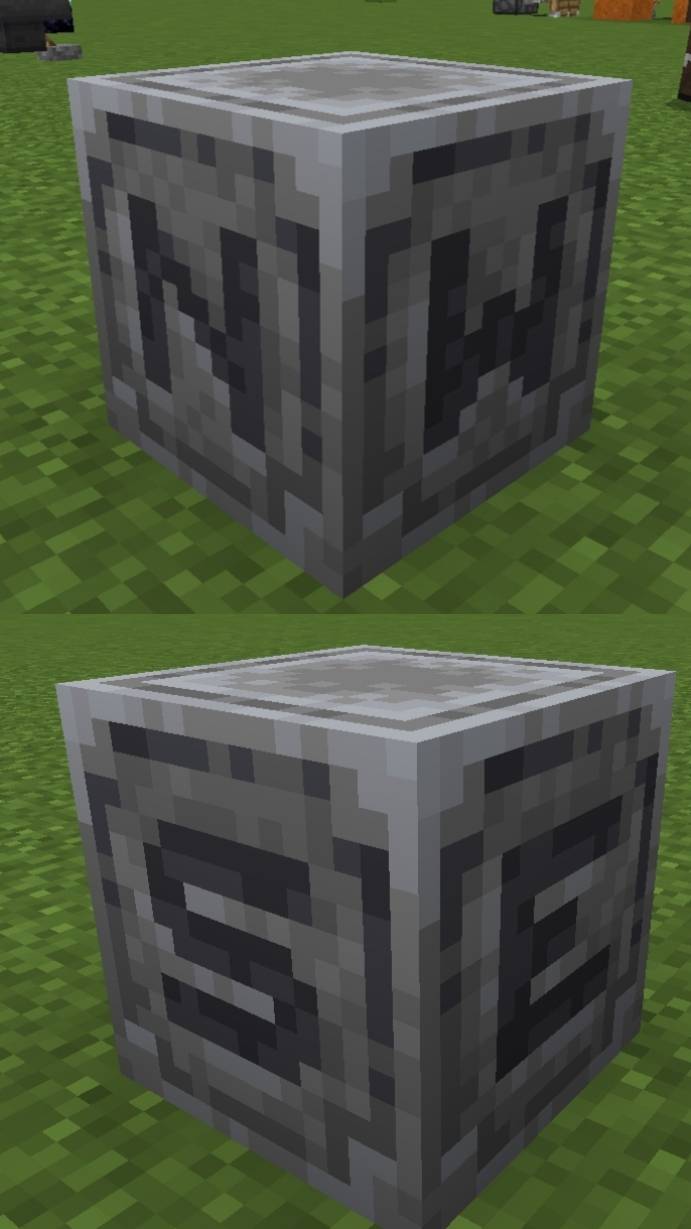
Full grown amethyst indicator:

Shiner dragon egg:

Rounded logs:

Loggier signs:

Sus sand:

3D funguses:

Taller grass variants:

Better Redstone:

Directional hoppers by Suvile77:

Miscellaneous:
Removed the nether fog so you can see all the chunks your device handles:

Transparent pumpkin overlay:

It also makes the portals travels faster by removing the loading screen overlay (it's a little weird b'cuz the world is literally loading in front of u):
Fast portals showcase youtube
It makes the portals quieter also.
📦 Compatibility
✔️ Compatible with newer Minecraft Bedrock versions
Works on mobile, Windows 10, and most platforms that support local packs
Credits:
Many textures are from bedrock community tweaks, that is a bedrock port of vannilla tweaks
Whant u can't do:
Claim as yours (because it's not),
Modify the pack for personal or public use (because I waste time making it, and most of this pack is from others creators that i asked permission to use).
Installation von Bedrock Refined
With Millida Launcher
Install Millida Launcher
The launcher is free: download it at millida.net/launcher and sign in with any nickname.
Click “Install” on this page
The launcher opens and installs the resource pack for Minecraft 1.21.100 automatically.
Launch the game
A profile with it appears in the launcher: click “Play”.
Manually
Download the archive
Pick the file Bedrock_Refined_1.0.5.mcpack (25 MB) for your game version. No need to unpack it.
Put it in the resourcepacks folder
The easiest way: “Options”, then “Resource Packs”, then “Open Pack Folder”, and drag the archive there.
Enable the pack
In the same window, move the pack to the right-hand “Selected” column and click “Done”.
Versionen
Mit Abhängigkeiten
| Minecraft | Loader | Datei | Datum | Aktionen |
|---|---|---|---|---|
| 1.21.100 | — | Bedrock_Refined_1.0.5.mcpack24.7 MB |
FAQ
Which Minecraft versions does Bedrock Refined work on?
Only Minecraft 1.21.100: there are no files for other versions.
Where can I download Bedrock Refined safely?
On this page: the file Bedrock_Refined_1.0.5.mcpack (25 MB) is stored on Millida’s server, with no link shorteners. SHA-1 checksum: a3e30c805daec3405588dcc64a4c8bec4d14a688.
Bewertungen
Bewerten Sie Bedrock Refined als Erster


