

Pixel Perfect Shader für Minecraft 1.20.1, 1.21.1
Verbessert die Optik, ohne das Gameplay zu unterbrechen
 Fabric
 OptiFine
Notice
This project has been archived. I unfortunately don't have time to keep it up to date, so you may run into issues with newer Minecraft/Iris versions.

Overview
Pixel Perfect is a Minecraft shader designed from scratch with two main goals:
- Aesthetics with Function: It revamps the vanilla look while maintaining gameplay, focusing on color and functionality. Unlike other shaders that are mainly eye candy, Pixel Perfect aims to be a viable replacement for Minecraft's default visuals.
- Cool Toys: This shader has lots of unique features and small enhancements, from invisibility distortion to streamer mode lighting to custom colorgrading (upload your own LUTs if you're tech-savvy enough).

Features
A selection of some of the features Pixel Perfect has to offer:
- Levels of Vanilla
- Choose the amount of vanilla you want in your shader from three presets.
- Vanilla +
- Vanilla ++
- Vanilla +++
- Extreme Customizability
- Nearly every value and shader effect can be tweaked, from contrast to wind speed to invisibility distortion.
- If you have Python, a custom python script allows you to upload and configure your own colorgrading profiles.
- Dynamic Wind
- Rather than blowing randomly, foliage gets affected by individual gusts of wind traveling in different directions
- Weather affects the speed, direction, and intensity of wind gusts
- Different dimensions have their own wind profiles
- Choose between several Darkness Options, including Hardcore Darkness and Streamer Mode.
- Much, much more (see all of this shader's features in the changelog).
Screenshots
Vanilla+++
Vanilla++
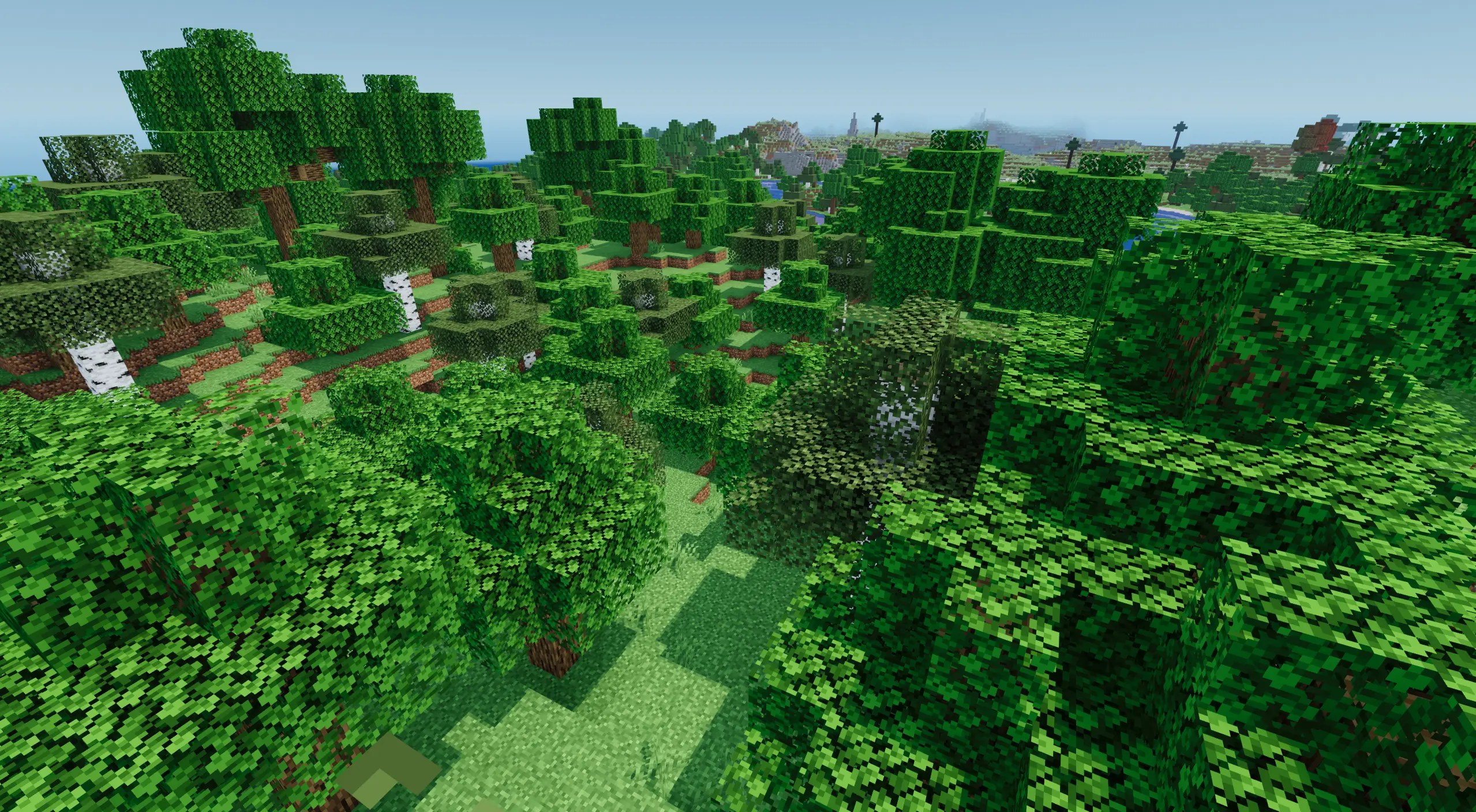
Vanilla+
Some screenshots use terrain generated with Terralith.
Installation von Pixel Perfect
With Millida Launcher
Install Millida Launcher
The launcher is free: download it at millida.net/launcher and sign in with any nickname.
Click “Install” on this page
The launcher opens and installs the shaders for Minecraft 1.19–1.21.1 automatically.
Launch the game
A profile with it appears in the launcher: click “Play”.
Manually
Install Iris or OptiFine
Without a shader mod the game cannot see shaders. Install it for the same Minecraft version.
Download the shader archive
Pick the file Pixel-Perfect-1-5-2a.zip (7.4 MB) and do not unpack it.
Put it in the shaderpacks folder
“Options”, then “Video Settings”, then “Shader Packs”, then “Open Shader Pack Folder”, and drag the archive there.
Select the shaders
In the same window, click the pack name and “Apply”.
Versionen
Mit Abhängigkeiten
| Minecraft | Loader | Datei | Datum | Aktionen |
|---|---|---|---|---|
| 1.21.1 | Iris, OptiFine | 1.21.17.4 MB 13 | — | |
| 1.21 | Iris, OptiFine | 1.217.4 MB | — | |
| 1.20.1 | Iris, OptiFine | 1.20.17.4 MB | — | |
| 1.19.2 | Iris, OptiFine | 1.19.27.4 MB | — |
FAQ
Which Minecraft versions does Pixel Perfect work on?
There are files for 1.19–1.21.1, 14 versions in total. The newest is 1.21.1.
What do I need to run Pixel Perfect?
Shaders are loaded through Iris or OptiFine: without one of them the game cannot see them.
Where can I download Pixel Perfect safely?
On this page: the file Pixel-Perfect-1-5-2a.zip (7.4 MB) is stored on Millida’s server, with no link shorteners. SHA-1 checksum: ad30196a9b7733ce5857331a71a9bc139ebe9f84.
Bewertungen
Bewerten Sie Pixel Perfect als Erster


