

Osh Shader für Minecraft 1.20.1, 1.21.1
Fisheye-Linsenverzerrung der Textur durch radiales Verzerren der UV-Koordinaten.
 Fabric
 OptiFine
Über Osh-Shader
Bend the world. Keep the performance.
Introduces a brand-new fisheye lens effect, bringing a subtle wide-angle camera feel to Minecraft. The screen is warped dynamically from the center outward, creating a more immersive and stylized perspective without affecting gameplay mechanics or world geometry.
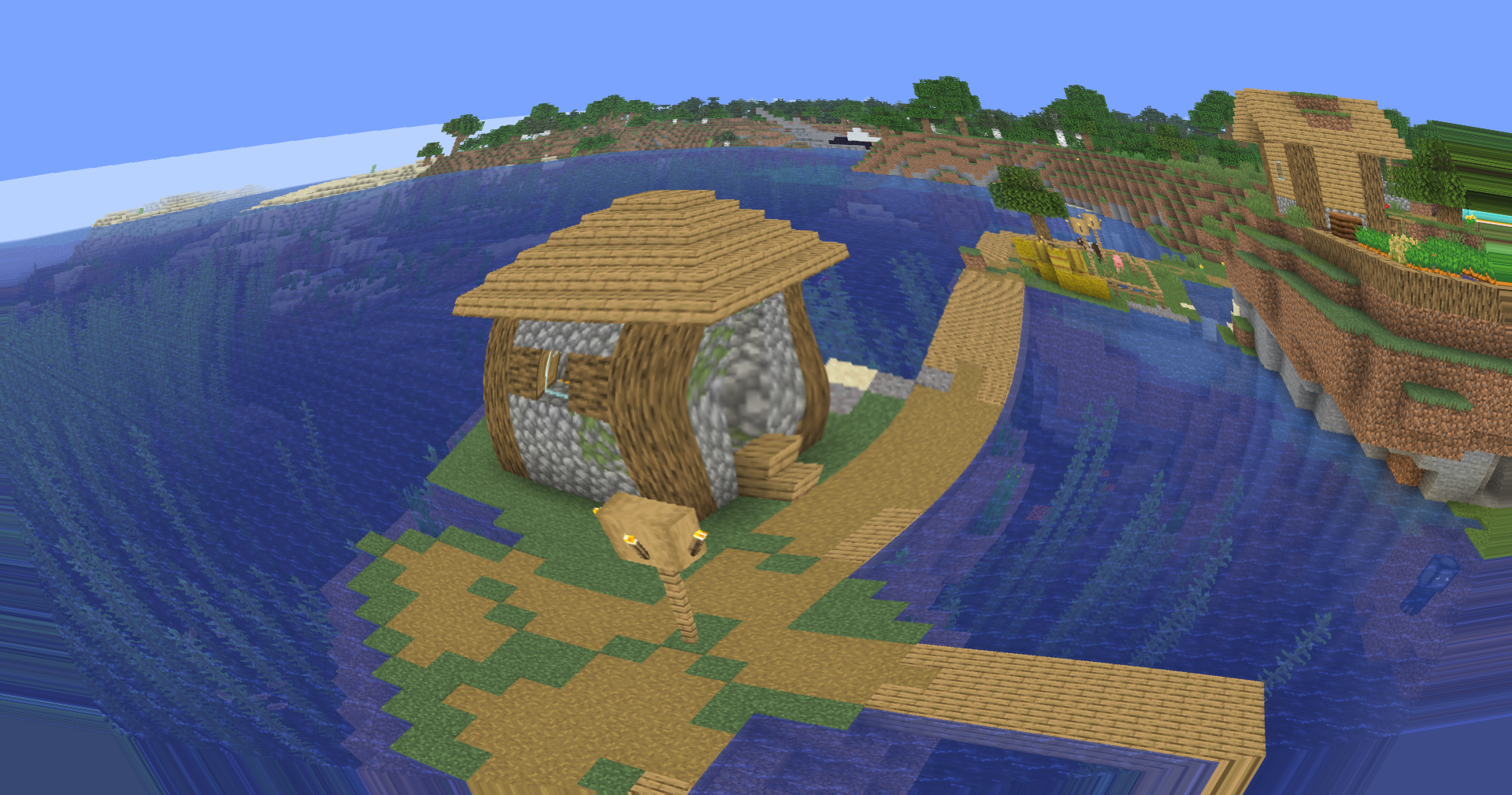
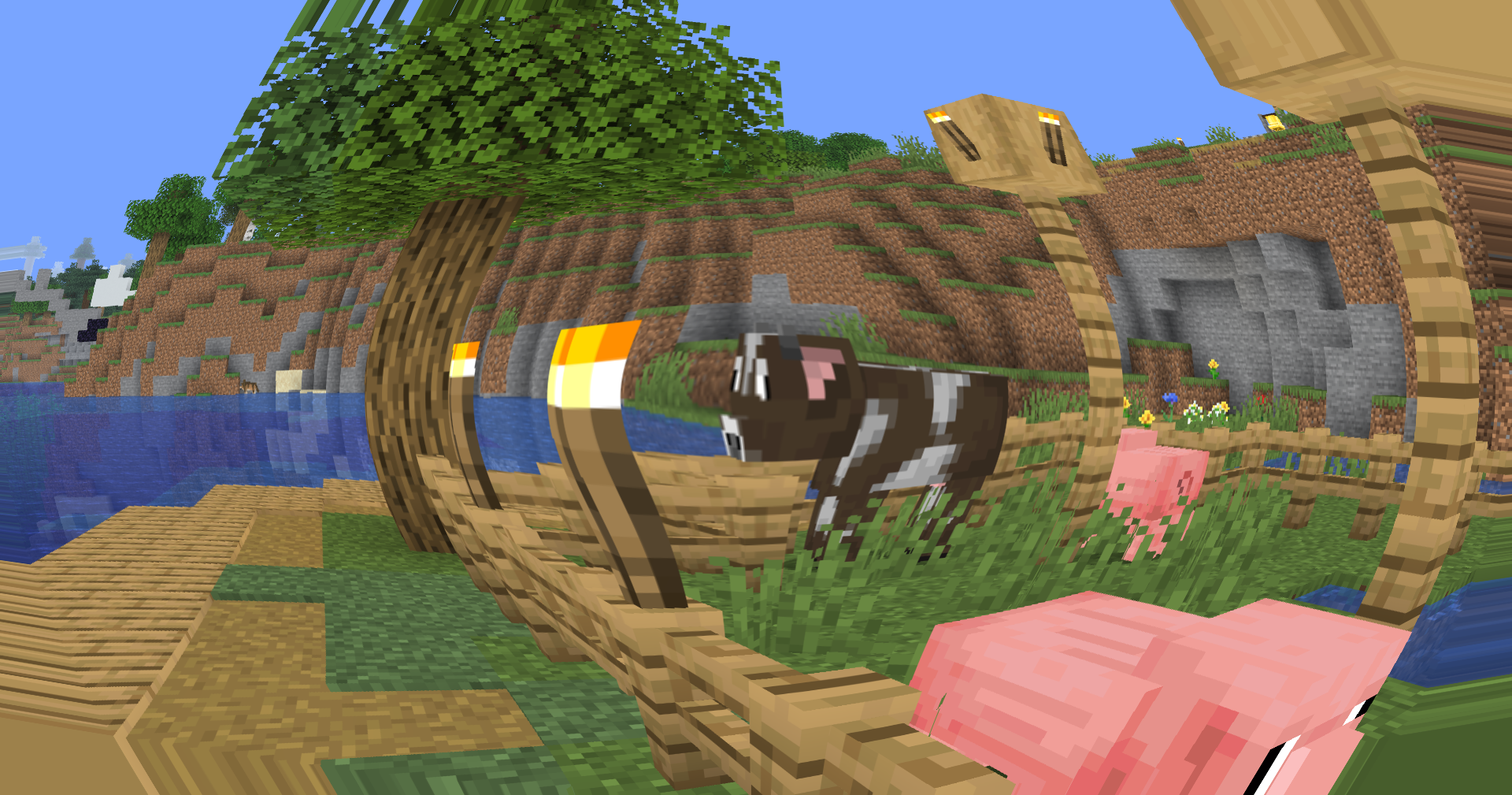
🐟 Fisheye Lens Distortion
A custom screen-space fisheye shader now remaps the final rendered image through radial UV distortion. The effect is strongest near the edges of the screen while remaining gentle in the center, preserving visibility and usability during gameplay.
Unlike aggressive novelty fisheye filters, this implementation is designed to complement exploration, cinematic shots, content creation, and screenshots while maintaining a clean image.

🎥 Built for Creators
The new lens effect adds a unique visual identity to recordings and screenshots, making landscapes feel larger, structures more imposing, and movement more dynamic.
Whether you're creating:
- YouTube videos
- Cinematic Minecraft showcases
- Shader comparisons
- TikTok clips
- Thumbnail renders
the fisheye effect provides an additional layer of visual depth and motion.

⚙️ Lightweight Screen-Space Processing
The distortion is applied entirely as a post-processing pass using screen-space texture coordinate remapping. No additional geometry calculations, raymarching, or heavy rendering passes are required.
🎛️ Future Expandability
The fisheye system is designed as a foundation for future lens-based effects, including adjustable distortion intensity, cinematic camera presets, and advanced post-processing options planned for upcoming releases.
Version 0.5 marks the first step toward a more cinematic visual pipeline while keeping Soleron lightweight, configurable, and creator-friendly.
Installation von Osh
With Millida Launcher
Install Millida Launcher
The launcher is free: download it at millida.net/launcher and sign in with any nickname.
Click “Install” on this page
The launcher opens and installs the shaders for Minecraft 1.7.2–26.3 automatically.
Launch the game
A profile with it appears in the launcher: click “Play”.
Manually
Install Iris or OptiFine
Without a shader mod the game cannot see shaders. Install it for the same Minecraft version.
Download the shader archive
Pick the file Osh-1.1.zip (5 KB) and do not unpack it.
Put it in the shaderpacks folder
“Options”, then “Video Settings”, then “Shader Packs”, then “Open Shader Pack Folder”, and drag the archive there.
Select the shaders
In the same window, click the pack name and “Apply”.
Versionen
Mit Abhängigkeiten
| Minecraft | Loader | Datei | Datum | Aktionen |
|---|---|---|---|---|
| 26.3 | Iris, OptiFine | 26.34.8 KB 1 | ||
| 1.21 | Iris, OptiFine | 1.21944 B | ||
| 1.20.1 | Iris, OptiFine | 1.20.1944 B | ||
| 1.17.1 | Iris, OptiFine | 1.17.1944 B | ||
| 1.15.2 | Iris, OptiFine | 1.15.2944 B | ||
| 1.14.4 | Iris, OptiFine | 1.14.4944 B | ||
| 1.7.10 | Iris, OptiFine | 1.7.10944 B | ||
| 26.2 | Iris, OptiFine | 26.2944 B | — |
FAQ
Which Minecraft versions does Osh work on?
There are files for 1.7.2–26.3, 84 versions in total. The newest is 26.3.
What do I need to run Osh?
Shaders are loaded through Iris or OptiFine: without one of them the game cannot see them.
Where can I download Osh safely?
On this page: the file Osh-1.1.zip (5 KB) is stored on Millida’s server, with no link shorteners. SHA-1 checksum: 0337198ed88e25e40189090f765c78c40f96f6ae.
Bewertungen
Bewerten Sie Osh als Erster


