
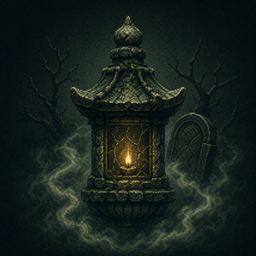
Gravemist Shader für Minecraft 26.3
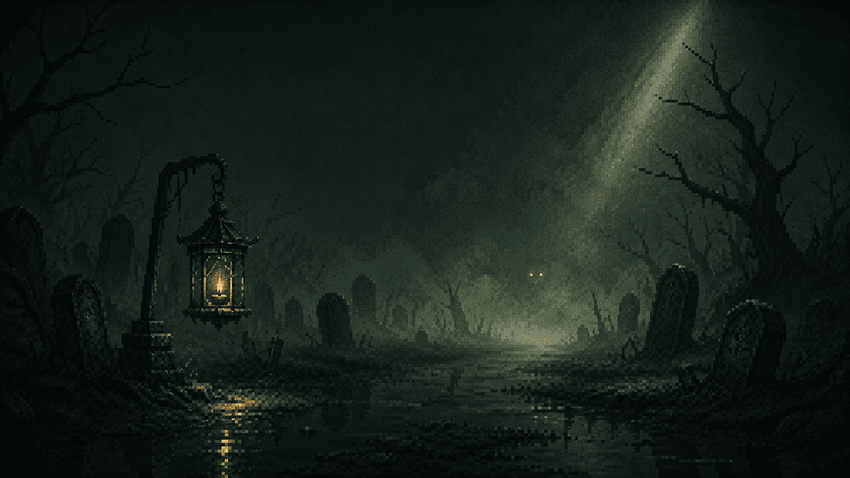
Gravemist ist ein Horror-Shaderpaket für Minecraft 26.2: dichter Nebel, der Mobs bis zur letzten Sekunde verbirgt, instabiles Fackellicht und ein Bild, das sich still verschlechtert, je länger du unterirdisch bleibst.
Über Gravemist-Shader
Gravemist is a horror shaderpack for Minecraft 26.2 and Iris 1.11+, built on one rule: the dark has to be menacing, never blinding. What hides the mobs is heavy volumetric fog, not a black screen - three separate guards keep the ground under your feet readable at all times. Its centrepiece is the dread system: it reads how long you have been underground and slowly poisons the image with grain, chromatic aberration, a breathing vignette, a heartbeat and creeping tendrils, then decays slower than it rose once you surface. The Warden's Darkness collapses your view distance to a few blocks and sends a sonar ring across the screen; rare blood moons and solar eclipses, derived from the world day so a whole server shares them, turn the sky to rust or bronze. Block light falls off hard and every source flickers on its own phase, so walking away from a torch is a real decision and no two torches ever blink together. The Nether and the End get their own skies and their own atmospheres rather than a darkened Overworld, and water reads as depth instead of blue plastic. Ninety-three options across eight screens, six profiles from Potato to Extreme, English and French, and a Builder Mode that switches all the interference off so you can still build.
Made with the help of AI.
Installation von Gravemist
With Millida Launcher
Install Millida Launcher
The launcher is free: download it at millida.net/launcher and sign in with any nickname.
Click “Install” on this page
The launcher opens and installs the shaders for Minecraft 26.2–26.3 automatically.
Launch the game
A profile with it appears in the launcher: click “Play”.
Manually
Install Iris or OptiFine
Without a shader mod the game cannot see shaders. Install it for the same Minecraft version.
Download the shader archive
Pick the file Gravemist-1.1.0.zip (102 KB) and do not unpack it.
Put it in the shaderpacks folder
“Options”, then “Video Settings”, then “Shader Packs”, then “Open Shader Pack Folder”, and drag the archive there.
Select the shaders
In the same window, click the pack name and “Apply”.
Versionen
Mit Abhängigkeiten
| Minecraft | Loader | Datei | Datum | Aktionen |
|---|---|---|---|---|
| 26.2 | — | Gravemist 1.1.0102 KB 7 |
FAQ
Which Minecraft versions does Gravemist work on?
There are files for 26.3, 26.2. The newest is 26.3.
Where can I download Gravemist safely?
On this page: the file Gravemist-1.1.0.zip (102 KB) is stored on Millida’s server, with no link shorteners. SHA-1 checksum: 7f4e6f91651fd07b40e1a406a93b39ff0d48328a.
Bewertungen
Bewerten Sie Gravemist als Erster


