
AerixiumSFA PTGI Shader für Minecraft 26.2
AerixiumSFA PTGI ist ein extremes Path-Tracing-Minecraft-Shader, entwickelt für fotorealistische globale Beleuchtung, atemberaubende Reflexionen und ultimative Raytracing-Visuals. 🔥
AerixiumSFA PTGI
Welcome to AerixiumSFA PTGI! Step into the future of Minecraft graphics with AerixiumSFA PTGI (Extreme Ultra Edition)! This is a heavy-duty, state-of-the-art path-tracing shader designed to completely overhaul the lighting, shadows, and reflections of your world. Every light source behaves realistically, casting gorgeous global illumination and cinematic ray-traced visuals that will leave you speechless.
⚠️ CRITICAL WARNING - READ BEFORE DOWNLOADING:
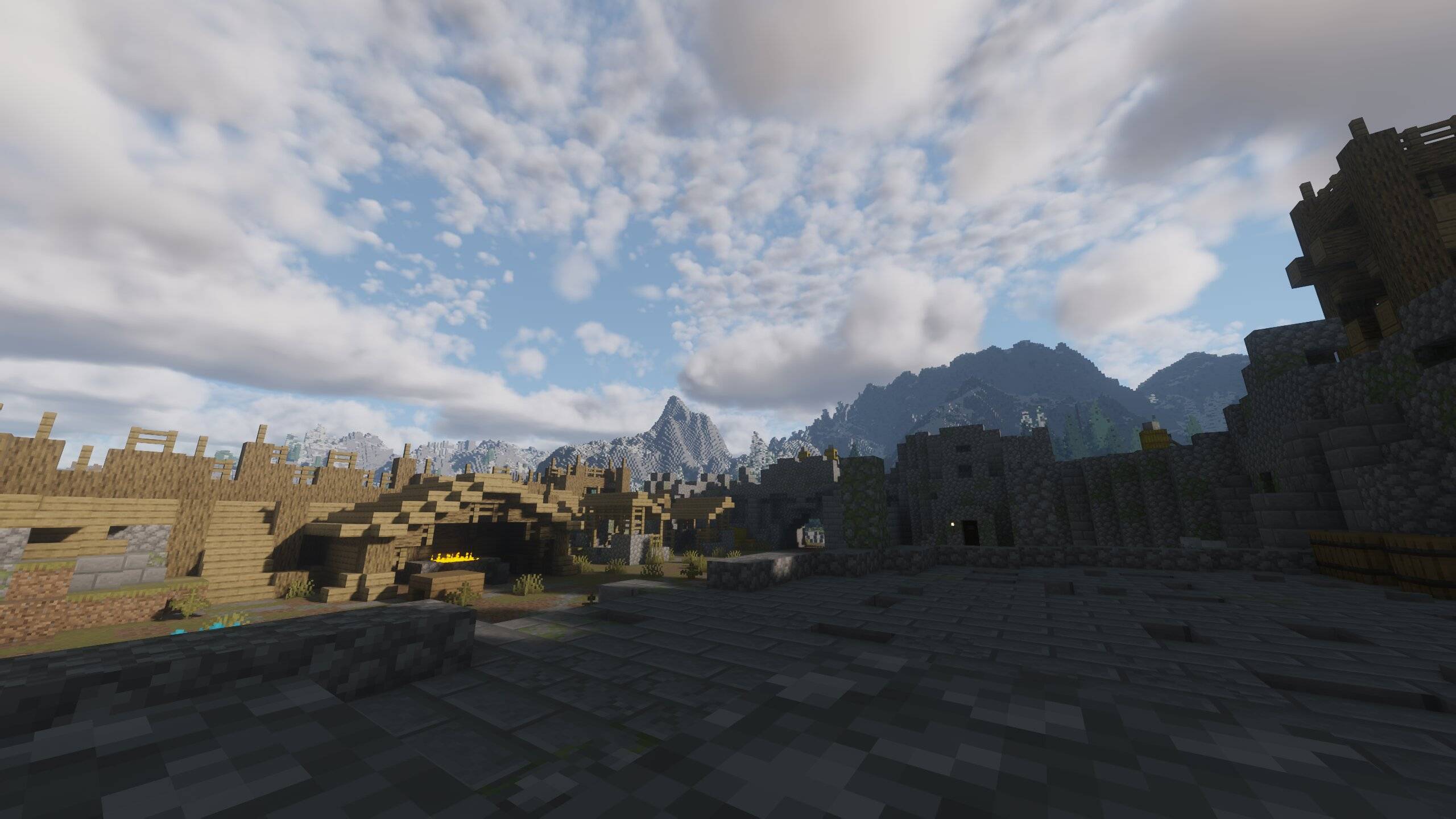
RTX GPU REQUIRED: This shader utilizes advanced Path Tracing and ray-tracing calculations. Do NOT attempt to run this on integrated graphics (like AMD Vega) or non-RTX GPUs unless you want your frame rates to drop to 2 FPS and your PC to cry!
Performance Heavy: Built strictly for high-end graphics cards with dedicated RT cores. Prepare your hardware for a massive workload!
✨ Key Features:
Real-Time Path Tracing & GI: Dynamic, hyper-realistic lighting where light bounces naturally across surfaces.
Stunning PBR & Reflections: Next-level water, glass, and metal reflections that mimic real-life physics.
Cinematic Atmosphere: Unmatched visual depth and immersive shadows for true ray-tracing enthusiasts.
If you have the rig to handle it, AerixiumSFA PTGI will push your game's graphics to absolute perfection! Download at your own risk and enjoy the beauty! 🚀🔥
Installation von AerixiumSFA PTGI
With Millida Launcher
Install Millida Launcher
The launcher is free: download it at millida.net/launcher and sign in with any nickname.
Click “Install” on this page
The launcher opens and installs the shaders for Minecraft 1.21.11–26.2 automatically.
Launch the game
A profile with it appears in the launcher: click “Play”.
Manually
Install Iris or OptiFine
Without a shader mod the game cannot see shaders. Install it for the same Minecraft version.
Download the shader archive
Pick the file AerixiumSFA PTGI.zip (15 MB) and do not unpack it.
Put it in the shaderpacks folder
“Options”, then “Video Settings”, then “Shader Packs”, then “Open Shader Pack Folder”, and drag the archive there.
Select the shaders
In the same window, click the pack name and “Apply”.
Versionen
Mit Abhängigkeiten
| Minecraft | Loader | Datei | Datum | Aktionen |
|---|---|---|---|---|
| 1.21.11 | — | AerixiumSFA PTGI.zip14.6 MB 3 |
Bewertungen
Bewerten Sie AerixiumSFA PTGI als Erster


