

LogEx Plugin für Minecraft 1.9
Eine Fortsetzung des Log-Plugins, um von Nutzern vorgenommene Änderungen zu erfassen
Über das LogEx-Plugin
A powerful tool to collect informations
LogEx is a continuation of pokepal101's Log plugin, you can find the original BukkitDev page here. A big thanks to pokepal101 for this awesome plugin and for the permission to publish my version ;)
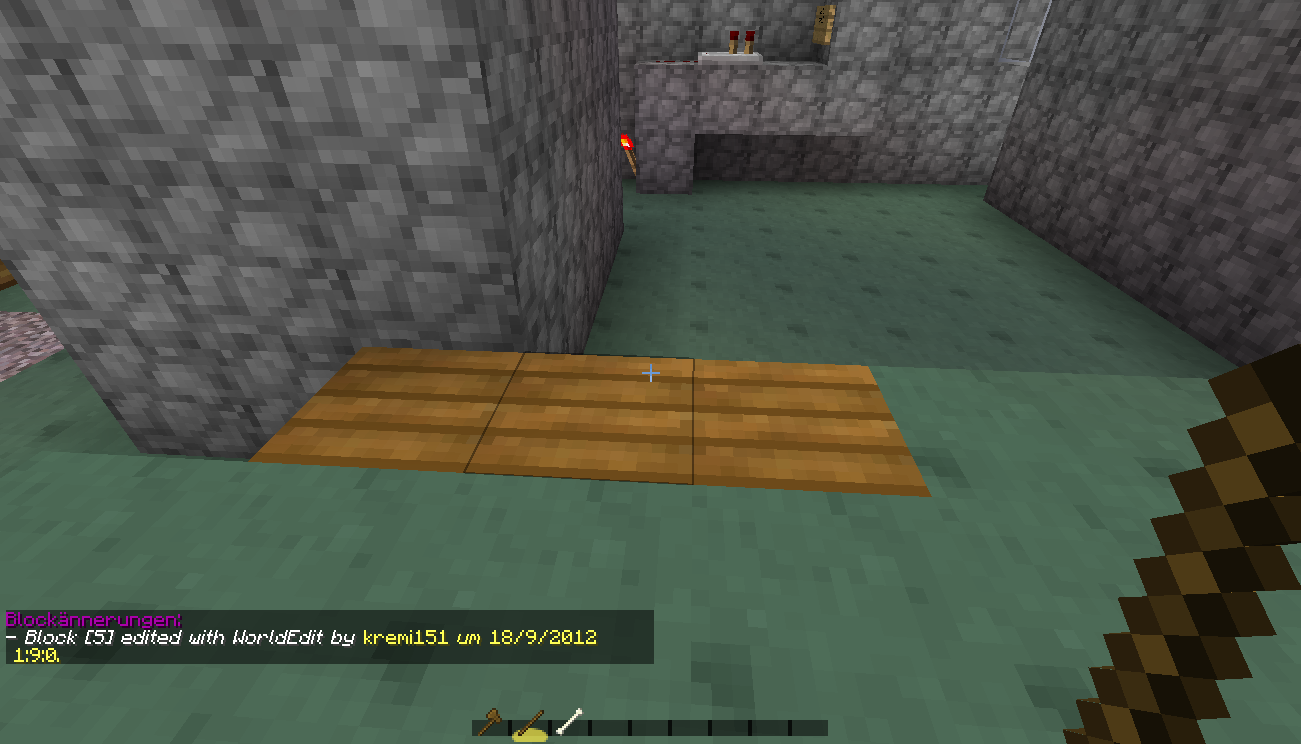
As the original Log, it collects modifications such as breaking or placing of blocks. But that isn't everything! Now it remembers more modifications like emtying or filling of water and lava buckets (usefull to fight against players who want to live under the sea). LogEx also writes down every login from each player, it remembers the date and the IP. I implemented also a feature which logs informations about picking up an item. Because of the risk that the logfile could be to expensive, I disabled it by default. LogEx also collects mobs spawned by spawneggs and chat messages.
Features
- Block modification logging and viewing
- Bucket (water and lava) logging and viewing
- WorldEdit logging (At the moment only set and only for cuboid regions)
- Chat logging and viewing
- Command logging and viewing
- Death logging and viewing
- Gamemode switch logging and viewing
- Login logging and viewing
- Spawnegg logging and viewing
- World switch logging
- Optional multithreading for Events (1.5+) and Commands to not charge the servers performance
- Efficient database storage system
- Enderchest content viewing via command (1.5+)
- Inventory content viewing via command (1.5+)
- Autocleaner to clean up databases from old entries
- Changelog viewing in-game
- Statistics via command
- Superpickaxe (WorldEdit) logging (1.5+)
- The list is expanding more and more!
What makes LogEx special? Well, gives you the possibility to stay up to date what's going on on your server, even if you're offline.LogEx is always getting even more stable, fluid and better. One more thing that makes LogEx delightful: It won't make an effort to log modifications done by the nature like creeper explosions or enderman griefing, which makes the databases even lighter.
Installation von LogEx
A server on Paper or Spigot
The plugin runs on the server core for Minecraft 1.9; players do not need to install anything.
File goes into the plugins folder
Download the file LogEx-1.6.6-CU.jar (117 KB) and put it into the server’s plugins folder.
Restart the server
On startup the plugin creates its own settings folder in plugins.
Use the “To server” button
On Millida Hosting, the button at the top of the page uploads the file to your server and restarts it for you.
Minecraft 1.9 runs on Java 8: with a different Java version the game may close right after launch.
Versionen
Mit Abhängigkeiten
| Minecraft | Loader | Datei | Datum | Aktionen |
|---|---|---|---|---|
| 1.9 | — | LogEx 1.6.6-CU (Build against Spigot 1.9)117 KB |
FAQ
Which Minecraft versions does LogEx work on?
Only Minecraft 1.9: there are no files for other versions.
Do players need to install LogEx?
No, the plugin goes only on the server, into the plugins folder: players do not need to download anything.
Which Java does LogEx need?
Minecraft 1.9 runs on Java 8. If the game closes right after launch, the usual cause is the wrong Java version in the profile settings.
Where can I download LogEx safely?
On this page: the file LogEx-1.6.6-CU.jar (117 KB) is stored on Millida’s server, with no link shorteners. SHA-1 checksum: 092a666360512d5f61ed51b5215db329e38019c1.
Bewertungen
Bewerten Sie LogEx als Erster



