
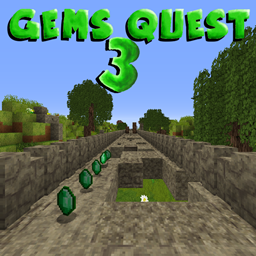
Gems Quest 3 Karte für Minecraft 1.8.8
Zufälliges Springen wie bei Temple Run | Laufe so weit du kannst, sammle Edelsteine, kaufe Zeug und mehr!
Über die Gems Quest 3-Map
Gems Quest is a simple minigame who the objective is to run on a destroyed
bridge. This bridge have the particularity to generate randomly, wich
create a different route to each party.
So, that a temple run map like. let's see more:
On the bridge, the objective is to run as far you can. There are a lot of things who spawn on the map:
● The gems: use them to purchase the biomes and powerups
● Guards: This is a wither skeleton, and he want to kill you. Shoot them before he hit you!
● Bonus chests: it's a chest who have a lot of things inside!
there are 5 uniques biomes:
<aside>
- Plains - 0 Gems(biome de base)
- Forest - 60 Gems
- Taiga - 130 Gems
- Desert - 300 Gems
- City - 500 Gems
</aside>
Every biome have uniques properties, like logs, guards, smoke, tnt etc...
The map have also Powerups:
<aside>
- Save me : Give a second live
- Double Gems : You earn the double of gems
- Static Guard : The guards are statics
- No Trees : All the logs are cut
</aside>
The map have achievements, try to complete all of them!
There are also a Best score system! don't hesitate to share your personnal best!
You can customise the guards with hats! unlock the hats on Bonus chests!
The map have a in-game guide, don't forget to test him if you test the map!
All the textures are created by myself only for the map!
Screenshots:
Version of the map: 1.8.3 or more This map is not compatable with multiplayer! language available: English and French
Note: Option -> video settings -> graphics: Fancy (fix the leaves bug texture)
Installation von Gems Quest 3
With Millida Launcher
Install Millida Launcher
The launcher is free: download it at millida.net/launcher and sign in with any nickname.
Click “Install” on this page
The launcher opens and installs the map for Minecraft 1.8.7–1.8.8 automatically.
Launch the game
A profile with it appears in the launcher: click “Play”.
Manually
Download the map archive
Pick the file Gems Quest 3 (v4.2).zip (19 MB).
Unpack it into the saves folder
The world folder (with level.dat inside) must sit directly in .minecraft/saves.
Open the world
“Singleplayer”: the map will be in your world list.
On a server
Replace the world folder
Stop the server and put the map folder in place of world (or set its name in level-name).
Or use the “To hosting” button
On Millida Hosting, the button at the top of the page uploads the file to your server and restarts it for you.
Versionen
Mit Abhängigkeiten
| Minecraft | Loader | Datei | Datum | Aktionen |
|---|---|---|---|---|
| 1.8.7 | — | Gems Quest 3 (v4.2).zip18.9 MB |
FAQ
Which Minecraft versions does Gems Quest 3 work on?
There are files for 1.8.8, 1.8.7. The newest is 1.8.8.
Where can I download Gems Quest 3 safely?
On this page: the file Gems Quest 3 (v4.2).zip (19 MB) is stored on Millida’s server, with no link shorteners. SHA-1 checksum: cedeff9f92502eb904675073d7917e146763e730.
Bewertungen
Bewerten Sie Gems Quest 3 als Erster



