
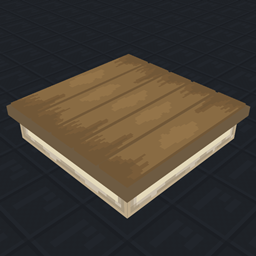
MineRaft Datenpaket für Minecraft 1.21.5
Vanilla-Nachbau des beliebten Spiels "Raft"
IMPORTANT READ DOWNLOAD INSTRUCTIONS BELOW!
How To Download
Data Pack:
- Click and download the latest Datapack version.
- If you want to create a World, go to Singleplayer > Create New World > Data Packs > Open Pack Folder. (It is not recommended to put it in an already existing world!)
- Copy/Cut and Paste the downloaded file there.
- Open/Create your world.
- Note: You need to also install the Required Resource Pack.
Required Resource Pack:
- Click the correct resourcepack version.
- Open Minecraft and go to Options > Resource Packs > Open Pack Folder.
- Copy/Cut and Paste the downloaded file there.
- Activate the Resource Pack. (you can reload the resources with f3+t ingame)
Survive the Ocean Adventure
Mine-Raft transforms your Minecraft experience into an ocean survival adventure inspired by the popular game Raft! Start with just a small wooden platform in an endless ocean and build your way to survival.
Overview
This datapack introduces Raft-like gameplay mechanics, recreated entirely within vanilla Minecraft (datapack and resource pack). Expand your raft and, gather resources from the ocean, watch out for Steve the shark who's always circling nearby!
Custom Features
Building System
- Grid-Based Building - Expand your raft in a familiar grid pattern just like in Raft
- Raft Structures - Add new strucutres, such as the Smeltery, or Rain collector.
- Hammer Tool - Remove and reclaim parts of your raft for redesigning
Resource Collection
- Collection Nets - Automatically gather floating debris
- Resource Spawning System - Ocean constantly provides materials for crafting
Survival Tools
- Rain Collector - Gather water for hydration
- Smeltery - Refine scrap materials into useful items
- Hydration System - Manage your thirst with purified water
Custom Items
- Raft Extension - Expand your livable space
- Collection Net - Passively gather resources
- Hammer - Essential tool for dismantling raft components
- Scrap Armor Set - Protective gear made from ocean debris
- Refined Scrap - Processed material for crafting advanced items
- Spear Set - Weapons in wood, stone, and scrap varieties
- Purified Water - Essential for survival
Custom Mob: Steve the Shark
- Custom pathfinding system
- Circles your raft when you're safely above water
- Targets players who venture into the water
- Will attack and damage your raft and raft structures
Development Notes
This datapack is continually being updated with new features inspired by Raft. Future updates may include:
- Additional crafting recipes
- New raft mechanics/structures
- Recipe reworks that could disable outdated items.
- Quests and storyline
Installation von MineRaft
With Millida Launcher
Install Millida Launcher
The launcher is free: download it at millida.net/launcher and sign in with any nickname.
Click “Install” on this page
The launcher opens and installs the data pack for Minecraft 1.21.5 automatically.
Launch the game
A profile with it appears in the launcher: click “Play”.
On a server
Archive goes into the server world’s datapacks
The world/datapacks folder on the server; players do not need to install anything.
Reload the data
Type /reload in the server console or restart the server.
Or use the “To hosting” button
On Millida Hosting, the button at the top of the page uploads the file to your server and restarts it for you.
Versionen
Mit Abhängigkeiten
| Minecraft | Loader | Datei | Datum | Aktionen |
|---|---|---|---|---|
| 1.21.5 | — | REQUIRED RESOURCE PACK (0.4.3)874 KB |
FAQ
Which Minecraft versions does MineRaft work on?
Only Minecraft 1.21.5: there are no files for other versions.
Does MineRaft work on a server?
Yes: the data pack goes into the datapacks folder of the server world, and players do not need to install anything.
How do I download MineRaft?
With Millida Launcher: it installs MineRaft into a modpack by itself, for the right game version and loader. The launcher is free.
Bewertungen
Bewerten Sie MineRaft als Erster


