

Custom Elytra DataPack für Minecraft 26.3
Zeige jedes Elytra-Skin, das du willst, ohne den Umhang zu besitzen. Benenne es einfach im Amboss um. Optifine NICHT nötig!
- Downloads
- 2 Downloads
- Aufrufe
- 52 Aufrufe
- Aktualisiert
- Aktualisiert 26.09.2026
- 1.21.9 — 26.3
 Datenpaket
- Client und Server
Über das Custom Elytra DataPack-Datenpaket
Show off any Elytra skin you want without having the cape. Just rename it in an anvil.
Optfine is NOT needed!
This Pack allows you to use any Elytra texture you want by renaming the item in an anvil.

Download:
Both DataPack (this) AND ResourcePack are necesary to use this Pack. Download the DataPack into your world's datapacks folder and the ResourcePack into your resourcepacks folder.

Use:
Take any Elytra and rename it with any of the available options below.\ It's very important you spell it identically.
Options available (more below):
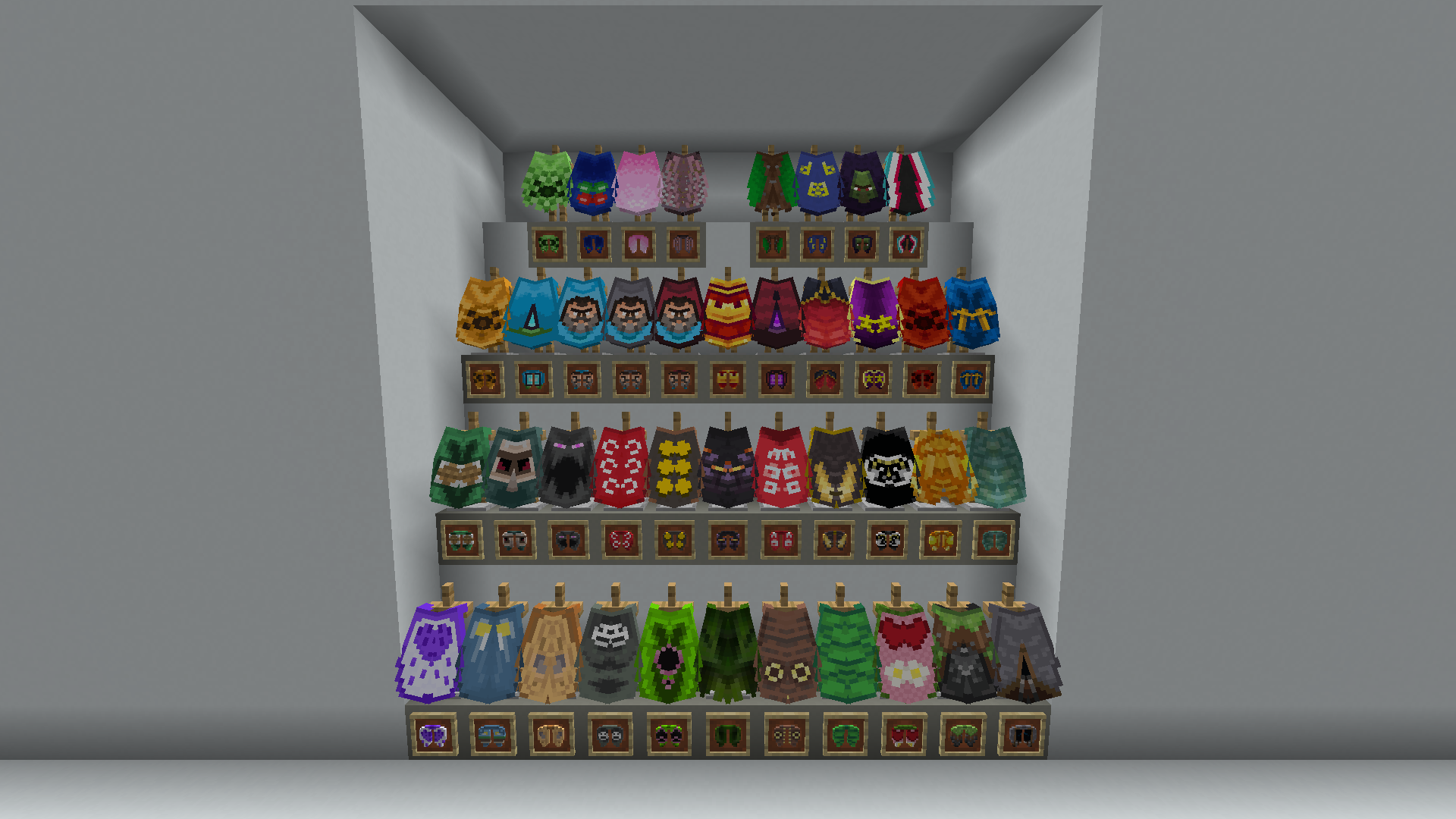
- Anniversary 15
- Birthday
- Cherry Blossom
- Cobalt
- Common
- dB
- Experience
- Followers
- Founders
- Home
- Jack Black Blue
- Jack Black Gray
- Jack Black Red
- MCC 15
- Menace
- Migration
- Millonth Customer
- Minecon 2011
- Minecon 2012
- Minecon 2013
- Minecon 2015
- Minecon 2016
- Mojang
- Mojang Classic
- Mojang Office
- Mojang Studios
- Mojira
- Oxeye
- Pan
- Prismarine
- Purple Heart
- Realms
- Scrolls
- Snowman
- Spade
- Test
- Translator
- Turtle
- Valentine
- Vanilla
- Yearn
Also available now:
- Blueprint
- Builder
- Copper
- Crafter
- Heroe
- Moonlight Trail
- Progress Pride
- Twisted
- Soul
- Special
- Zombie Horse
Back to normal:
You can turn back to normal a renamed Elytra by deleting its name in an anvil.
Default Elytra texture:
You can use the normal grayish Elytra texture by renaming it Default.\ This will display its original texture even if you have a cape equipped.\

Installation von Custom Elytra DataPack
With Millida Launcher
Install Millida Launcher
The launcher is free: download it at millida.net/launcher and sign in with any nickname.
Click “Install” on this page
The launcher opens and installs the data pack for Minecraft 1.21.9–26.3 automatically, together with its dependencies: Dependency.
Launch the game
A profile with it appears in the launcher: click “Play”.
Manually
Download the archive
Pick the file Custom Elytra DP (v1.3) [26.3].zip (5 KB) for your game version.
New world: “Data Packs”
When creating a world, click “Data Packs”, drag the archive into the window, then move it to “Selected”.
Existing world: the datapacks folder
Put the archive into saves/<world>/datapacks and type /reload in game.
On a server
Archive goes into the server world’s datapacks
The world/datapacks folder on the server; players do not need to install anything.
Reload the data
Type /reload in the server console or restart the server.
Or use the “To hosting” button
On Millida Hosting, the button at the top of the page uploads the file to your server and restarts it for you.
Versionen
Mit Abhängigkeiten
| Minecraft | Loader | Datei | Datum | Aktionen |
|---|---|---|---|---|
| 26.3 | Datenpaket | 26.35.1 KB 1 | ||
| 26.2 | Datenpaket | 26.25.1 KB | ||
| 26.2 | Datenpaket | 26.25 KB | ||
| 26.1 | Datenpaket | 26.15 KB |
Was zum Ausführen nötig ist
- Dependencyerforderlich
FAQ
Which Minecraft versions does Custom Elytra DataPack work on?
There are files for 1.21.9–26.3, 8 versions in total. The newest is 26.3.
Does Custom Elytra DataPack work on a server?
Yes: the data pack goes into the datapacks folder of the server world, and players do not need to install anything.
What does Custom Elytra DataPack need to work?
Required: Dependency. Without it the data pack will not start.
Bewertungen
Bewerten Sie Custom Elytra DataPack als Erster


