

 ভ্যানিলা গেম
Visually Waterlogged!
About
This pack adds a green algae layer on waterlogged blocks! Can be useful when using top slabs as a floor or something
🚨 1.21.2+ REQUIRED 🚨

Supported blocks:
- Slabs
- Stairs
- Fences
- Walls
- Trapdoors
- Iron and Copper Bars
- Signs

Notice
Unfortunately the overlay doesn't work with custom textures
I tried but I couldn't figure it out so every block has to have its own wet texture :/
Screenshot
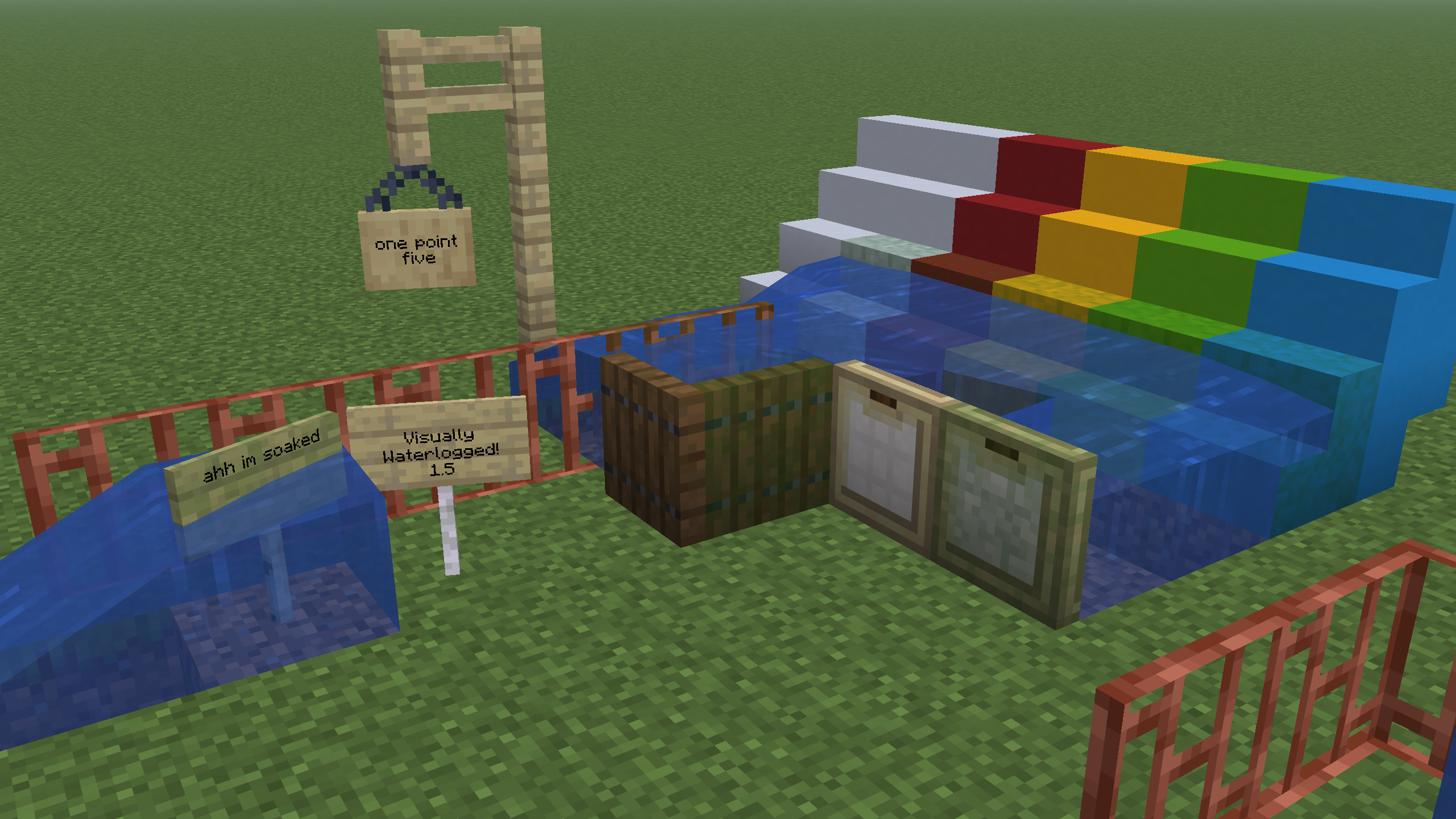
Visually Waterlogged কীভাবে ইনস্টল করবেন
With Millida Launcher
Install Millida Launcher
The launcher is free: download it at millida.net/launcher and sign in with any nickname.
Click “Install” on this page
The launcher opens and installs the resource pack for Minecraft 1.21.2–26.3 automatically.
Launch the game
A profile with it appears in the launcher: click “Play”.
Manually
Download the archive
Pick the file Visually-Waterlogged-1.5.zip (618 KB) for your game version. No need to unpack it.
Put it in the resourcepacks folder
The easiest way: “Options”, then “Resource Packs”, then “Open Pack Folder”, and drag the archive there.
Enable the pack
In the same window, move the pack to the right-hand “Selected” column and click “Done”.
ভার্সন
ডিপেন্ডেন্সিসহ
| Minecraft | লোডার | ফাইল | তারিখ | অ্যাকশন |
|---|---|---|---|---|
| 26.3 | — | 26.3618 KB ৩ | ||
| 26.2 | — | 26.2537 KB ১ | ||
| 26.1 | — | 26.1537 KB |
রিভিউ
Visually Waterlogged-এ প্রথম রেটিং দিন


