

Particle core রিসোর্স প্যাক সম্পর্কে
Particles Core is a lightweight, highly configurable texture pack that gives you full control over Minecraft’s particle system. Designed for players who want cleaner visuals, better performance, or custom ambience-without breaking the vanilla feel.
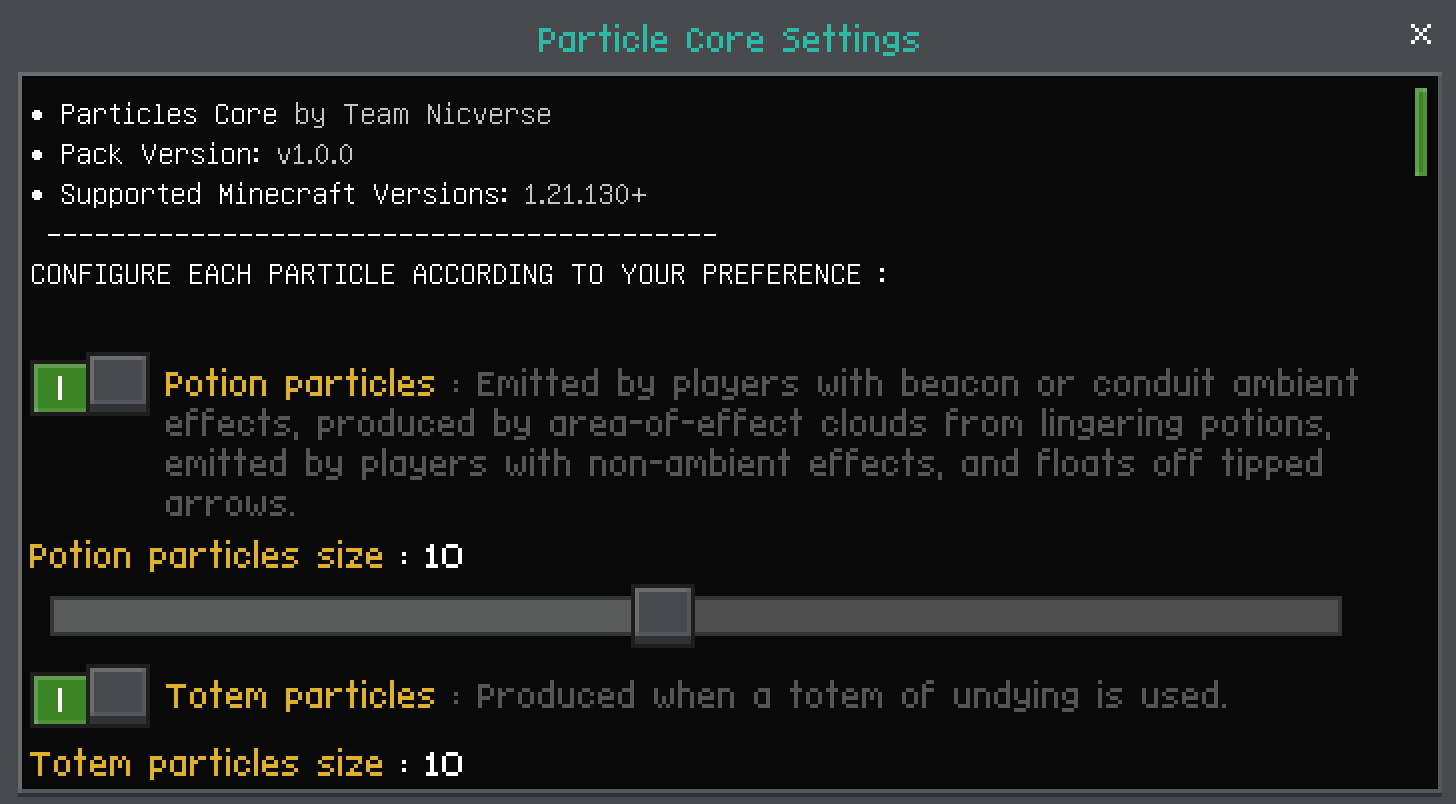
⚙️ Key Features
- 🔧 Individual particle toggles - enable or disable particles one by one
- 🎨 Clean & consistent visuals that blend seamlessly with vanilla
- 🚀 Performance-friendly for low to high-end devices
- 🌍 Enhances combat feedback, ambience, redstone, magic, and world interactions
- 🧩 Built to work alongside other packs with minimal conflicts
🛠️ Customization
Particles Core includes an in-game configuration menu, allowing you to fine-tune each particle according to your preference-from subtle ambience to a fully minimal experience.
💡 Ideal For
- Performance-focused players
- PvP & competitive gameplay
- Clean UI / visual overhaul setups
Enjoy a smoother, more controlled particle experience. Build your world, your way.
If you encounter any bugs, please report them on my Discord server.
❤︎ Support us ❤︎
DISCORD YOUTUBE KO-FI
Particle core কীভাবে ইনস্টল করবেন
With Millida Launcher
Install Millida Launcher
The launcher is free: download it at millida.net/launcher and sign in with any nickname.
Click “Install” on this page
The launcher opens and installs the resource pack for Minecraft 1.21.130–1.21.132 automatically.
Launch the game
A profile with it appears in the launcher: click “Play”.
Manually
Download the archive
Pick the file particle_core.mcpack (25 KB) for your game version. No need to unpack it.
Put it in the resourcepacks folder
The easiest way: “Options”, then “Resource Packs”, then “Open Pack Folder”, and drag the archive there.
Enable the pack
In the same window, move the pack to the right-hand “Selected” column and click “Done”.
ভার্সন
ডিপেন্ডেন্সিসহ
| Minecraft | লোডার | ফাইল | তারিখ | অ্যাকশন |
|---|---|---|---|---|
| 1.21.130 | — | Particle Core25 KB ৫ |
FAQ
Which Minecraft versions does Particle core work on?
There are files for 1.21.132, 1.21.131, 1.21.130. The newest is 1.21.132.
Where can I download Particle core safely?
On this page: the file particle_core.mcpack (25 KB) is stored on Millida’s server, with no link shorteners. SHA-1 checksum: 9b94a615838a10124afd167dee2c16e1525040f4.
রিভিউ
Particle core-এ প্রথম রেটিং দিন


