

 ভ্যানিলা গেম
Lanterns Enhanced
Enhancing Lanterns, Torches and Chains

📝Features
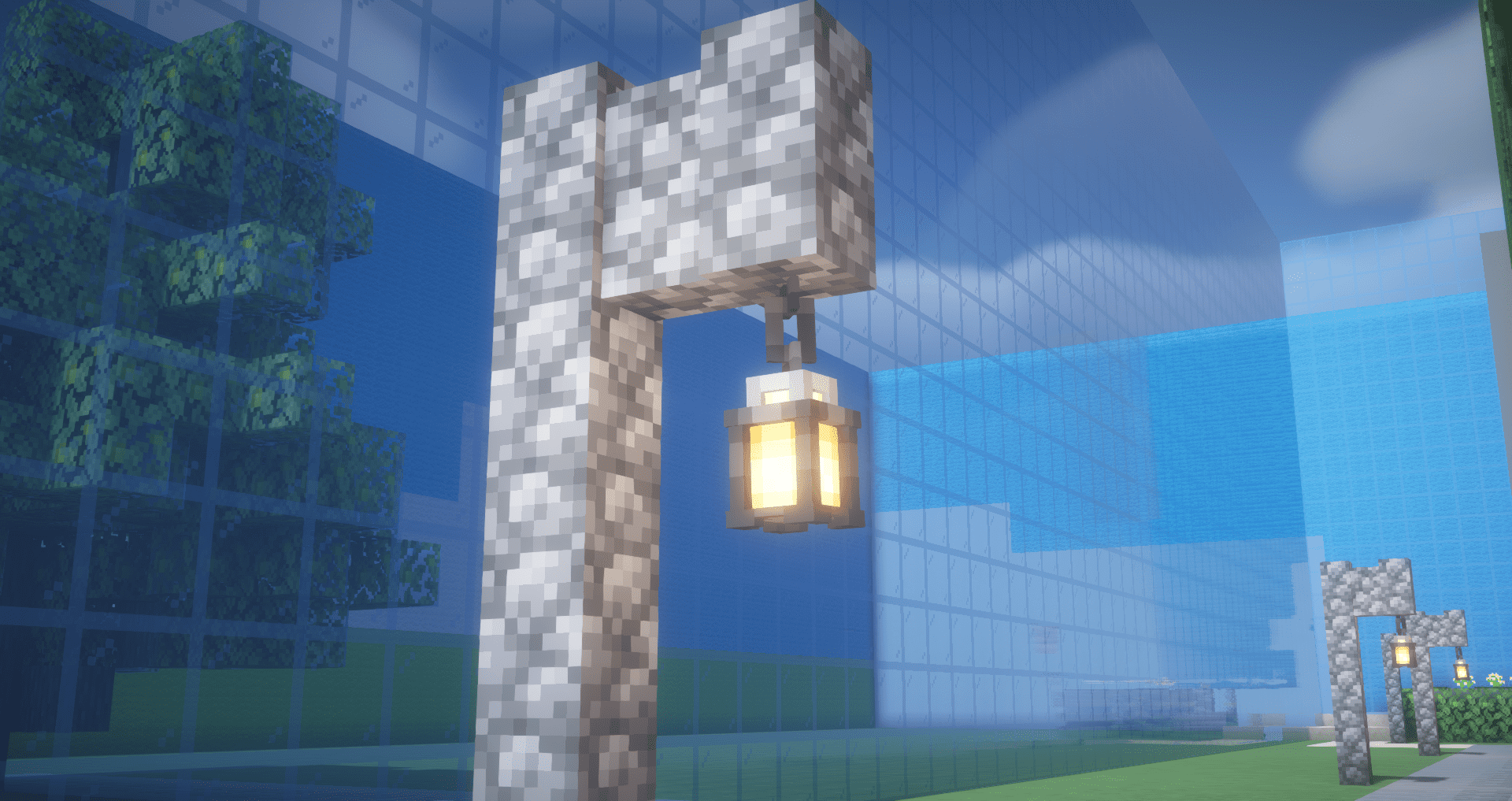
Lanterns Enhanced transforms Lanterns with revamped 3D models and now you can place them into the walls! Moreover, it refines the third-person holding view for lanterns and torches, offering a more aesthetically pleasing and slightly realistic portrayal.
Mod Support
Do you want a Custom Map (resourcepack, build, datapack, models, etc) or see your favorite mod without particles or translate it? Request anything to be added here.

Lanterns Enhanced কীভাবে ইনস্টল করবেন
With Millida Launcher
Install Millida Launcher
The launcher is free: download it at millida.net/launcher and sign in with any nickname.
Click “Install” on this page
The launcher opens and installs the resource pack for Minecraft 1.17–1.20.4 automatically.
Launch the game
A profile with it appears in the launcher: click “Play”.
Manually
Download the archive
Pick the file Lanterns+Enhanced v1.0.2.zip (33 KB) for your game version. No need to unpack it.
Put it in the resourcepacks folder
The easiest way: “Options”, then “Resource Packs”, then “Open Pack Folder”, and drag the archive there.
Enable the pack
In the same window, move the pack to the right-hand “Selected” column and click “Done”.
ভার্সন
ডিপেন্ডেন্সিসহ
| Minecraft | লোডার | ফাইল | তারিখ | অ্যাকশন |
|---|---|---|---|---|
| 1.20.4 | — | 1.20.433.3 KB | ||
| 1.20.4 | — | 1.20.431.1 KB | ||
| 1.20.4 | — | 1.20.431.1 KB |
রিভিউ
Lanterns Enhanced-এ প্রথম রেটিং দিন


