
Minecraft 1.20.1-এর জন্য Create Addons Fix রিসোর্স প্যাক
এই রিসোর্সপ্যাক/ডেটাপ্যাক Create অ্যাডঅনগুলির সাথে অসামঞ্জস্য ও দ্বন্দ্ব ঠিক করতে ব্যবহৃত হয়।
Create Addons Fix রিসোর্স প্যাক সম্পর্কে
This resourcepack/datapack is used for fixing incompatibilities with Create Addons (Recipe conflicts, texture issues, etc..)
1.20.1 Changes
- Added forge:cheeses tag to gourmet:cheese (Create Gourmet)
- Modified gourmet:bacon_burger recipe to support Cheese from other mods with tags (Create Gourmet)
- Modified gourmet:breakfast_sandwich recipe to support Cheese from other mods with tags (Create Gourmet)
- Modified gourmet:cheese_danish_dough recipe to support Cheese from other mods with tags (Create Gourmet)
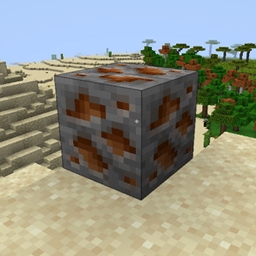
- Fixes the Thorium Texture (Create: New Age)
1.19.2 Changes
- Fixes the Thorium Texture (Create: New Age)
Installation CLIENT : To use, add the resourcepack to your resourcepacks tab. WORLD/SERVER : To use, add the datapack into your world's datapacks folder or with a datapack loader (Paxi, Global packs...)
Other related projects
- Create: Stripped Log Compatibility
- Create Gourmet Cheese Fix
- Create x Caverns & Chasms Compat
- TFMG & D&D steel recipe compat
- Create VI-CA-TFMG conflict fix
Create Addons Fix কীভাবে ইনস্টল করবেন
With Millida Launcher
Install Millida Launcher
The launcher is free: download it at millida.net/launcher and sign in with any nickname.
Click “Install” on this page
The launcher opens and installs the resource pack for Minecraft 1.20.1 automatically.
Launch the game
A profile with it appears in the launcher: click “Play”.
Manually
Download the archive
Pick the file create_addons_fix_1.20.1_v2.zip (2 KB) for your game version. No need to unpack it.
Put it in the resourcepacks folder
The easiest way: “Options”, then “Resource Packs”, then “Open Pack Folder”, and drag the archive there.
Enable the pack
In the same window, move the pack to the right-hand “Selected” column and click “Done”.
ভার্সন
ডিপেন্ডেন্সিসহ
| Minecraft | লোডার | ফাইল | তারিখ | অ্যাকশন |
|---|---|---|---|---|
| 1.20.1 | — | create_addons_fix_1.20.1_v2.zip2.5 KB ১ |
FAQ
Which Minecraft versions does Create Addons Fix work on?
Only Minecraft 1.20.1: there are no files for other versions.
Where can I download Create Addons Fix safely?
On this page: the file create_addons_fix_1.20.1_v2.zip (2 KB) is stored on Millida’s server, with no link shorteners. SHA-1 checksum: 1b602b56839ab33b5652ba3fff7ecd63326dd344.
রিভিউ
Create Addons Fix-এ প্রথম রেটিং দিন



