

Minecraft 1.20.1, 1.21.1-এর জন্য Vice Wave শেডার
Vice City Wave Shader, GTA 6-এর নান্দনিকতা থেকে অনুপ্রাণিত।
 Fabric
 OptiFine
Vice Wave
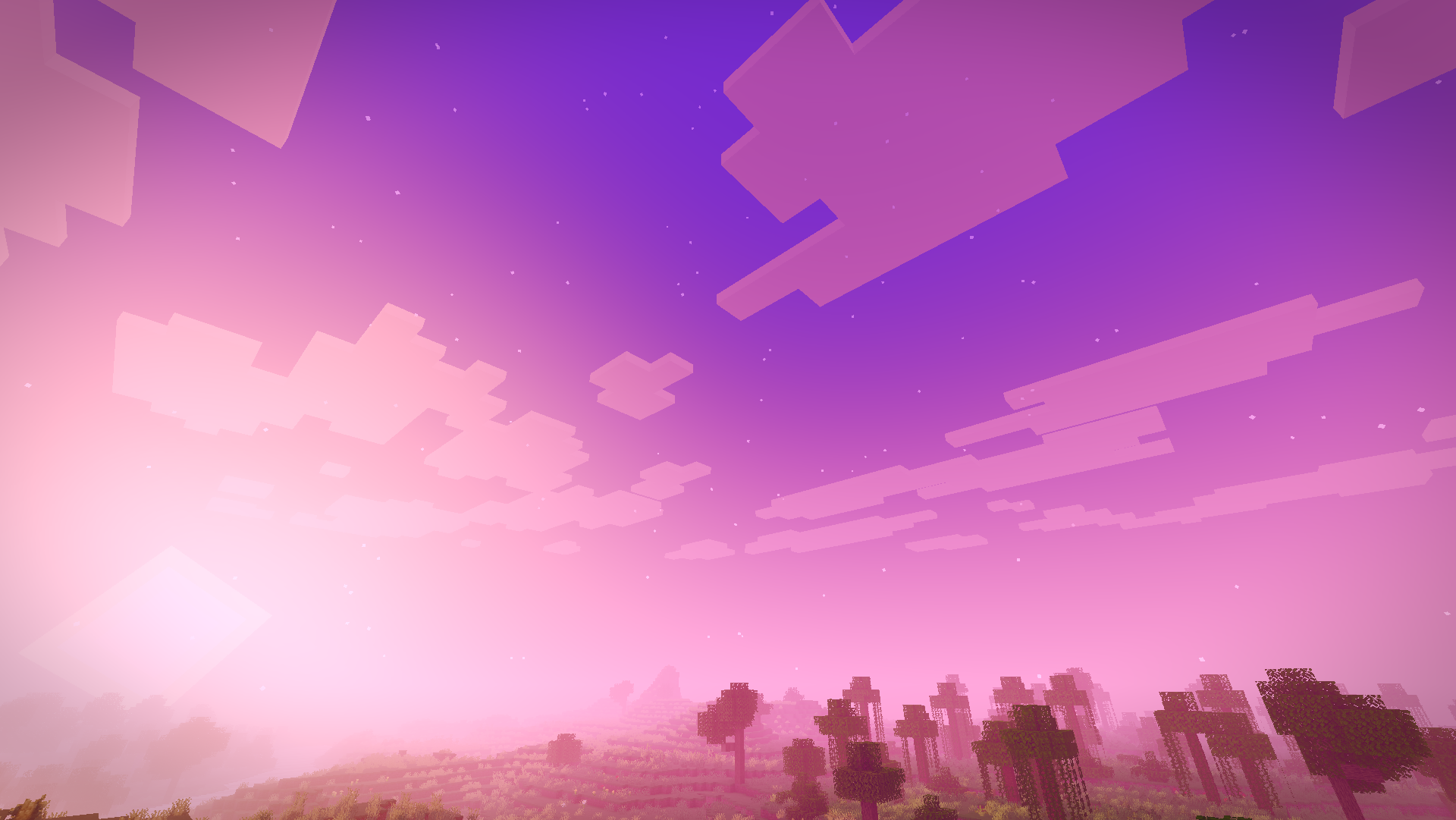
A Miami vice-wave shaderpack inspired by the GTA VI look, blazing pink and orange sunsets, purple-graded nights, soft shadows and neon-colored block light.
Vice Wave is a shaderpack that focuses on atmosphere rather than heavy effects: it keeps vanilla's readability while pushing the sky, the fog and the lighting toward a retro Miami aesthetic.

Features
- Vice-wave sunsets & sunrises pink/orange/violet gradients across the sky and fog
- Stylized nights with stars and a subtle purple color grade
- Neon block light torches, glowstone and lamps project a colored neon light (pink by default)

Settings
Everything is adjustable in Shader Pack Settings:
- Profiles : Low (no shadows/bloom), Medium (default), High (4096 shadows, softer filtering)
- Sky : sunset intensity, sky/night brightness, fog density, stars
- Lighting : enable/disable shadows, shadow softness/resolution/distance, Neon Color (pick the projected light color), neon intensity (0 = plain warm light, 1 = pure neon), block light brightness
- Water : opacity, wave strength, reflections
- Post-processing : bloom, exposure, saturation, contrast, grade strength, vignette, optional chromatic aberration
Installation
- Install Iris (Fabric) or OptiFine.
- Download the Vice Wave .zip and drop it into your shaderpacks folder
(in-game: Options → Video Settings → Shader Packs → Open Shader Pack Folder).
- Select Vice Wave in the shader pack list and apply.
Enjoy the sunset.
Vice Wave কীভাবে ইনস্টল করবেন
With Millida Launcher
Install Millida Launcher
The launcher is free: download it at millida.net/launcher and sign in with any nickname.
Click “Install” on this page
The launcher opens and installs the shaders for Minecraft 1.16–26.2 automatically.
Launch the game
A profile with it appears in the launcher: click “Play”.
Manually
Install Iris or OptiFine
Without a shader mod the game cannot see shaders. Install it for the same Minecraft version.
Download the shader archive
Pick the file ViceWaveCraft.zip (38 KB) and do not unpack it.
Put it in the shaderpacks folder
“Options”, then “Video Settings”, then “Shader Packs”, then “Open Shader Pack Folder”, and drag the archive there.
Select the shaders
In the same window, click the pack name and “Apply”.
ভার্সন
ডিপেন্ডেন্সিসহ
| Minecraft | লোডার | ফাইল | তারিখ | অ্যাকশন |
|---|---|---|---|---|
| 26.1 | Iris, OptiFine | 26.137.7 KB | ||
| 1.21.11 | Iris, OptiFine | 1.21.1137.7 KB | ||
| 1.21 | Iris, OptiFine | 1.2137.7 KB | ||
| 1.20.1 | Iris, OptiFine | 1.20.137.7 KB | ||
| 1.19.2 | Iris, OptiFine | 1.19.237.7 KB | ||
| 1.18.2 | Iris, OptiFine | 1.18.237.7 KB | ||
| 1.17.1 | Iris, OptiFine | 1.17.137.7 KB ১ | ||
| 26.2 | Iris, OptiFine | 26.237.7 KB | — |
রিভিউ
Vice Wave-এ প্রথম রেটিং দিন


