

Minecraft 26.1.2-এর জন্য Enhanced Vision শেডার
Enhanced Vision বস্তু ও দেয়ালের রূপরেখা হাইলাইট করে এবং বস্তুগুলোকে ব্লার করে, খেলোয়াড়ের দৃষ্টির কেন্দ্র থেকে বস্তুর দূরত্ব বাড়ার সাথে ব্লার বাড়ে। এছাড়াও, এটি আগুনের উৎস ও লাভার উপর একটি ঝিকিমিকি ইফেক্ট যোগ করে।
 Fabric
 OptiFine
Enhanced Vision Shader
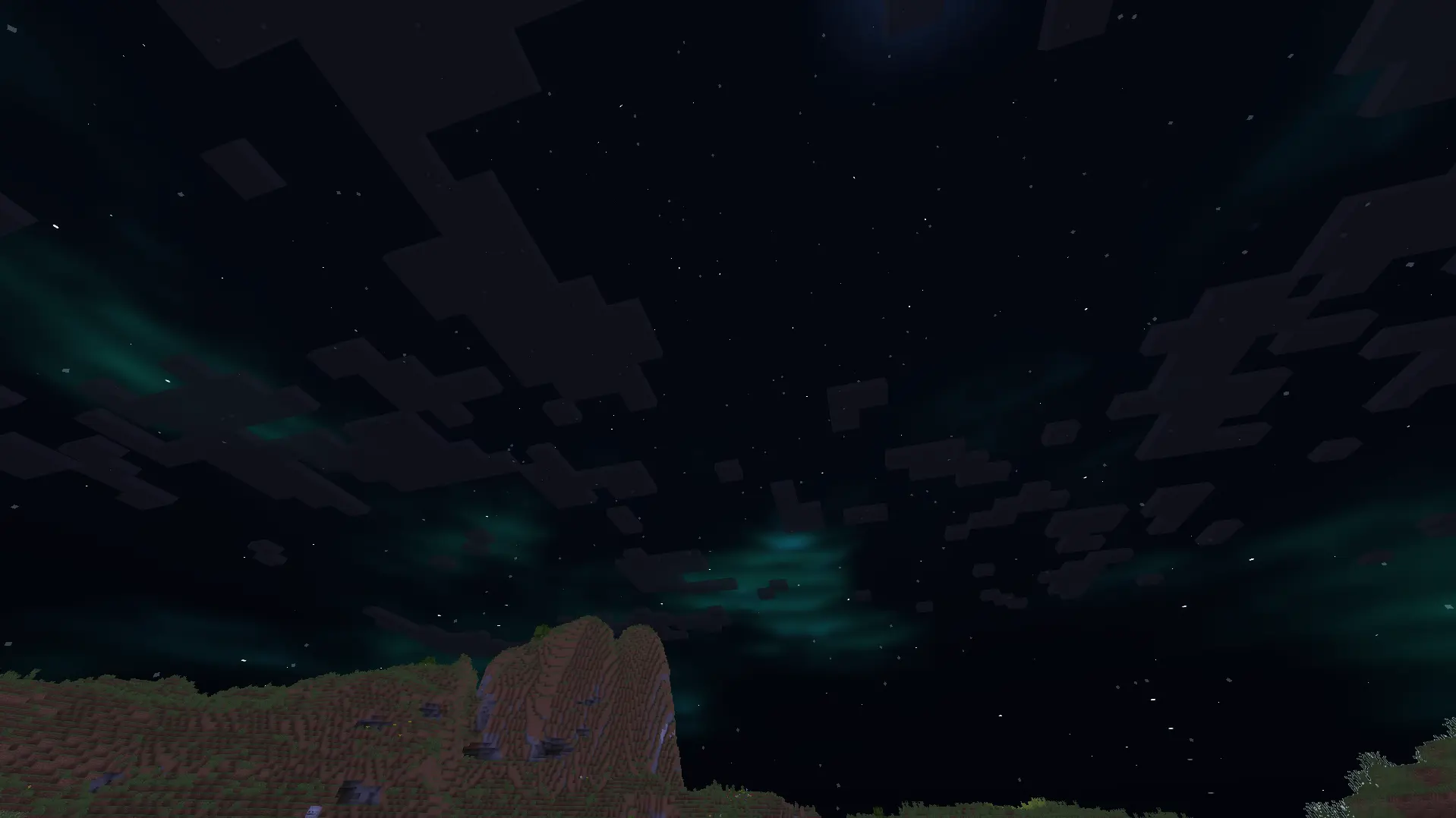
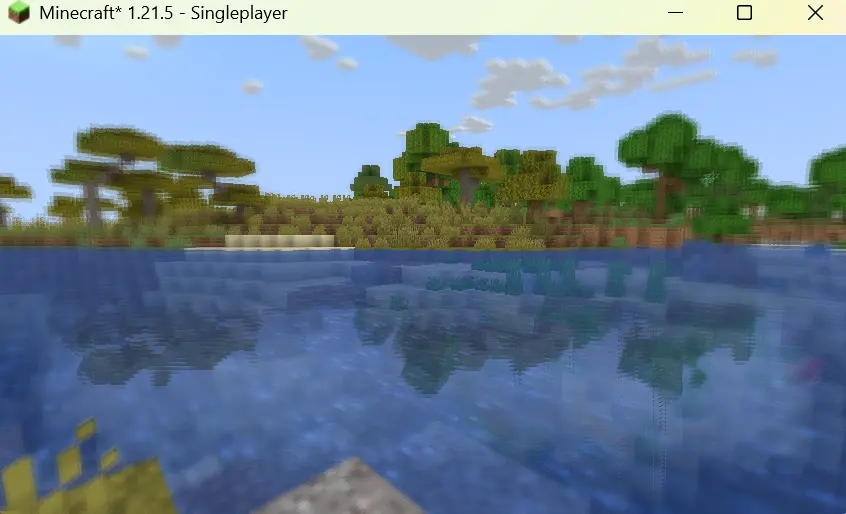

Features:
1.It shows outlines of mobs and walls around the centre screen, with outline brightness increasing as darkness increases.
2.It adds a shimmering effect above lava and other heat sources to mimic real-life shimmering over fire sources.

3.It blurs objects which are on the side of the screen, with the strength of the blur effect increasing with increasing distance of the object from the centre of the screen.
4.It creates reflections on the surface of the water.
5.It adds auroras and stars to the night sky.
6.It improves the sky colouring.
7.It adds basic foliage swaying.

Enhanced Vision কীভাবে ইনস্টল করবেন
With Millida Launcher
Install Millida Launcher
The launcher is free: download it at millida.net/launcher and sign in with any nickname.
Click “Install” on this page
The launcher opens and installs the shaders for Minecraft 1.21.5–26.1.2 automatically.
Launch the game
A profile with it appears in the launcher: click “Play”.
Manually
Install Iris or OptiFine
Without a shader mod the game cannot see shaders. Install it for the same Minecraft version.
Download the shader archive
Pick the file minecraft-shader-template-0.1.0-shaderpack.zip (16 KB) and do not unpack it.
Put it in the shaderpacks folder
“Options”, then “Video Settings”, then “Shader Packs”, then “Open Shader Pack Folder”, and drag the archive there.
Select the shaders
In the same window, click the pack name and “Apply”.
ভার্সন
ডিপেন্ডেন্সিসহ
| Minecraft | লোডার | ফাইল | তারিখ | অ্যাকশন |
|---|---|---|---|---|
| 26.1 | Iris, OptiFine | 26.115.9 KB | ||
| 1.21.11 | Iris, OptiFine | 1.21.1115.9 KB |
রিভিউ
Enhanced Vision-এ প্রথম রেটিং দিন


