
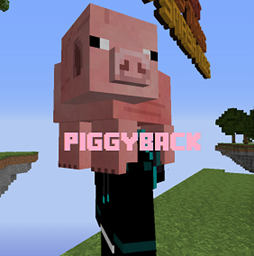
Minecraft 1.20.1, 1.19.2-এর জন্য Piggyback প্লাগইন
ঝুঁকুন, ক্লিক করুন, পিঠে চড়ুন!
Piggyback প্লাগইন সম্পর্কে
== Crouch, click, Piggyback! ==
- OVER 1000 DOWNLOADS ON BUKKIT! *
http://dev.bukkit.org/bukkit-plugins/piggyback/
Ever wanted to CARRY pigs around like a BADASS?! Ever wanted a SLIME as PET?! TIRED of Wheat and Leads?! Your FRIEND doesn't want to come with YOU?! Then this is the Plugin for you!
Piggyback has been around for 6 years now, and as a result, is probably more stable, and more complete, than most other stackers! Piggyback is fully configurable and can be used in Survival mode as well as Lobbies, and actually started out as a survival stacker.
German Plugin Showcase (by SzukaćHD)
=== How to Use ===
- Search for a mob you want to carry.
- Come close to the mob (at least 5 blocks).
- Crouch and right click/left click(configurable) on the mob!(Players may turn off ability to be picked up, and config option to turn off for NPCs)
- To stop carrying the mob or player, you just crouch and right click/left click on the mob again
## Players with their toggle off may not be picked up by other players or pick up other players, but can still pick up Mobs. You can use this plugin in survival, or use it as a Stacker plugin for a lobby! All of the messages are customizable, and can even be completely disabled or toggled off by the user for an immersive experience!
=== Features ===
- Pick up other players and mobs without commands
- Drop or throw(configurable) other players and mobs without commands
- Sends messages notifying player the mob has been picked up, dropped, or thrown
- Sends spam-free messages notifying player when their actions have been denied
- Players may toggle off Piggyback's messages
- Set a cooldown for piggybacking
- Require players to have empty hands before piggybacking
- Players may toggle off their ability to be picked up. However, while toggled off, they will be unable to pick up other players
- Block certain entities from being picked up entirely, or block Piggyback use in certain worlds
- Non-living entities are automatically blocked from being picked up
=== Commands === /pback - Displays the help page /pback help - Also displays the help page /pback toggle - Toggle ability to be picked up by other players on/off for yourself /pback messages - Toggle Piggyback messages on/off for yourself
=== Permissions ===
- piggyback.use (default) - Allows the user to pick up entities and players, providing the player being picked up is not toggled off
- piggyback.help (op) - Allows the user to view the /pback help
- piggyback.toggle (op) - Allows the user to toggle on/off their ability to be picked up
- piggyback.messages (op) - Allows the user to toggle on/off piggyback messages for themselves
- piggyback.cooldown.bypass (op) - Bypass the pickup cooldown
=== Placeholders ===
- mdvwPlaceholderAPI support -
• {Piggyback_is_disabled} - Whether or not player has being picked up toggled off • {Piggyback_is_messages_disabled} - Whether or not player has piggyback messages toggled off • {Piggyback_cooldown_integer} - The player's current cooldown down in integer seconds • {Piggyback_cooldown_decimal} - The player's current cooldown down in decimals to two places in seconds
- PlaceholderAPI by clip support -
• %Piggyback_is_disabled% - Whether or not player has being picked up toggled off • %Piggyback_is_messages_disabled% - Whether or not player has piggyback messages toggled off • %Piggyback_cooldown_integer% - The player's current cooldown down in integer seconds • %Piggyback_cooldown_decimal% - The player's current cooldown down in decimals to two places in seconds
=== Example Config ===
PIGGYBACK CONFIGURATION FILE
general: clickType: RIGHT // RIGHT, LEFT, or EITHER click, all while crouched, except in Ride mode, then only right click mode works when not crouched requireEmptyHand: true // Players hand must be empty to pick up pickUp: Cooldown: 10 // Cooldown for picking up, set to 0 to disable clickAction: PICKUP // Or RIDE - Changes Piggyback mode pickup: throwRiderAway: true // Throw rider instead of dropping, does not work in Ride mode pickUpNPCs: false // Allow Citizens2 NPCs to be picked up ride: onlyRidePlayers: false // Only ride players, still pickup other entities rideNPC: false // Allow Citizens2 NPCs to be ridden messages: Send: true // Send piggyback messages to players Cooldown: 30 // Cooldown timer to prevent some spammable messages when Send is set to true, set to 0 to disable blacklists: entityBlacklist: // Entities you don't want picked up
- ARMOR_STAND
- BOAT
worldBlacklist: // Worlds you don't want piggyback to run in
- ''
=== Developer API ===
PiggybackAPI - https://github.com/DrkMatr1984/Pigg...a/me/blubdalegend/piggyback/PiggybackAPI.java Piggyback Events
- https://github.com/DrkMatr1984/Piggyback/tree/master/src/main/java/me/blubdalegend/piggyback/events
==ToDo ===
- Config - Allowed entities list
- Config - Custom displayname of entities Exclusion list
=== How you can help ===
I'll try to keep this list updated.
- Need someone to do an English Tutorial Video!
Piggyback কীভাবে ইনস্টল করবেন
A server on Paper or Spigot
The plugin runs on the server core for Minecraft 1.9–1.20.1; players do not need to install anything.
File goes into the plugins folder
Download the file piggyback-2.4.jar (111 KB) and put it into the server’s plugins folder.
Restart the server
On startup the plugin creates its own settings folder in plugins.
Use the “To server” button
On Millida Hosting, the button at the top of the page uploads the file to your server and restarts it for you.
Minecraft 1.20.1 runs on Java 17: with a different Java version the game may close right after launch.
ভার্সন
ডিপেন্ডেন্সিসহ
| Minecraft | লোডার | ফাইল | তারিখ | অ্যাকশন |
|---|---|---|---|---|
| 1.9 | — | PiggyPack 2.4111 KB | ||
| — | — | Piggyback-B1.121.1 KB |
FAQ
Which Minecraft versions does Piggyback work on?
There are files for 1.9–1.20.1, 19 versions in total. The newest is 1.20.1.
Do players need to install Piggyback?
No, the plugin goes only on the server, into the plugins folder: players do not need to download anything.
Which Java does Piggyback need?
Minecraft 1.20.1 runs on Java 17. If the game closes right after launch, the usual cause is the wrong Java version in the profile settings.
Where can I download Piggyback safely?
On this page: the file piggyback-2.4.jar (111 KB) is stored on Millida’s server, with no link shorteners. SHA-1 checksum: e1123305c706c1175225a71d744917b8ab784de3.
রিভিউ
Piggyback-এ প্রথম রেটিং দিন


