
 Fabric
 NeoForge
 Forge
Updating World Icon
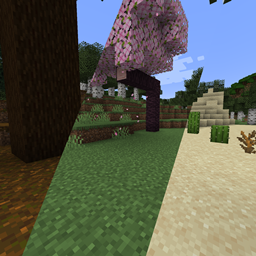
Makes the singleplayer world icon regenerate each time the world is loaded, instead of keeping the first icon forever.
Updating World Icon কীভাবে ইনস্টল করবেন
With Millida Launcher
Install Millida Launcher
The launcher is free: download it at millida.net/launcher and sign in with any nickname.
Click “Install” on this page
The launcher opens and installs the mod for Minecraft 1.18.2–26.1 on Fabric, Forge or NeoForge automatically.
Launch the game
A profile with it appears in the launcher: click “Play”.
Manually
Install Fabric, Forge or NeoForge
The loader must match the game version of the mod file, for example Minecraft 26.1. After installing it, a separate profile appears in your launcher.
Download the file for your version
In the version list above, pick the file updatingworldicon-1.0.1+26.1-fabric.jar (855 KB) for your game version and loader.
Put it in the mods folder
The folder is inside .minecraft (Windows: %appdata%\.minecraft\mods). If it does not exist, create it.
Launch the loader profile
Open “Mods” in the main menu: Updating World Icon should be in the list.
ভার্সন
ডিপেন্ডেন্সিসহ
| Minecraft | লোডার | ফাইল | তারিখ | অ্যাকশন |
|---|---|---|---|---|
| 26.1 | Fabric | Updating World Icon 1.0.1 for 26.1 Fabric855 KB | ||
| 26.1 | NeoForge | Updating World Icon 1.0.1 for 26.1 Neoforge856 KB | ||
| 1.18.2 | Forge | 1.18.X-1.0.1-forge857 KB |
রিভিউ
Updating World Icon-এ প্রথম রেটিং দিন


