

Minecraft 1.12.2-এর জন্য Topography মড
ব্যবহারকারী-নির্ধারিত কাস্টম টেরেইন জেনারেটর
- ভিউ
- ৮ ভিউ
- আপডেট করা হয়েছে
- আপডেট করা হয়েছে 18.10.2026
- 1.12 — 1.12.2
 Forge
Forge
Topography মড সম্পর্কে
যদিও 1.16 সংস্করণগুলিতে ডিফল্ট/উদাহরণ কনফিগ রয়েছে, সেগুলির এখনও ডকুমেন্টেশন নেই। আপনার নিজের ঝুঁকিতে ব্যবহার করুন।
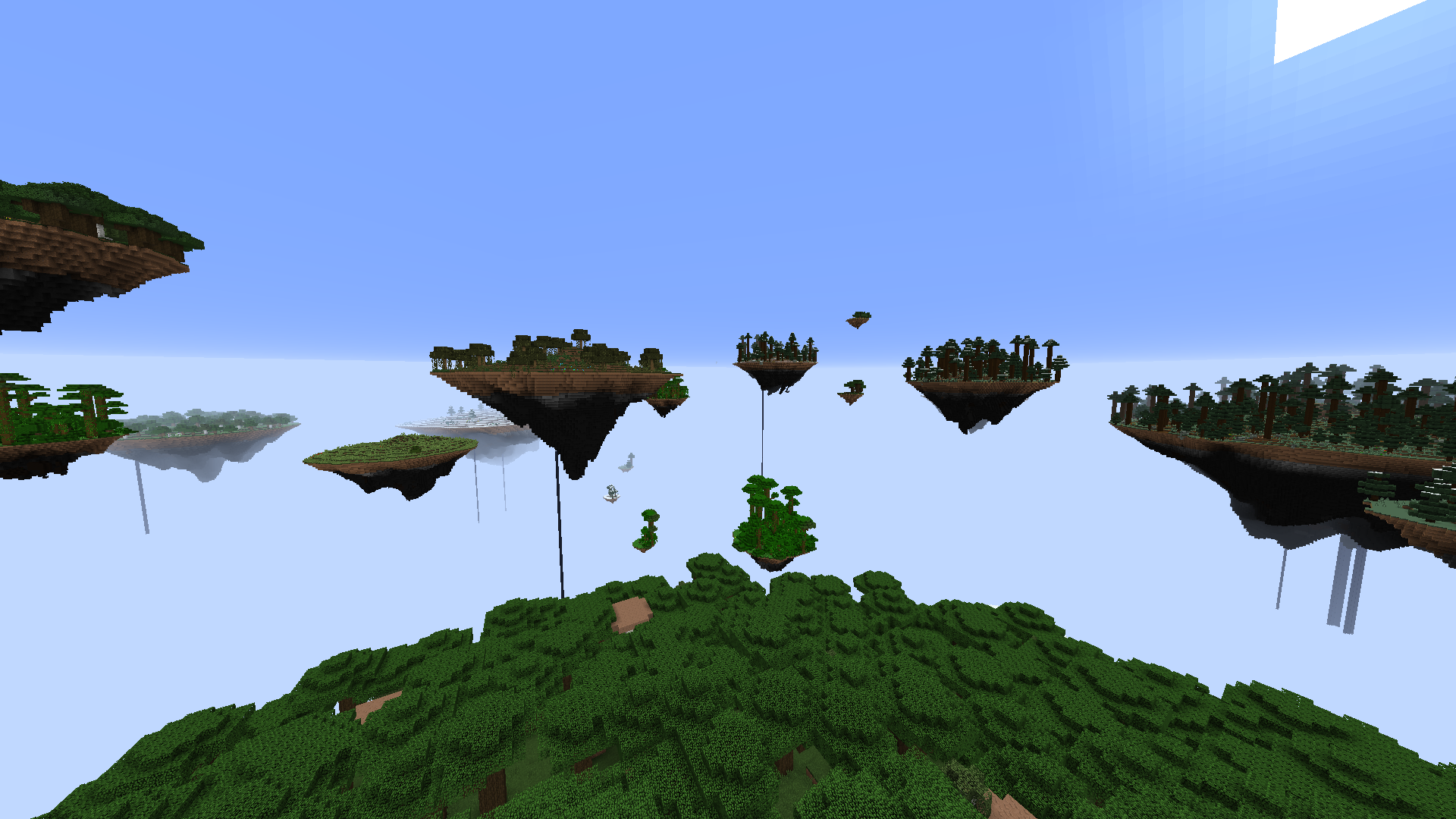
Topography একটি মড যা মডপ্যাক ডেভেলপারদের একটি স্ক্রিপ্টিং সিস্টেম ব্যবহার করে তাদের মডপ্যাকের জন্য কাস্টম সংজ্ঞায়িত ডাইমেনশন তৈরি করার ক্ষমতা প্রদান করার জন্য ডিজাইন করা হয়েছে। কাস্টম টেরেইন জেনারেটর, স্কাইবক্স, স্পন স্ট্রাকচার, ওয়ার্ল্ড প্রিসেট এবং আরও অনেক কিছু উপলব্ধ।
বর্তমানে বাস্তবায়িত বৈশিষ্ট্য
জেনারেটর:
- Sky Island Terrain Generator
- Overworld Generator
- Scattered Block Generator
- Fluid Pocket Generator
- Hanging Crystal Generator
- Deformed Sphere Generator
- Cell Noise Generator
- Layer Generator
- Ice and Snow Generator
- Biome Block Replacement Generator
- Vanilla Fire Generator
- Vanilla Lava Pocket Generator
- Vanilla Glowstone Generator
- Vanilla Quartz Generator
- Vanilla Decoration Generator
- Vanilla Animal Generator
- Vanilla Cave Generator
- Vanilla Ravine Generator
- Vanilla Lake Generator
- Vanilla Dungeon Generator
স্ট্রাকচার:
- Nether Fortress
- End City
- Mansion
- Mineshaft
- Ocean Monument
- Stronghold
- Village
- Temple
অন্যান্য:
- ওয়ার্ল্ড প্রিসেট যা খেলোয়াড়দের আপনার মডপ্যাকের জন্য একাধিক ওয়ার্ল্ড অপশনের মধ্যে বেছে নেওয়ার সুযোগ দেয়। প্রিসেটে বর্ণনা এবং ছবি থাকতে পারে যাতে খেলোয়াড়ের কাছে বিভিন্ন অপশন খুব স্পষ্ট হয়। প্রিসেটগুলি ডিফল্টভাবে লক করা যেতে পারে এবং একটি কমান্ড দিয়ে আনলক করা যেতে পারে, যা কিছু প্রিসেটকে একটি advancement, quest বা Prestige মডের পিছনে লক করার সুযোগ দেয়।
- কাস্টম ওয়ার্ল্ড ক্রিয়েশন স্ক্রিন।
- একটি কাস্টম void world spawn structure সেট করুন।
- celestial angle color transition সহ fog color সেট করুন।
- celestial angle image transition সহ কাস্টম skybox সেট করুন।
- vanilla nether-এর মতো short-distance spherical fog সক্রিয় করুন।
- স্থায়ী দিন, রাত, সূর্যাস্ত ইত্যাদির জন্য একটি static celestial angle সেট করুন।
- সম্পূর্ণভাবে sky rendering নিষ্ক্রিয় করুন।
- মেঘ নিষ্ক্রিয় করুন।
- Skylight নিষ্ক্রিয় করুন।
- একক বায়োম ডাইমেনশন তৈরি করুন।
- আলোর উজ্জ্বলতা পরিবর্তন করুন।
- একটি নির্দিষ্ট light level-এ entities-এর জন্য attributes modifiers বা damage-এর মতো effects যোগ করুন।
- Respawn নিষ্ক্রিয় করুন।
- পানি বাষ্পীভূত করুন।
- Hardcore বাধ্যতামূলক করুন।
- প্রাথমিক difficulty বাধ্যতামূলক করুন।
- Difficulty লক করুন।
- খেলোয়াড় যখন ওয়ার্ল্ডে যোগ দেয় তখন তাদের উপর initial command functions চালান।
- ওয়ার্ল্ড প্রথম তৈরি হলে সার্ভারে initial command functions চালান।
ডকুমেন্টেশন এবং উদাহরণ প্রিসেটগুলি মডের সাথে সরবরাহ করা হয়।
আমাদের সমস্ত মডের সহায়তা এবং আলোচনার জন্য আমাদের অফিসিয়াল Blood N Bones Gaming Discord সার্ভারে আসুন!
Topography কীভাবে ইনস্টল করবেন
With Millida Launcher
Install Millida Launcher
The launcher is free: download it at millida.net/launcher and sign in with any nickname.
Click “Install” on this page
The launcher opens and installs the mod for Minecraft 1.12–1.12.2 on Forge automatically.
Launch the game
A profile with it appears in the launcher: click “Play”.
Manually
Install Forge
The loader must match the game version of the mod file, for example Minecraft 1.12.2. After installing it, a separate profile appears in your launcher.
Download the file for your version
In the version list above, pick the file Topography-1.12.2-1.14.5.jar (3.8 MB) for your game version.
Put it in the mods folder
The folder is inside .minecraft (Windows: %appdata%\.minecraft\mods). If it does not exist, create it.
Launch the loader profile
Open “Mods” in the main menu: Topography should be in the list.
Minecraft 1.12.2 runs on Java 8: with a different Java version the game may close right after launch.
ভার্সন
ডিপেন্ডেন্সিসহ
| Minecraft | লোডার | ফাইল | তারিখ | অ্যাকশন |
|---|---|---|---|---|
| 1.12.1 | Forge | Topography 1.12-1.14.53.8 MB | ||
| 1.12.1 | — | Topography 1.12-1.14.43.8 MB | ||
| 1.12.1 | — | Topography 1.12-0.11.01.2 MB |
FAQ
Which Minecraft versions does Topography work on?
There are files for 1.12.2, 1.12.1, 1.12. The newest is 1.12.2.
Is Topography for Forge or Fabric?
Only for Forge: 1.12–1.12.2. There are no files for Fabric or NeoForge: a mod for another loader will not start.
Does Topography need other mods?
The author lists no required dependencies: the Forge loader is enough.
Which Java does Topography need?
Minecraft 1.12.2 runs on Java 8. If the game closes right after launch, the usual cause is the wrong Java version in the profile settings.
Where can I download Topography safely?
On this page: the file Topography-1.12.2-1.14.5.jar (3.8 MB) is stored on Millida’s server, with no link shorteners. SHA-1 checksum: 955e9f3339485d91657743d2a43e516e7051c361.
রিভিউ
Topography-এ প্রথম রেটিং দিন


