
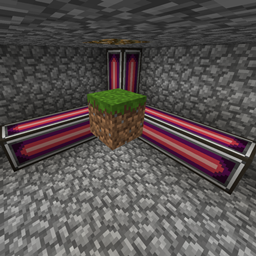
SpatialCompat মড সম্পর্কে
এই মডটি AE2 Spatial Storage-এর সব ব্লককে অনুমতি দেয়।
একমাত্র ব্যতিক্রম (এই মুহূর্তে) হলো Funky Locomotion।
এটির সাথে আমি এটিকে কাজ করাতে পারিনি।
এই মডটি শুধু একটি সার্ভারে ইনস্টল করা যায়, তবে ক্লায়েন্টেও ইনস্টল করা যেতে পারে।
ModPack অনুমতি:
curse/modrinth মডপ্যাকের জন্য হ্যাঁ।
বাকি সবকিছুর জন্য না (বিশেষত technic)।
আমার সাথে যোগাযোগ:
আপনি আমার সাথে যোগাযোগ করতে পারেন
- Steam: MrDj
- Discord: mrdj200
- অথবা শুধু github-এ issues-এর মাধ্যমে
SpatialCompat কীভাবে ইনস্টল করবেন
With Millida Launcher
Install Millida Launcher
The launcher is free: download it at millida.net/launcher and sign in with any nickname.
Click “Install” on this page
The launcher opens and installs the mod for Minecraft 1.12.2 automatically.
Launch the game
A profile with it appears in the launcher: click “Play”.
Manually
Download the file for your version
In the version list above, pick the file spatialservermod-1.3.1.jar (8 KB) for your game version.
Put it in the mods folder
The folder is inside .minecraft (Windows: %appdata%\.minecraft\mods). If it does not exist, create it.
Launch the loader profile
Open “Mods” in the main menu: SpatialCompat should be in the list.
Minecraft 1.12.2 runs on Java 8: with a different Java version the game may close right after launch.
ভার্সন
ডিপেন্ডেন্সিসহ
| Minecraft | লোডার | ফাইল | তারিখ | অ্যাকশন |
|---|---|---|---|---|
| 1.12.2 | — | spatialservermod-1.3.1.jar8.3 KB |
FAQ
Which Minecraft versions does SpatialCompat work on?
Only Minecraft 1.12.2: there are no files for other versions.
Which Java does SpatialCompat need?
Minecraft 1.12.2 runs on Java 8. If the game closes right after launch, the usual cause is the wrong Java version in the profile settings.
Where can I download SpatialCompat safely?
On this page: the file spatialservermod-1.3.1.jar (8 KB) is stored on Millida’s server, with no link shorteners. SHA-1 checksum: b5e189764265cd871fdc9d6315b6f6561de926fc.
রিভিউ
SpatialCompat-এ প্রথম রেটিং দিন


