
 NeoForge
 Forge
Sophisticated Storage Create Integration মড সম্পর্কে
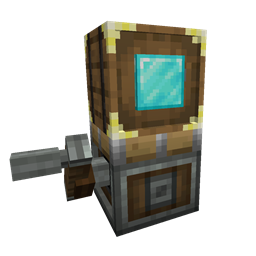
Sophisticated Storage Create Integration হলো Create-এর সাথে একটি পূর্ণাঙ্গ ইন্টিগ্রেশন, যা Create কনট্র্যাপশনে Sophisticated Storage ব্লকগুলোকে কেবল সাধারণ স্টোরেজ ব্লক হিসেবে নয়, বরং তাদের বিস্তৃত ইনভেন্টরি অপশনসহ এবং প্রায় সব আপগ্রেড সম্পূর্ণ কার্যকর অবস্থায় ব্যবহার করা সম্ভব করে তোলে। এই অ্যাডঅন মডটি Sophisticated Storage-এর শক্তি ও নমনীয়তাকে Create-এর চলমান জগতে নিয়ে আসে, তাই আপনার স্টোরেজ ব্লকগুলো এখন ট্রেন, ঘূর্ণায়মান প্ল্যাটফর্ম, উড়ন্ত মেশিন এবং আরও অনেক কিছুর উপর ভ্রমণ করতে পারবে — তাদের কোনো উন্নত সক্ষমতা হারানো ছাড়াই।
কনট্র্যাপশন স্টোরেজ
সব Sophisticated Storage ব্লক - ব্যারেল, চেস্ট এবং শুল্কার বক্স - এখন Create কনট্র্যাপশনে মাউন্ট করা যাবে এবং চলমান অবস্থায় সম্পূর্ণ সামঞ্জস্য বজায় রাখবে। চলাচলের সময় স্টোরেজের কনটেন্ট স্থায়ী থাকে, এবং আপগ্রেড, আপগ্রেড সেটিংস ও ইনভেন্টরি সেটিংস (যেমন মনে রাখা স্লট) সংরক্ষিত থাকে।
আপগ্রেড
Sophisticated Storage-এর অধিকাংশ আপগ্রেড Create কনট্র্যাপশনে নির্বিঘ্নে কাজ করে। Pickup বা Magnet-এর মতো অবস্থান-ভিত্তিক আপগ্রেড সঠিক অবস্থানে কাজ করার জন্য কনট্র্যাপশনের গতিশীল অবস্থান এবং প্রকৃত স্টোরেজের অবস্থান ব্যবহার করে, স্ট্যাক আপগ্রেড স্লট ধারণক্ষমতা বাড়ায়, ক্রাফটিং আপগ্রেড স্টোরেজের কনটেন্টের সাথে কাজ করে, … কনট্র্যাপশনে মাউন্ট করা স্টোরেজে সরাসরি বিশ্বে ডান-ক্লিক করে যানবাহনের স্টোরেজে আপগ্রেড যোগ করা যায়।
টিয়ার আপগ্রেড
সাধারণ স্টোরেজের মতোই কনট্র্যাপশন স্টোরেজেও স্টোরেজে ডান-ক্লিক করে টিয়ার আপগ্রেড প্রয়োগ করা যায়। এটি কনট্র্যাপশন চলমান থাকা অবস্থাতেও স্টোরেজ ধারণক্ষমতা সহজে বাড়ানোর সুযোগ দেয়।
স্টোরেজ টুল
Storage Tool সরাসরি কনট্র্যাপশনে ব্যবহার করে লক সেটিংস এবং টিয়ার, আপগ্রেড স্লট ও ফিল লেভেলের মতো ভিজ্যুয়াল ইন্ডিকেটর পরিচালনা করা যায়—ঠিক যেকোনো সাধারণ Sophisticated Storage ব্লকের মতোই।
পেইন্টব্রাশ
Paintbrush সাধারণ স্টোরেজের মতোই সমান সহায়তা দিয়ে কনট্র্যাপশন স্টোরেজে রং করতে পারে, তাই পেইন্টব্রাশ দিয়ে টিন্ট এবং ব্যারেলের উপাদান উভয়ই পরিবর্তন করা সমর্থিত।
Sophisticated Storage Create Integration কীভাবে ইনস্টল করবেন
With Millida Launcher
Install Millida Launcher
The launcher is free: download it at millida.net/launcher and sign in with any nickname.
Click “Install” on this page
The launcher opens and installs the mod for Minecraft 1.20.1–1.21.1 on Forge or NeoForge automatically.
Launch the game
A profile with it appears in the launcher: click “Play”.
Manually
Install Forge or NeoForge
The loader must match the game version of the mod file, for example Minecraft 1.21.1. After installing it, a separate profile appears in your launcher.
Download the file for your version
In the version list above, pick the file sophisticatedstoragecreateintegration-1.21.1-0.1.21.209.jar (131 KB) for your game version and loader.
Put it in the mods folder
The folder is inside .minecraft (Windows: %appdata%\.minecraft\mods). If it does not exist, create it.
Launch the loader profile
Open “Mods” in the main menu: Sophisticated Storage Create Integration should be in the list.
Minecraft 1.21.1 runs on Java 21: with a different Java version the game may close right after launch.
ভার্সন
ডিপেন্ডেন্সিসহ
| Minecraft | লোডার | ফাইল | তারিখ | অ্যাকশন |
|---|---|---|---|---|
| 1.20.1 | Forge, NeoForge | sophisticatedstoragecreateintegration-1.20.1-0.1.24.221.jar127 KB ৭০ | ||
| 1.21.1 | NeoForge | sophisticatedstoragecreateintegration-1.21.1-0.1.21.209.jar131 KB ১০৮ |
FAQ
Which Minecraft versions does Sophisticated Storage Create Integration work on?
There are files for 1.21.1, 1.20.1. The newest is 1.21.1.
Is Sophisticated Storage Create Integration for Forge or Fabric?
There are files for Forge: 1.20.1 and for NeoForge: 1.20.1–1.21.1. There are no files for Fabric: a mod for another loader will not start.
Does Sophisticated Storage Create Integration need other mods?
The author lists no required dependencies: the Forge or NeoForge loader is enough.
Which Java does Sophisticated Storage Create Integration need?
Minecraft 1.21.1 runs on Java 21. If the game closes right after launch, the usual cause is the wrong Java version in the profile settings.
Where can I download Sophisticated Storage Create Integration safely?
On this page: the file sophisticatedstoragecreateintegration-1.21.1-0.1.21.209.jar (131 KB) is stored on Millida’s server, with no link shorteners. SHA-1 checksum: d8f72f22459750496008a7c2a39dc865152d075c.
রিভিউ
Sophisticated Storage Create Integration-এ প্রথম রেটিং দিন


