

 Fabric
 Forge
PlayerEx মড সম্পর্কে
১১ই আগস্ট ২০২৩: আমি মডিং থেকে বিরতি নিচ্ছি। আমি ফিরে আসব, কিন্তু কখন তা নিশ্চিত নই। আমি যখন পারব তখনও মন্তব্যের উত্তর দেওয়ার চেষ্টা করব। অনুগ্রহ করে মনে রাখবেন যে শুধুমাত্র সর্বশেষ সংস্করণকে সহায়তা দেওয়া হবে। তাছাড়া, আমি আর Forge-এর জন্য ডেভেলপ করছি না; এই মডটি এখন Fabric ব্যবহার করে।
বর্ণনা

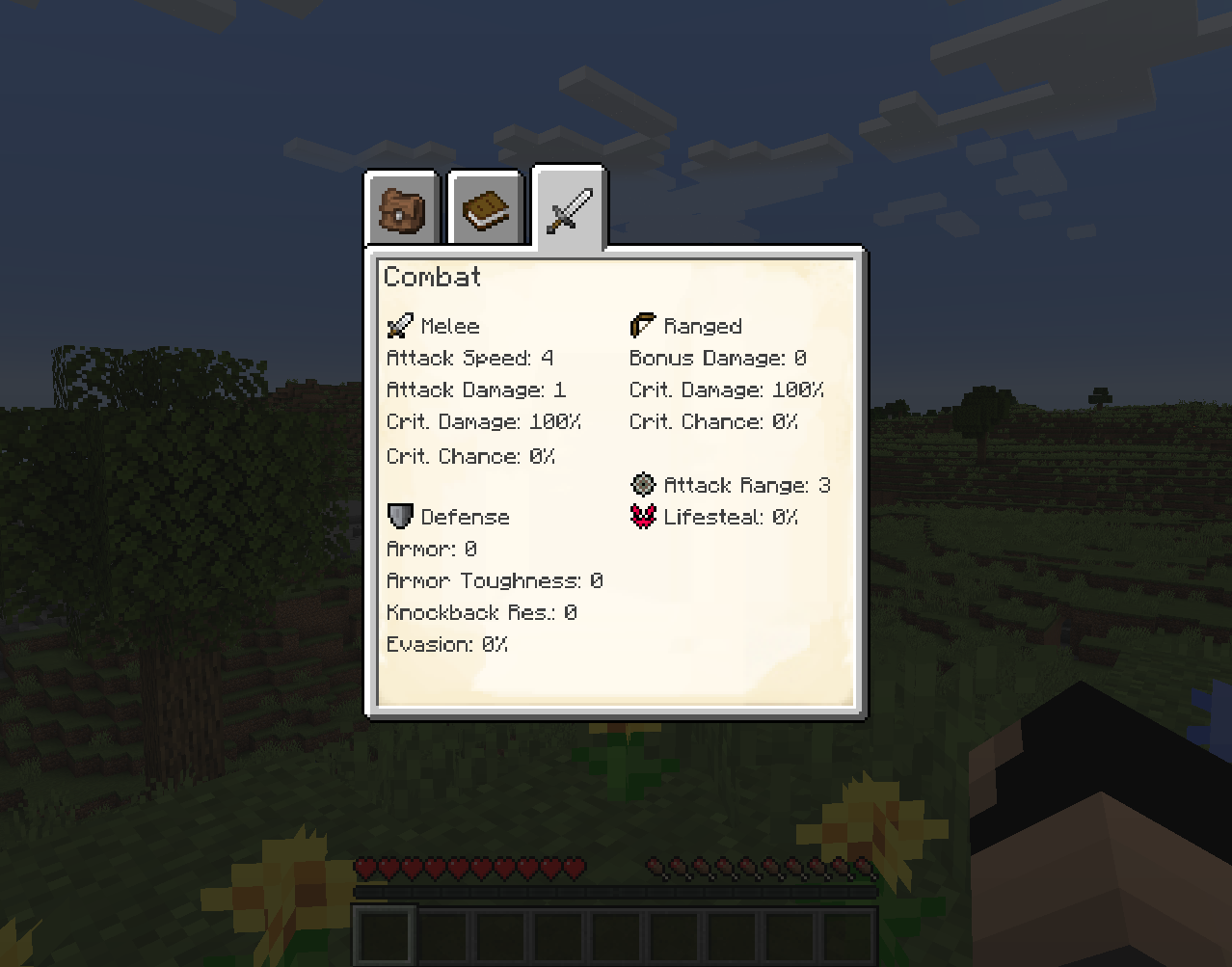
PlayerEx গেমে সম্পূর্ণ কার্যকরী RPG থিমযুক্ত অ্যাট্রিবিউট নিবন্ধন করে, এবং ডিফল্টভাবে সেগুলো প্লেয়ারের সাথে যোগ করে (এই অ্যাট্রিবিউটগুলো অন্যান্য জীবন্ত সত্তার সাথে যোগ করা যেতে পারে)। এছাড়াও লেভেল, স্কিল পয়েন্ট এবং কনফিগারযোগ্য লেভেলিং যোগ করা হয়েছে। সর্বশেষ সংস্করণটি Data Attributes দ্বারা চালিত, যেখান থেকেই কনফিগারযোগ্যতার বড় অংশ আসে - কীভাবে জিনিসপত্র কনফিগার করবেন তা এখানে এসে জিজ্ঞাসা করার আগে অনুগ্রহ করে এটি সম্পর্কে জানুন।
প্রদত্ত কনটেন্ট এবং মেকানিক্স সম্পর্কে আরও বিস্তারিত ডকুমেন্টেশনের জন্য, অন্যান্য বিষয়ের মধ্যে, অনুগ্রহ করে উইকি পড়ুন।
পুরনো HUD খুঁজছেন? এটি এখন এখানে একটি স্বতন্ত্র মড হিসেবে উপলব্ধ।
একটি অ্যাডঅন মডও উপলব্ধ: RelicEx; এই মডটি PlayerEx অ্যাট্রিবিউটের জন্য কিছু সম্প্রসারণ আইটেম অফার করে। PlayerEx সম্বলিত কিছু ভিডিও:
- Mischief of Mice দ্বারা (Forge)
- bstylia14 দ্বারা (Forge)
- AsianHalfSquat দ্বারা (Fabric)
নোট এবং নির্দেশনা
- Forge-এর জন্য প্রকাশিত সর্বশেষ সংস্করণ ছিল v1.1.8।
- অনুগ্রহ করে সর্বদা সর্বশেষ সংস্করণ ব্যবহার করুন।
- অন্য সংস্করণে আপডেট করার আগে অনুগ্রহ করে কনফিগ ফাইলগুলো মুছে ফেলুন, কারণ আরও কনফিগারযোগ্যতা বাস্তবায়নের সাথে সাথে প্রধান সংস্করণগুলোর মধ্যে কনফিগ ফাইলগুলো পরিবর্তিত হয়।
- মডপ্যাক ঠিক আছে।
- এই মডটি (jar-in-jar) Cardinal Components (Base, Entity এবং Chunk মডিউল), TextPlaceholderAPI, OfflinePlayerCache এবং exp4j (কৃতিত্ব প্রদত্ত) সহ বান্ডল করা আসে।
PlayerEx কীভাবে ইনস্টল করবেন
With Millida Launcher
Install Millida Launcher
The launcher is free: download it at millida.net/launcher and sign in with any nickname.
Click “Install” on this page
The launcher opens and installs the mod for Minecraft 1.16.4–1.19.2 on Fabric or Forge automatically.
Launch the game
A profile with it appears in the launcher: click “Play”.
Manually
Install Fabric or Forge
The loader must match the game version of the mod file, for example Minecraft 1.19.2. After installing it, a separate profile appears in your launcher.
Download the file for your version
In the version list above, pick the file playerex-3.5.4+1.19.2.jar (607 KB) for your game version and loader.
Put it in the mods folder
The folder is inside .minecraft (Windows: %appdata%\.minecraft\mods). If it does not exist, create it.
Launch the loader profile
Open “Mods” in the main menu: PlayerEx should be in the list.
Minecraft 1.19.2 runs on Java 17: with a different Java version the game may close right after launch.
ভার্সন
ডিপেন্ডেন্সিসহ
| Minecraft | লোডার | ফাইল | তারিখ | অ্যাকশন |
|---|---|---|---|---|
| 1.19.2 | Fabric | 3.5.4+1.19.2607 KB ১ | ||
| 1.16.5 | Forge | playerex-1.1.8-1.16.5.jar131 KB ৩ |
FAQ
Which Minecraft versions does PlayerEx work on?
There are files for 1.19.2, 1.16.5, 1.16.4. The newest is 1.19.2.
Is PlayerEx for Forge or Fabric?
There are files for Fabric: 1.19.2 and for Forge: 1.16.4–1.16.5. There are no files for NeoForge: a mod for another loader will not start.
Does PlayerEx need other mods?
The author lists no required dependencies: the Fabric or Forge loader is enough.
Which Java does PlayerEx need?
Minecraft 1.19.2 runs on Java 17. If the game closes right after launch, the usual cause is the wrong Java version in the profile settings.
Where can I download PlayerEx safely?
On this page: the file playerex-3.5.4+1.19.2.jar (607 KB) is stored on Millida’s server, with no link shorteners. SHA-1 checksum: 48e9ef1dc6aafb45e9aa7c5d9ab2fe588f297d7c.
রিভিউ
PlayerEx-এ প্রথম রেটিং দিন


