
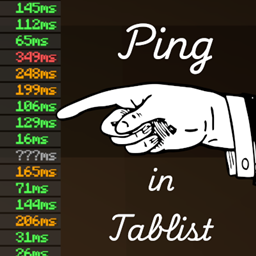
Minecraft 26.3-এর জন্য Ping in Tablist মড
আইকনের পরিবর্তে টেক্সটে প্লেয়ারদের পিং প্রদর্শন করে
 NeoForge
 Fabric
Ping in Tablist
Features
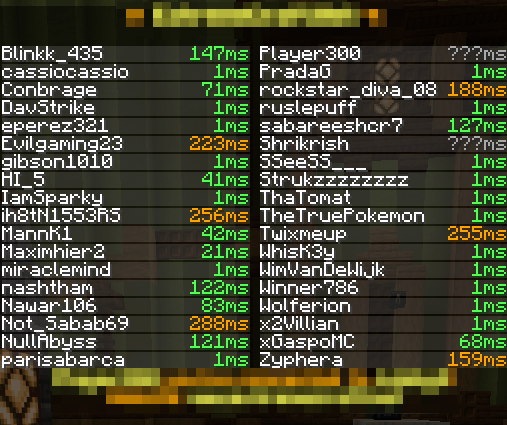
- Displays the exact player ping as a number in the tab list
- Replaces the default connection bars
- Color-coded ping values for quick readability
Preview:
Ping in Tablist কীভাবে ইনস্টল করবেন
With Millida Launcher
Install Millida Launcher
The launcher is free: download it at millida.net/launcher and sign in with any nickname.
Click “Install” on this page
The launcher opens and installs the mod for Minecraft 26.3 on Fabric or NeoForge automatically.
Launch the game
A profile with it appears in the launcher: click “Play”.
Manually
Install Fabric or NeoForge
The loader must match the game version of the mod file, for example Minecraft 26.3. After installing it, a separate profile appears in your launcher.
Download the file for your version
In the version list above, pick the file PingInTablist-neoforge-26.3-1.1.0.jar (88 KB) for your game version and loader.
Put it in the mods folder
The folder is inside .minecraft (Windows: %appdata%\.minecraft\mods). If it does not exist, create it.
Launch the loader profile
Open “Mods” in the main menu: Ping in Tablist should be in the list.
ভার্সন
ডিপেন্ডেন্সিসহ
| Minecraft | লোডার | ফাইল | তারিখ | অ্যাকশন |
|---|---|---|---|---|
| 26.3 | NeoForge | PingInTablist-neoforge-26.3-1.1.0.jar87.9 KB | ||
| 26.3 | Fabric | PingInTablist-fabric-26.3-1.1.0.jar89 KB |
রিভিউ
Ping in Tablist-এ প্রথম রেটিং দিন


