
Minecraft 26.2-এর জন্য Dimensional Tracker মড
প্লেয়ারের dimension অনুযায়ী রঙের নাম
 NeoForge
 Fabric
Dimensional Tracker
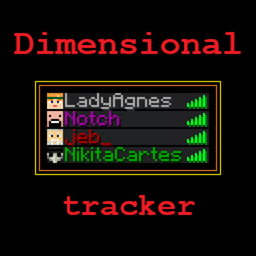
Server-side Fabric and NeoForge mod that colors nicknames based on the dimension a player is in. Compatible with VT AFK Display, Sessility Mod and Text Placeholder API
This mod utilizes vanilla scoreboard teams to color nicknames and provide optional placeholders [Fabric only].
Customization
With default settings: Green = Overworld Red = The Nether Purple = The End
Config file is located in config/DimensionalTracker.properties.
Team configuration
If you don't want to be detected, simply join a different team. You can modify your team's color, add a prefix or suffix using the standard Minecraft /team command. To add support for non-vanilla dimensions, create a team named dimTracker.<namespace>_<dimension_name>:
- minecraft namespace is stripped: minecraft:overworld -> dimTracker.overworld
- other namespaces are joined with , / becomes : mymod:arena -> dimTracker.mymod_arena, mymod:deep/dark -> dimTracker.mymod_deep_dark
Placeholder Configuration (Fabric only)
Dimensional Tracker provides three placeholders:
- %dimensional-tracker:dimension_color%: The color of the dimension the player is in
- %dimensional-tracker:dimension_name%: The name of the dimension the player is in
- %dimensional-tracker:dimension_id%: The id of the dimension the player is in You can configure the placeholders in the config file.
Why this mod instead of datapacks?
Because of how datapacks work they should check dimensions every tick. It's okay for singleplayer, but on servers it can cause lag. In testing, I saw that it can take up to 30% of MSPT for 10 players:
Dimensional Tracker কীভাবে ইনস্টল করবেন
With Millida Launcher
Install Millida Launcher
The launcher is free: download it at millida.net/launcher and sign in with any nickname.
Click “Install” on this page
The launcher opens and installs the mod for Minecraft 26.2 on Fabric or NeoForge automatically.
Launch the game
A profile with it appears in the launcher: click “Play”.
Manually
Install Fabric or NeoForge
The loader must match the game version of the mod file, for example Minecraft 26.2. After installing it, a separate profile appears in your launcher.
Download the file for your version
In the version list above, pick the file dimensionaltracker-neoforge-mc26.2-1.5.1.jar (14 KB) for your game version and loader.
Put it in the mods folder
The folder is inside .minecraft (Windows: %appdata%\.minecraft\mods). If it does not exist, create it.
Launch the loader profile
Open “Mods” in the main menu: Dimensional Tracker should be in the list.
ভার্সন
ডিপেন্ডেন্সিসহ
| Minecraft | লোডার | ফাইল | তারিখ | অ্যাকশন |
|---|---|---|---|---|
| 26.2 | NeoForge | [NeoForge 26.2] 1.5.113.9 KB | ||
| 26.2 | Fabric | [26.2] 1.5.117.7 KB |
রিভিউ
Dimensional Tracker-এ প্রথম রেটিং দিন


