
Minecraft 1.19.2, 1.21.4-এর জন্য Custom Scoreboard মড
Fabric-এর জন্য স্কোরবোর্ড কাস্টমাইজেশন মড
 Fabric
 Quilt
QuiltCustom Scoreboard মড সম্পর্কে
Custom Scoreboard Mod - Advanced Scoreboard Customization for Minecraft (Fabric + Kotlin)
Take full control of your Minecraft scoreboard with the Custom Scoreboard Mod, a powerful Fabric client-side modification. This mod allows players to personalize their scoreboard display, offering a wide range of customization options without compromising performance.
🌟 Key Features:
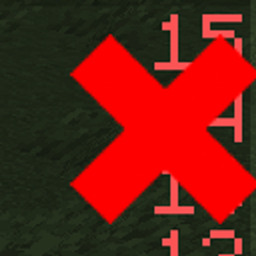
❌ Hide Scoreboard: Completely disable the scoreboard when you don’t need it.
🔢 Remove Red Numbers: Option to hide the red numbers/scores on the right side.
🌐 Adjust Opacity: Customize the transparency of the scoreboard title and body.
✂️ Selective Line Visibility: Choose which specific lines to hide for a cleaner view.
⚡ Optimized for Fabric: Fully compatible with Fabric API.
💎 Kotlin-Powered: Developed using Kotlin (requires Fabric-Language-Kotlin).
🛠️ Settings GUI: Easily configure settings via Mod Menu (required).
📌 Why Use Custom Scoreboard Mod? Whether you’re a content creator looking for a clean HUD, a player wanting more focus, or simply someone who finds the scoreboard distracting, this mod offers the flexibility you need. No more clutter, just clean customization.
✅ Installation Instructions:
Ensure Fabric Loader is installed.
Install Fabric API, Fabric-Language-Kotlin, and Mod Menu.
Download Custom Scoreboard Mod and place it in your mods folder.
🔗 Download Now and Take Control of Your Scoreboard!
Custom Scoreboard কীভাবে ইনস্টল করবেন
With Millida Launcher
Install Millida Launcher
The launcher is free: download it at millida.net/launcher and sign in with any nickname.
Click “Install” on this page
The launcher opens and installs the mod for Minecraft 1.19.2–1.21.4 on Fabric or Quilt automatically.
Launch the game
A profile with it appears in the launcher: click “Play”.
Manually
Install Fabric or Quilt
The loader must match the game version of the mod file, for example Minecraft 1.21.4. After installing it, a separate profile appears in your launcher.
Download the file for your version
In the version list above, pick the file CustomScoreboard-1.1.1.jar (1.0 MB) for your game version and loader.
Put it in the mods folder
The folder is inside .minecraft (Windows: %appdata%\.minecraft\mods). If it does not exist, create it.
Launch the loader profile
Open “Mods” in the main menu: Custom Scoreboard should be in the list.
Minecraft 1.21.4 runs on Java 21: with a different Java version the game may close right after launch.
ভার্সন
ডিপেন্ডেন্সিসহ
| Minecraft | লোডার | ফাইল | তারিখ | অ্যাকশন |
|---|---|---|---|---|
| 1.21.4 | Fabric, Quilt | CustomScoreboard-1.1.1.jar1 MB ১ | ||
| 1.19.2 | — | CustomScoreboard-1.0.jar154 KB |
FAQ
Which Minecraft versions does Custom Scoreboard work on?
There are files for 1.21.4, 1.21.3, 1.21.2, 1.19.2. The newest is 1.21.4.
Is Custom Scoreboard for Forge or Fabric?
There are files for Fabric: 1.21.2–1.21.4 and for Quilt: 1.21.2–1.21.4. There are no files for Forge or NeoForge: a mod for another loader will not start.
Does Custom Scoreboard need other mods?
The author lists no required dependencies: the Fabric or Quilt loader is enough.
Which Java does Custom Scoreboard need?
Minecraft 1.21.4 runs on Java 21. If the game closes right after launch, the usual cause is the wrong Java version in the profile settings.
Where can I download Custom Scoreboard safely?
On this page: the file CustomScoreboard-1.1.1.jar (1.0 MB) is stored on Millida’s server, with no link shorteners. SHA-1 checksum: 4cfe9052542fed52f1681909c7da5c59b590e7a5.
রিভিউ
Custom Scoreboard-এ প্রথম রেটিং দিন


