

Minecraft 1.21.1, 1.21-এর জন্য Clumps ডেটা প্যাক
ল্যাগ কমাতে এক্সপেরিয়েন্স অর্ব একত্রিত করুন বা এক্সপেরিয়েন্স অর্ব তাৎক্ষণিকভাবে তুলে নিন!
- ডাউনলোড
- ২৪ ডাউনলোড
- ভিউ
- ১২০ ভিউ
- আপডেট করা হয়েছে
- আপডেট করা হয়েছে 04.09.2026
- 1.21 — 26.2
 ডেটা প্যাক
- ক্লায়েন্ট ও সার্ভার
Clumps
📖 Description
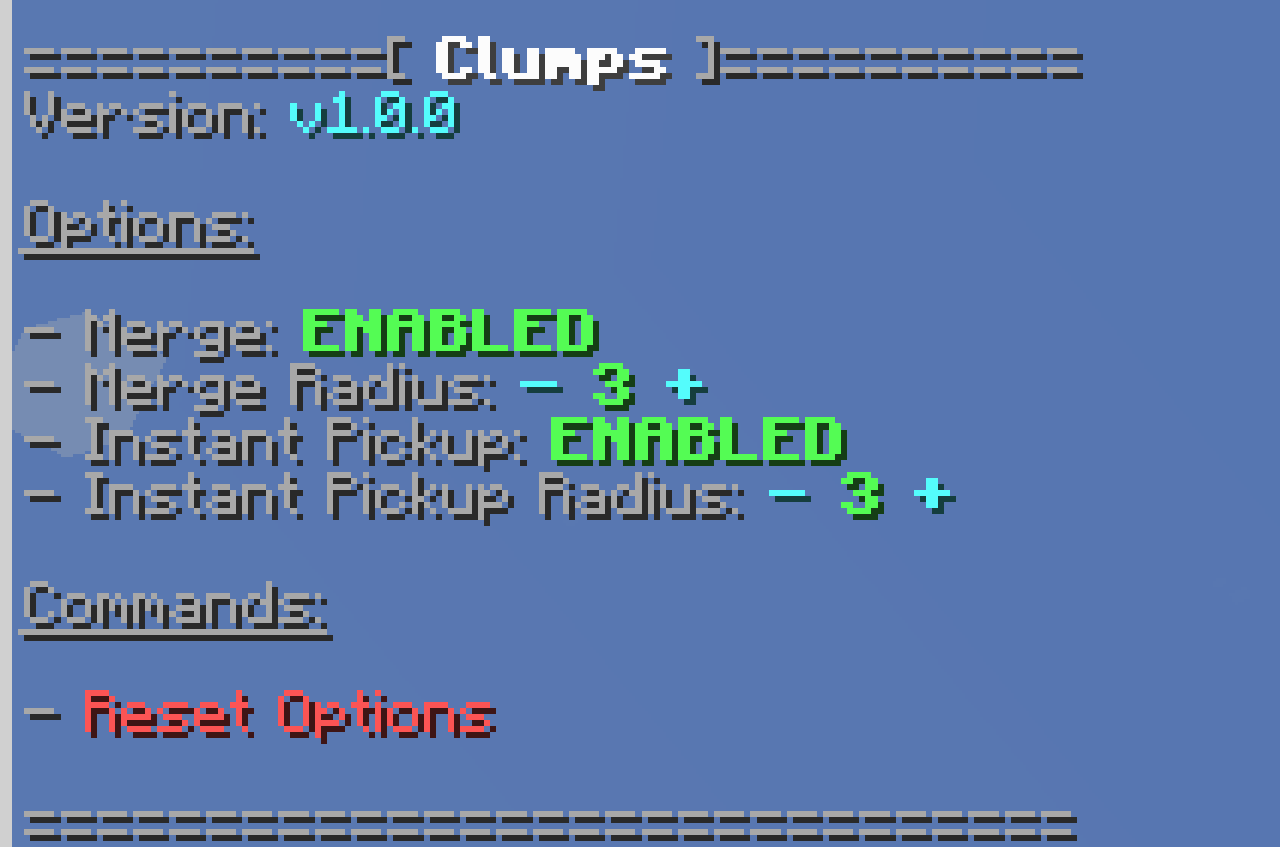
Merge experience orbs and instant pickup experience orbs to reduce lag!

⌨️ Commands
Config:
/function clumps:config
Instant pickup experience orbs option is not compatible with Mending enchantment!
🪪 License
- AGPL-3.0-or-later

👾 Bugs/Issues
Please report any problem/bug/issues in the Discord Server.
💌 Donate
- Donate on Ko-Fi
- Donate on PayPal
🎁 Server Hosting
Creating your own server can be a very lengthy, tedious and costly process.
But with BisectHosting, you get your own server in just a couple of clicks! With their 24/7 support and fast-response time, no issues shall stand in your way! Interested? Then we've got a deal for you!
https://bisecthosting.com/lullaby
Clumps কীভাবে ইনস্টল করবেন
With Millida Launcher
Install Millida Launcher
The launcher is free: download it at millida.net/launcher and sign in with any nickname.
Click “Install” on this page
The launcher opens and installs the data pack for Minecraft 1.21–26.2 automatically.
Launch the game
A profile with it appears in the launcher: click “Play”.
Manually
Download the archive
Pick the file Clumps v1.1.0 [1.21.6-1.21.9].zip (61 KB) for your game version.
New world: “Data Packs”
When creating a world, click “Data Packs”, drag the archive into the window, then move it to “Selected”.
Existing world: the datapacks folder
Put the archive into saves/<world>/datapacks and type /reload in game.
On a server
Archive goes into the server world’s datapacks
The world/datapacks folder on the server; players do not need to install anything.
Reload the data
Type /reload in the server console or restart the server.
Use the “To server” button
On Millida Hosting, the button at the top of the page uploads the file to your server and restarts it for you.
ভার্সন
ডিপেন্ডেন্সিসহ
| Minecraft | লোডার | ফাইল | অ্যাকশন |
|---|---|---|---|
| 26.2 | ডেটা প্যাক | 26.260.8 KB ১৯ | |
| 26.1 | ডেটা প্যাক | 26.160.8 KB | |
| 1.21.11 | ডেটা প্যাক | 1.21.1160.8 KB ১ | |
| 1.21 | ডেটা প্যাক | 1.2166.9 KB ৩ |
রিভিউ
Clumps-এ প্রথম রেটিং দিন


