

X-Ray Light Version حزمة موارد لماينكرافت 26.30
💎 X-RAY LIGHT يساعدك على إيجاد الماس والذهب والزمرد والحطام القديم والخامات الثمينة الأخرى بسهولة. خفيف الوزن، متوافق مع الإنجازات، ومحسّن لـ Minecraft Bedrock Edition. ✨
🔦 X-RAY LIGHT TEXTURE PACK
💎 Find Hidden Ores and Discover Underground Treasures! Discover a new way to explore Minecraft with X-RAY LIGHT by Naman Studios! This texture pack helps you spot valuable ores underground by making surrounding blocks easier to see through. Find useful resources faster and make your mining adventures more exciting!
💎 FIND VALUABLE ORES
Locate important ores and underground resources with improved visibility. Search for Diamonds, Emeralds, Gold, Iron, Redstone, Ancient Debris and more!
✨ FEATURES
- 💎 Find valuable ores more easily
- ⛏️ Explore underground areas with improved visibility
- 🌍 Discover caves and underground structures more easily
- ✨ Enhanced ore visibility with supported visual settings
- ⚡ Lightweight texture pack
- 📱 Designed for Minecraft Bedrock Edition
- 🎮 Useful for exploring and mining
⚙️ RECOMMENDED SETTINGS
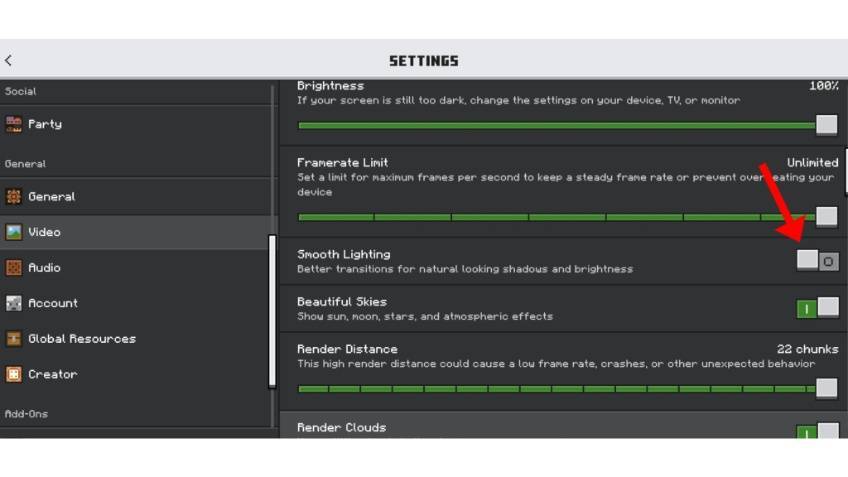
- Turn OFF Smooth Lighting for improved visibility.
- Set Brightness to 100% to see underground areas more clearly.
- Enable Vibrant Visuals if supported by your device and Minecraft version for the intended visual experience.
- Adjust Render Distance according to your device's performance.
📸 TEXTURE PACK PREVIEW
🔦 Turn Off Smooth Lighting
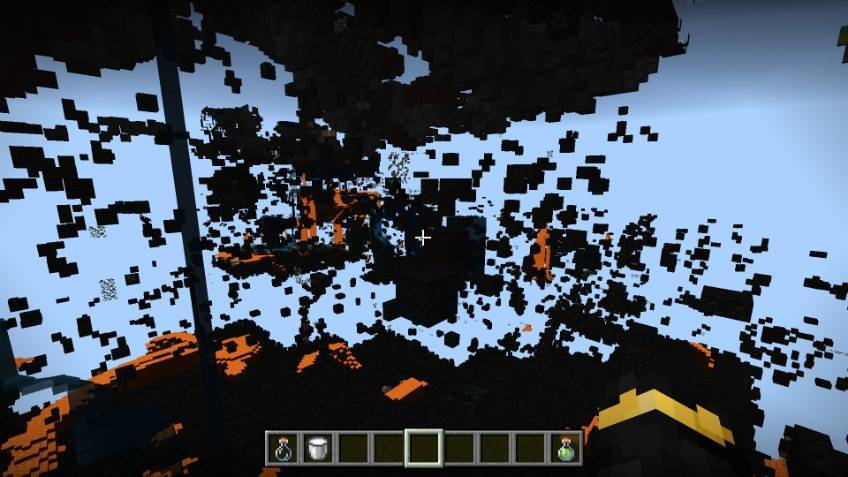
🌙 Without Night Vision
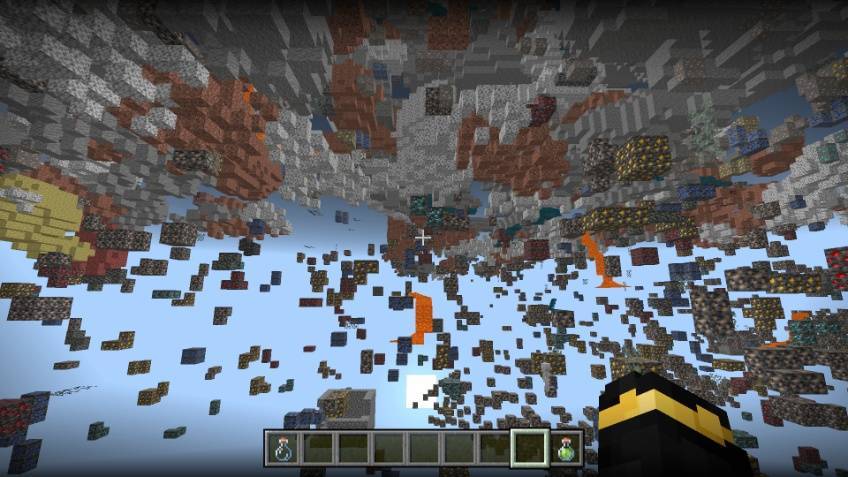
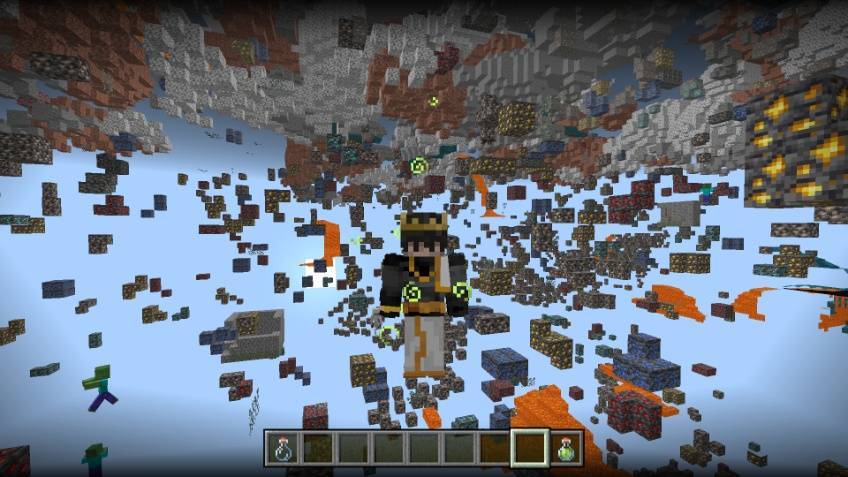
✨ With Night Vision
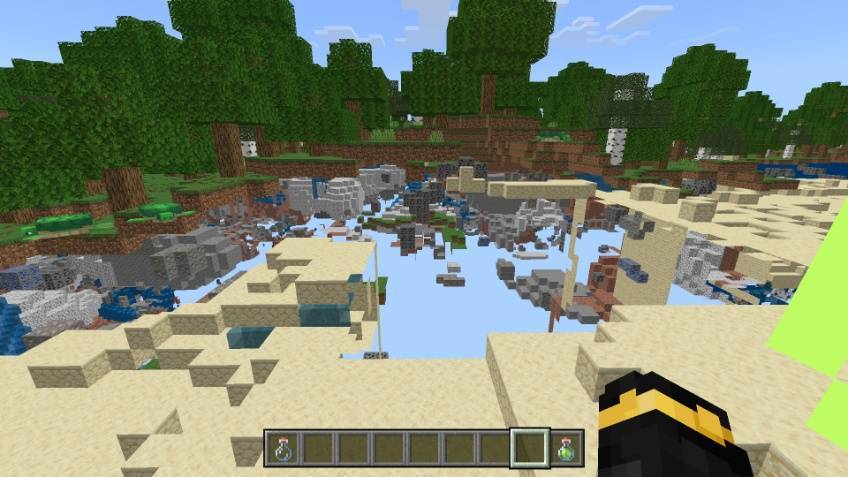
🚀 START YOUR MINING ADVENTURE!
Explore underground, search for rare resources and make your Minecraft mining experience more convenient with X-RAY LIGHT! 🎨 Created By: Naman Studios
كيفية تثبيت X-Ray Light Version
With Millida Launcher
Install Millida Launcher
The launcher is free: download it at millida.net/launcher and sign in with any nickname.
Click “Install” on this page
The launcher opens and installs the resource pack for Minecraft 1.21.132–26.30 automatically.
Launch the game
A profile with it appears in the launcher: click “Play”.
Manually
Download the archive
Pick the file X-Ray Light Version V-0.2 .mcpack (21 KB) for your game version. No need to unpack it.
Put it in the resourcepacks folder
The easiest way: “Options”, then “Resource Packs”, then “Open Pack Folder”, and drag the archive there.
Enable the pack
In the same window, move the pack to the right-hand “Selected” column and click “Done”.
الإصدارات
مع المتطلبات
| Minecraft | المشغّل | الملف | التاريخ | الإجراءات |
|---|---|---|---|---|
| 1.21.132 | — | X-Ray Light Version V-0.2 .mcpack20.8 KB 7 |
الأسئلة الشائعة
Which Minecraft versions does X-Ray Light Version work on?
There are files for 1.21.132–26.30, 10 versions in total. The newest is 26.30.
Where can I download X-Ray Light Version safely?
On this page: the file X-Ray Light Version V-0.2 .mcpack (21 KB) is stored on Millida’s server, with no link shorteners. SHA-1 checksum: e9554a29136bdd448e4f8872cfed08a95e2d4061.
التقييمات
كن أول من يقيّم X-Ray Light Version


