
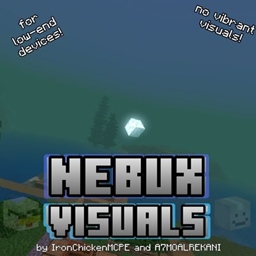
حول حزمة موارد Nebux Visuals[Render Dragon Support]

A lightweight visual enhancement pack for Minecraft Bedrock Edition, designed for low-end devices.
NEBUX VISUALS improves the look and atmosphere of Minecraft while keeping performance in mind. This pack focuses on smooth gameplay, optimized visuals, and a clean vanilla-friendly style without requiring Vibrant Visuals support.
Pictures/Videos taken with this shader:
Features:
• Optimized for low-end devices
• Lightweight performance-focused design
• Enhanced lighting
• Improved visual experience while maintaining smooth gameplay
• No Vibrant Visuals required
• Vanilla-friendly appearance
• Enhanced biome fogs
• Waving Plants
•Subpacks: Plants Animation On and No Plant animations
Designed to run on a wide range of devices, including low-end phones/devices
Credits:
Created by IronChickenMCPE and A7MOALREKANI
NEBUX VISUALS aims to bring a better-looking Minecraft experience without sacrificing performance.
What You Can Do✅:
-share this pack with direct link to here
-modify for personal use
What You Can't Do❌:
-share through links with paywalls and popups
-modify and upload it public
-steal my assets
Discord server:
كيفية تثبيت Nebux Visuals[Render Dragon Support]
With Millida Launcher
Install Millida Launcher
The launcher is free: download it at millida.net/launcher and sign in with any nickname.
Click “Install” on this page
The launcher opens and installs the resource pack for Minecraft 26.40 automatically.
Launch the game
A profile with it appears in the launcher: click “Play”.
Manually
Download the archive
Pick the file NebuxVisualsV0.0.9.mcpack (3.9 MB) for your game version. No need to unpack it.
Put it in the resourcepacks folder
The easiest way: “Options”, then “Resource Packs”, then “Open Pack Folder”, and drag the archive there.
Enable the pack
In the same window, move the pack to the right-hand “Selected” column and click “Done”.
الإصدارات
مع المتطلبات
| Minecraft | المشغّل | الملف | التاريخ | الإجراءات |
|---|---|---|---|---|
| 26.40 | — | NebuxVisualsV0.0.9.mcpack3.9 ميغابايت |
الأسئلة الشائعة
Which Minecraft versions does Nebux Visuals[Render Dragon Support] work on?
Only Minecraft 26.40: there are no files for other versions.
Where can I download Nebux Visuals[Render Dragon Support] safely?
On this page: the file NebuxVisualsV0.0.9.mcpack (3.9 MB) is stored on Millida’s server, with no link shorteners. SHA-1 checksum: 129c7a34eaf70c95af57a65ed7a53d030749c521.
التقييمات
كن أول من يقيّم Nebux Visuals[Render Dragon Support]


