
Low Fire Texture لماينكرافت 1.20.1, 1.21.1
تقلل هذه الحزمة ارتفاع رسوم النار المتحركة، مما يضمن عدم إعاقة رؤيتك عندما يكون شخصيتك مشتعلة.
حول حزمة موارد Low Fire Texture
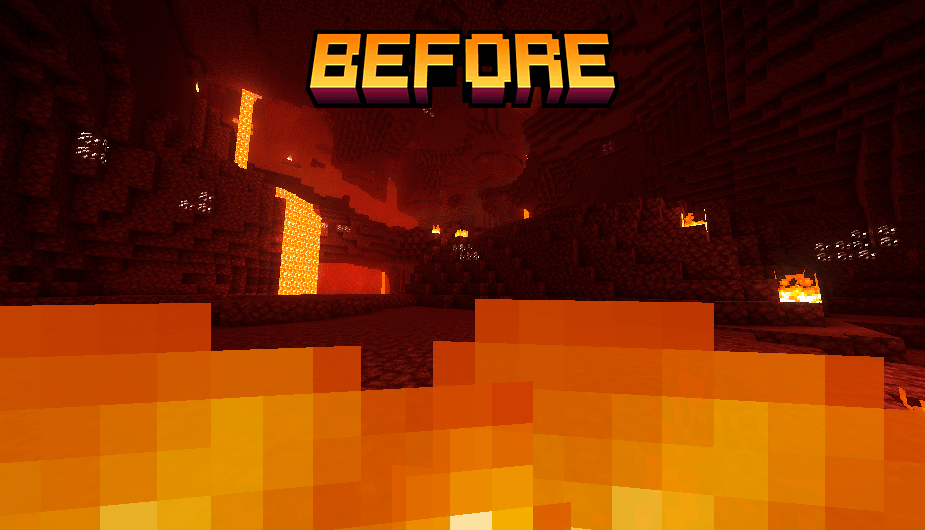
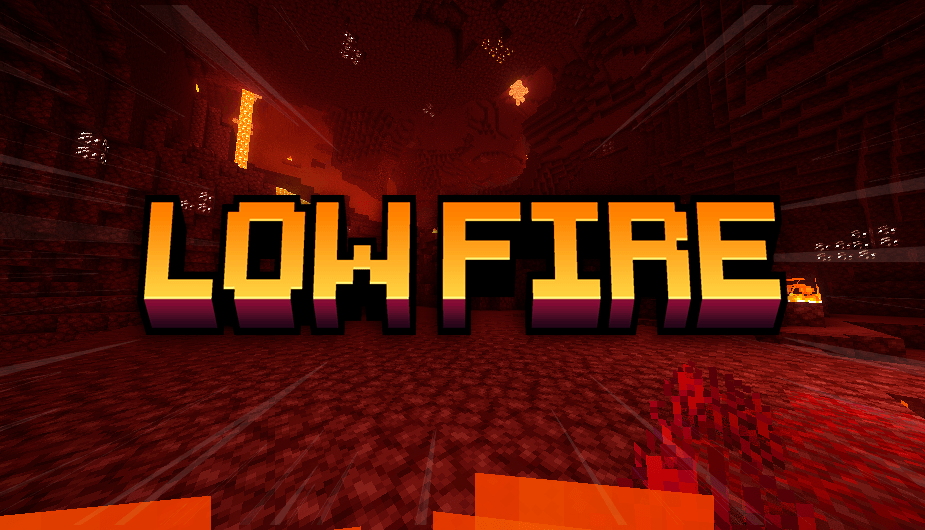
Enhance your gameplay experience with the "Low Fire" texture pack. This pack reduces the height of the fire animation, ensuring that it doesn't obstruct your view when your character is on fire.
The "Low Fire" texture pack is designed to improve visibility during intense gameplay moments. By lowering the height of the fire animation, this pack minimizes the visual distraction when your character catches fire. Whether you're exploring dangerous Nether fortresses or battling fierce mobs, "Low Fire" ensures that you maintain a clear view of your surroundings.
Key Features:
- Reduced fire animation height for better visibility.
- Optimized for both single-player and multiplayer experiences.
- Ideal for PvP and survival gameplay, where every moment counts.
- Compatible with most Minecraft versions.
Keep your focus on the adventure ahead with "Low Fire," and never let flames get in the way of your vision again!
كيفية تثبيت Low Fire Texture
With Millida Launcher
Install Millida Launcher
The launcher is free: download it at millida.net/launcher and sign in with any nickname.
Click “Install” on this page
The launcher opens and installs the resource pack for Minecraft 1.10–26.1.2 automatically.
Launch the game
A profile with it appears in the launcher: click “Play”.
Manually
Download the archive
Pick the file Low Fire.zip (60 KB) for your game version. No need to unpack it.
Put it in the resourcepacks folder
The easiest way: “Options”, then “Resource Packs”, then “Open Pack Folder”, and drag the archive there.
Enable the pack
In the same window, move the pack to the right-hand “Selected” column and click “Done”.
الإصدارات
مع المتطلبات
| Minecraft | المشغّل | الملف | التاريخ | الإجراءات |
|---|---|---|---|---|
| 1.16.3 | — | Low Fire61.4 KB 3 | ||
| 1.17.1 | — | Low Fire60.2 KB |
الأسئلة الشائعة
Which Minecraft versions does Low Fire Texture work on?
There are files for 1.10–26.1.2, 58 versions in total. The newest is 26.1.2.
How do I download Low Fire Texture?
With Millida Launcher: it installs Low Fire Texture into a modpack by itself, for the right game version and loader. The launcher is free.
التقييمات
كن أول من يقيّم Low Fire Texture



