
🚀 Better [FPS+] Bedrock - FPS & Anti-Lag
Ultimate FPS boost for PvP & low-end devices. No particles or animations, custom low fire texture for max visibility, clean HUD, no pumpkin blur. 1.21+ | Lightweight (~500KB) | Mobile ready.
Features:
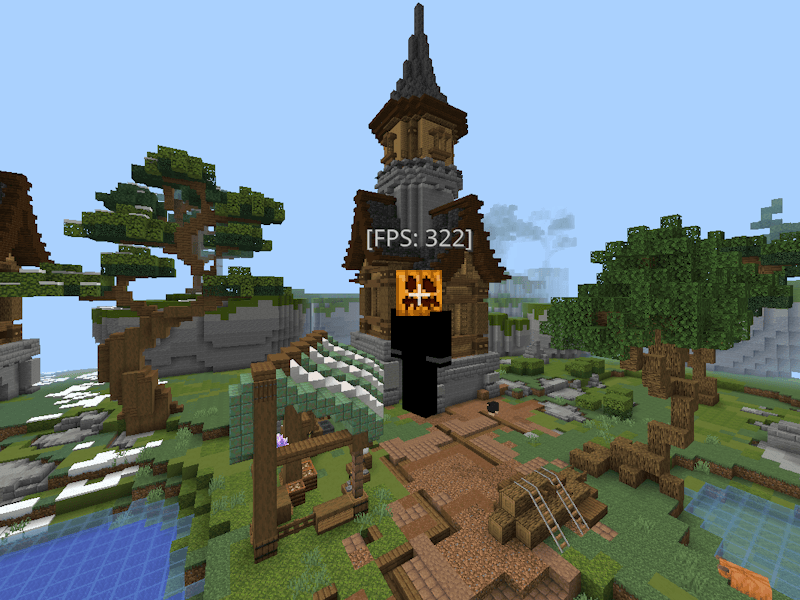
- ✅ All particles removed (critical hit, potion, smoke, ambient)
- ✅ No animations (water, lava, fire)
- ✅ Custom low fire overlay (embedded texture for clear sightlines)
- ✅ Clean HUD & no pumpkin blur
- ✅ Reduced lightmap for zero lighting lag
Gain 50-100+ FPS in Hive, Bedwars & Skywars!
Download now and enjoy smooth gameplay !
كيفية تثبيت Better [FPS+] Bedrock
With Millida Launcher
Install Millida Launcher
The launcher is free: download it at millida.net/launcher and sign in with any nickname.
Click “Install” on this page
The launcher opens and installs the resource pack for Minecraft 1.21.90–26.0.02 automatically.
Launch the game
A profile with it appears in the launcher: click “Play”.
Manually
Download the archive
Pick the file Better [FPS+] Bedrock.mcpack (767 KB) for your game version. No need to unpack it.
Put it in the resourcepacks folder
The easiest way: “Options”, then “Resource Packs”, then “Open Pack Folder”, and drag the archive there.
Enable the pack
In the same window, move the pack to the right-hand “Selected” column and click “Done”.
الإصدارات
مع المتطلبات
| Minecraft | المشغّل | الملف | التاريخ | الإجراءات |
|---|---|---|---|---|
| 1.21.93 | — | Better [FPS+] Bedrock767 KB 1 |
التقييمات
كن أول من يقيّم Better [FPS+] Bedrock


