
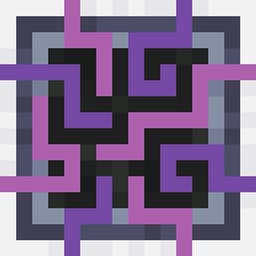
AE2 Light Mode حزمة موارد لماينكرافت 1.20.1
نسيج AE2 حيث mega cells بالوضع الفاتح.
حول حزمة موارد AE2 Light Mode
NOTE: This Resource Pack is still WIP, and more Blackout textures will be added to it once available (i.e. AddOn Support).
Currently Supported Addons:
- AE2WLIB
- Extended AE
- Applied Flux
- AE2 Import Export Card
- MEGA Cells
- AdvancedAE
- ME Requester
- Expanded AE
DISCLAIMER
I did not make most of these textures, I took the textures from Applied energetics 2 (AE2).
Contact me on discord if needed: void_odyssey
Features
Makes a lot of textures that were too dark or had weird visual issues into light mode. Optionally the lightmode textures in the new style have also been backported to 1.20.1
Blocks Changed
Item Changes
كيفية تثبيت AE2 Light Mode
With Millida Launcher
Install Millida Launcher
The launcher is free: download it at millida.net/launcher and sign in with any nickname.
Click “Install” on this page
The launcher opens and installs the resource pack for Minecraft 1.20.1 automatically.
Launch the game
A profile with it appears in the launcher: click “Play”.
Manually
Download the archive
Pick the file AE2LightMode-1.20.1-V1.0.6.zip (5.1 MB) for your game version. No need to unpack it.
Put it in the resourcepacks folder
The easiest way: “Options”, then “Resource Packs”, then “Open Pack Folder”, and drag the archive there.
Enable the pack
In the same window, move the pack to the right-hand “Selected” column and click “Done”.
الإصدارات
مع المتطلبات
| Minecraft | المشغّل | الملف | التاريخ | الإجراءات |
|---|---|---|---|---|
| 1.20.1 | — | AE2LightMode-1.20.1-V1.0.65.1 ميغابايت 3 |
الأسئلة الشائعة
Which Minecraft versions does AE2 Light Mode work on?
Only Minecraft 1.20.1: there are no files for other versions.
Where can I download AE2 Light Mode safely?
On this page: the file AE2LightMode-1.20.1-V1.0.6.zip (5.1 MB) is stored on Millida’s server, with no link shorteners. SHA-1 checksum: 53c05aaa373cea4341e79a6be07534b66765b8f3.
التقييمات
كن أول من يقيّم AE2 Light Mode


