
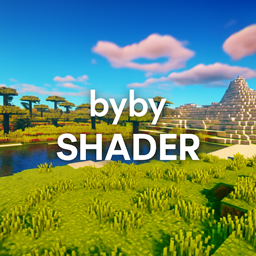
bybyshader لماينكرافت 1.20.1, 1.21.1
شيدر خفيف يضيف ألوانًا نابضة بالحياة، وتوهجًا ناعمًا، وانحرافًا لونيًا خفيفًا، وحبيبات فيلم لطيفة. مُحسّن لأداء سلس مع تعزيز جمال Minecraft.
حول شيدرات bybyshader
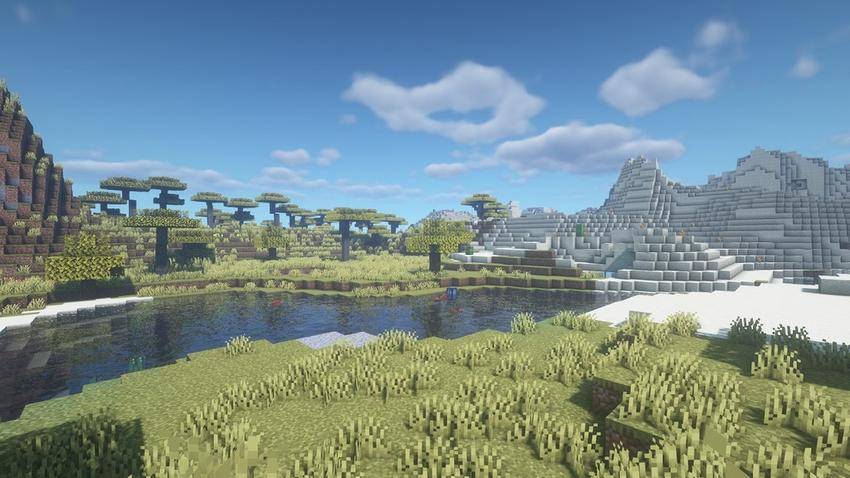
Byby Shader is a lightweight yet visually striking Minecraft shader pack designed to enhance the game’s atmosphere without sacrificing performance. It delivers vibrant, saturated colors and carefully tuned contrast to make every biome pop - from golden grasslands and lush acacia forests to shimmering lakes and bright snowy peaks.
The shader includes soft bloom to smooth out lighting, subtle chromatic aberration for a cinematic lens effect, and gentle film grain that adds texture and immersion. Clouds appear fuller and more dynamic, skies are rich and clear, and water features realistic reflections and shimmer.
Optimized for high FPS, Byby Shader runs smoothly even on mid-range hardware while preserving high-quality visuals. It is fully compatible with both OptiFine and Iris/Fabric, giving players flexibility across mod loaders.
Players can easily customize saturation, bloom, contrast, chromatic aberration, and film grain via shader settings or config files, allowing for a tailored visual experience - from realistic to boldly stylized worlds.
Whether you want to breathe new life into your builds or simply explore a more beautiful Minecraft world, Byby Shader offers a perfect balance between modern effects and lightweight performance.
كيفية تثبيت bybyshader
With Millida Launcher
Install Millida Launcher
The launcher is free: download it at millida.net/launcher and sign in with any nickname.
Click “Install” on this page
The launcher opens and installs the shaders for Minecraft 1.19–1.21.8 automatically.
Launch the game
A profile with it appears in the launcher: click “Play”.
Manually
Install Iris or OptiFine
Without a shader mod the game cannot see shaders. Install it for the same Minecraft version.
Download the shader archive
Pick the file bybyshader.zip (17 KB) and do not unpack it.
Put it in the shaderpacks folder
“Options”, then “Video Settings”, then “Shader Packs”, then “Open Shader Pack Folder”, and drag the archive there.
Select the shaders
In the same window, click the pack name and “Apply”.
الإصدارات
مع المتطلبات
| Minecraft | المشغّل | الملف | التاريخ | الإجراءات |
|---|---|---|---|---|
| 1.19.3 | — | bybyshader.zip17.5 KB 2 |
الأسئلة الشائعة
Which Minecraft versions does bybyshader work on?
There are files for 1.19–1.21.8, 21 versions in total. The newest is 1.21.8.
Where can I download bybyshader safely?
On this page: the file bybyshader.zip (17 KB) is stored on Millida’s server, with no link shorteners. SHA-1 checksum: 4e5da5d535701238d810ad78e8b064688c284dae.
التقييمات
كن أول من يقيّم bybyshader


