
- تنزيلات
- 1 تنزيلات
- مشاهدة
- 18 مشاهدة
- محدّث
- محدّث 17.10.2026
- 1.12.2 — 1.16.5
 Forge
Forge
حول مود Woot
ملاحظة:
1.15/1.16 يدعم Patchouli لكتاب الدليل داخل اللعبة
1.12 يدعم Guide-API لكتاب الدليل داخل اللعبة
سجل التغييرات
سجل تغييرات 1.16 https://github.com/Ipsis/Woot/blob/1.16.x/CHANGELOG.md
سجل تغييرات 1.15 https://github.com/Ipsis/Woot/blob/1.15.x/CHANGELOG.md
سجل تغييرات 1.12 https://github.com/Ipsis/Woot/wiki/Woot-Changelog-1.12
تسليط الضوء على المود من RGSha
لقد مررنا جميعًا بهذا في Minecraft - بناء مزرعة الوحوش.
كلها تعود إلى الشيء نفسه.
- توليد الوحوش
- قتل الوحوش
- جمع الخبرة والغنائم
- التعامل مع عدد هائل من الكيانات التي يتم توليدها
Woot يفعل الأشياء بشكل مختلف قليلًا ..... فهو لا يولّد أي وحوش في العالم .... ماذا؟!
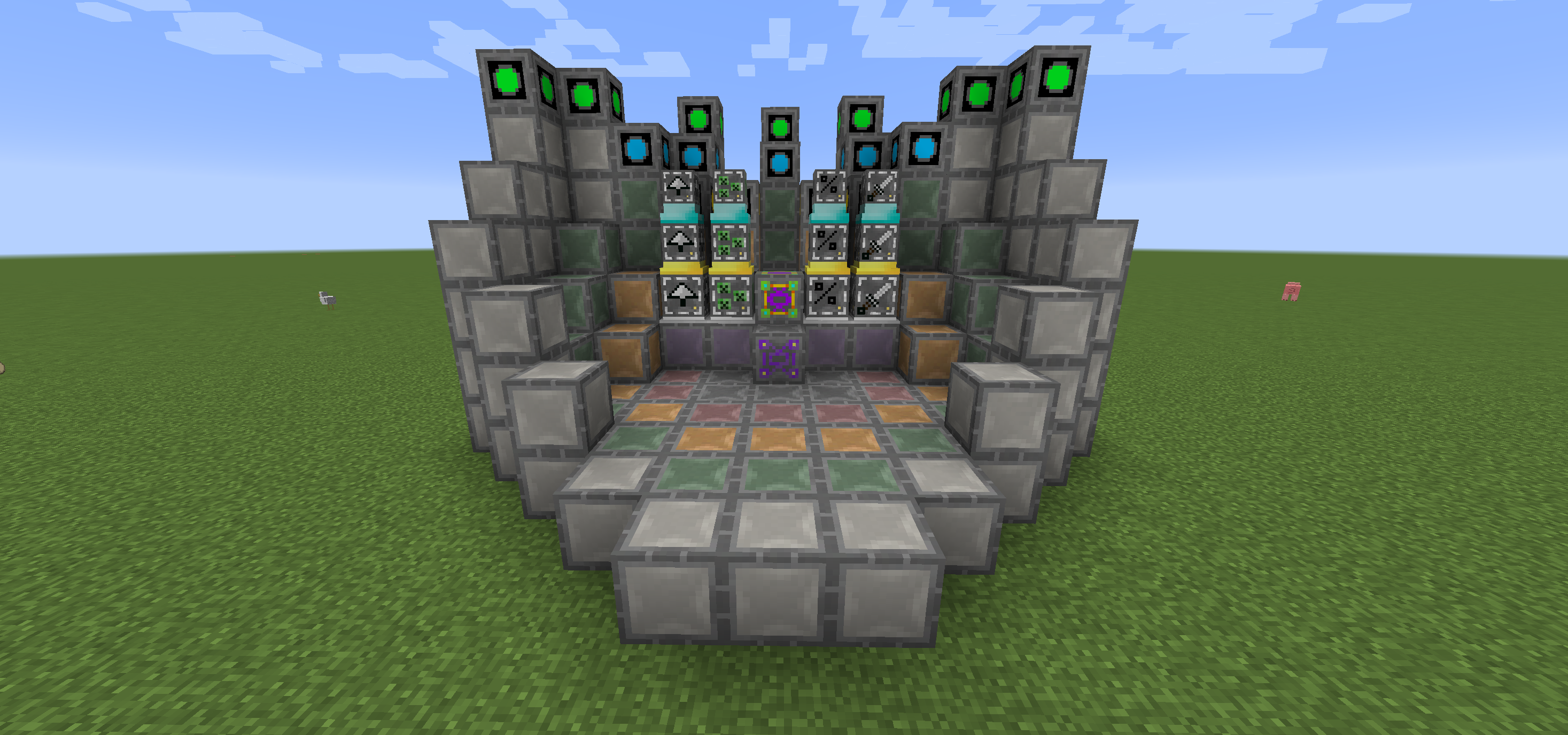
في Woot تبني مصنعك ثم تبرمجه بالوحش الذي تختاره. ثم تمنحه بعض الطاقة ومخزونًا لوضع كل الغنائم التي كان الوحش سينتجها فيه.
هناك عدة مستويات من المصنع للتعامل مع الوحوش ذات المستويات الأعلى. لذا نعم، تحتاج إلى المصنع الكبير لتوليد الويثر!
لتسهيل الأمور قليلًا، هناك كتلة تخطيط تُظهر لك أين تحتاج إلى وضع جميع الكتل في كل مستوى من مستويات البنية المتعددة.
يمكنك أيضًا ترقية مصنعك لمنح فوائد إضافية، وكلها تستهلك طاقة إضافية.
- Looting I/II/III - تطبيق السلب على قتل الوحوش
- Rate I/II/III - توليد الوحوش بشكل أسرع
- Mass I/II/III - توليد المزيد من الوحوش
- Decapitate I/II/III - زيادة معدل إسقاط الرؤوس
- XP I/II/III - توليد شظايا الخبرة
- Efficiency I/II/III - جعل مصنعك أرخص قليلًا من حيث الطاقة
- BloodMagic I/II/III - توليد Life Essence عبر طقس
https://github.com/Ipsis/Woot/wiki
http://www.minecraftforum.net/forums/mapping-and-modding/minecraft-mods/2659457-woot-the-alternative-mob-factory

كيفية تثبيت Woot
With Millida Launcher
Install Millida Launcher
The launcher is free: download it at millida.net/launcher and sign in with any nickname.
Click “Install” on this page
The launcher opens and installs the mod for Minecraft 1.12.2–1.16.5 on Forge automatically.
Launch the game
A profile with it appears in the launcher: click “Play”.
Manually
Install Forge
The loader must match the game version of the mod file, for example Minecraft 1.16.5. After installing it, a separate profile appears in your launcher.
Download the file for your version
In the version list above, pick the file woot-1.16.5-1.0.8.4.jar (1.1 MB) for your game version.
Put it in the mods folder
The folder is inside .minecraft (Windows: %appdata%\.minecraft\mods). If it does not exist, create it.
Launch the loader profile
Open “Mods” in the main menu: Woot should be in the list.
Minecraft 1.16.5 runs on Java 8: with a different Java version the game may close right after launch.
الإصدارات
مع المتطلبات
| Minecraft | المشغّل | الملف | التاريخ | الإجراءات |
|---|---|---|---|---|
| 1.16.5 | Forge | woot-1.16.5-1.0.8.4.jar1.1 ميغابايت 1 | ||
| 1.16.2 | Forge | woot-1.16.2-1.0.0.0.jar903 KB | ||
| 1.15.2 | — | woot-1.15.2-1.1.1.0.jar888 KB | ||
| 1.12.2 | — | woot-1.12.2-1.4.11.jar859 KB | ||
| 1.12.2 | — | woot-1.12.2-0.0.10.jar741 KB |
الأسئلة الشائعة
Which Minecraft versions does Woot work on?
There are files for 1.16.5, 1.16.4, 1.16.2, 1.15.2, 1.12.2. The newest is 1.16.5.
Is Woot for Forge or Fabric?
Only for Forge: 1.16.2–1.16.5. There are no files for Fabric or NeoForge: a mod for another loader will not start.
Does Woot need other mods?
The author lists no required dependencies: the Forge loader is enough.
Which Java does Woot need?
Minecraft 1.16.5 runs on Java 8. If the game closes right after launch, the usual cause is the wrong Java version in the profile settings.
Where can I download Woot safely?
On this page: the file woot-1.16.5-1.0.8.4.jar (1.1 MB) is stored on Millida’s server, with no link shorteners. SHA-1 checksum: 271c86303514ca621fecfe41d1e6688e156738b8.
التقييمات
كن أول من يقيّم Woot


