
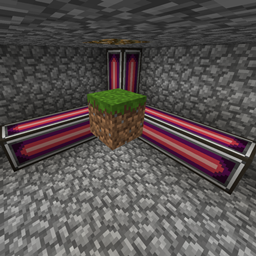
حول مود SpatialCompat
يتيح هذا المود جميع المكعبات في AE2 Spatial Storage.
الاستثناء الوحيد (حاليًا) هو Funky Locomotion.
لم أتمكن من جعله يعمل معه.
يمكن تثبيت هذا المود على السيرفر فقط، لكن يمكن تثبيته على العميل أيضًا.
صلاحيات مودباك:
نعم في مودباك curse/modrinth.
لا لكل ما عدا ذلك (خاصة technic).
تواصل معي:
يمكنك الوصول إلي عبر
- Steam: MrDj
- Discord: mrdj200
- أو فقط عبر issues على github
كيفية تثبيت SpatialCompat
With Millida Launcher
Install Millida Launcher
The launcher is free: download it at millida.net/launcher and sign in with any nickname.
Click “Install” on this page
The launcher opens and installs the mod for Minecraft 1.12.2 automatically.
Launch the game
A profile with it appears in the launcher: click “Play”.
Manually
Download the file for your version
In the version list above, pick the file spatialservermod-1.3.1.jar (8 KB) for your game version.
Put it in the mods folder
The folder is inside .minecraft (Windows: %appdata%\.minecraft\mods). If it does not exist, create it.
Launch the loader profile
Open “Mods” in the main menu: SpatialCompat should be in the list.
Minecraft 1.12.2 runs on Java 8: with a different Java version the game may close right after launch.
الإصدارات
مع المتطلبات
| Minecraft | المشغّل | الملف | التاريخ | الإجراءات |
|---|---|---|---|---|
| 1.12.2 | — | spatialservermod-1.3.1.jar8.3 KB |
الأسئلة الشائعة
Which Minecraft versions does SpatialCompat work on?
Only Minecraft 1.12.2: there are no files for other versions.
Which Java does SpatialCompat need?
Minecraft 1.12.2 runs on Java 8. If the game closes right after launch, the usual cause is the wrong Java version in the profile settings.
Where can I download SpatialCompat safely?
On this page: the file spatialservermod-1.3.1.jar (8 KB) is stored on Millida’s server, with no link shorteners. SHA-1 checksum: b5e189764265cd871fdc9d6315b6f6561de926fc.
التقييمات
كن أول من يقيّم SpatialCompat


