

ReAuth مود لماينكرافت 1.12.2, 1.19.2
Fixes the Problem of having to restart your Client when your Session invalidates
- تنزيلات
- 1 تنزيلات
- مشاهدة
- 36 مشاهدة
- محدّث
- محدّث 17.10.2026
- 1.7.2 — 1.19.3
 Forge
Forge
حول مود ReAuth
This is the Forge version of ReAuth, the Fabric version has been split off and is available here.
It is now possible to use Microsoft accounts with ReAuth in 1.7.10 through 1.19 1.4.7-1.7.2 versions may come at a later time
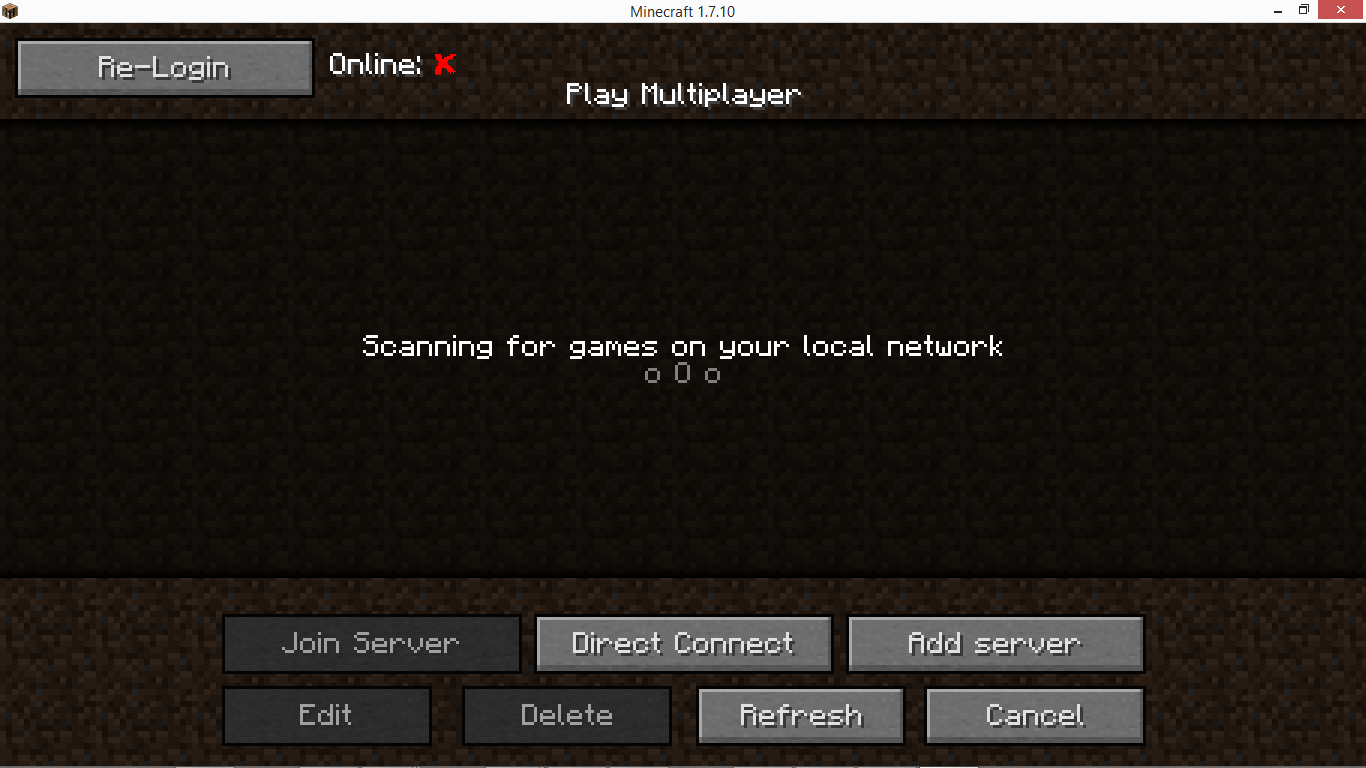
Overview:
- Fixes the Problem of having to restart your Client when your Session is invalid
- Shows you wether your Session is valid
- Login and retry for failed connection attempts
- Change Accounts while Minecraft is running
- Change Username for playing offline
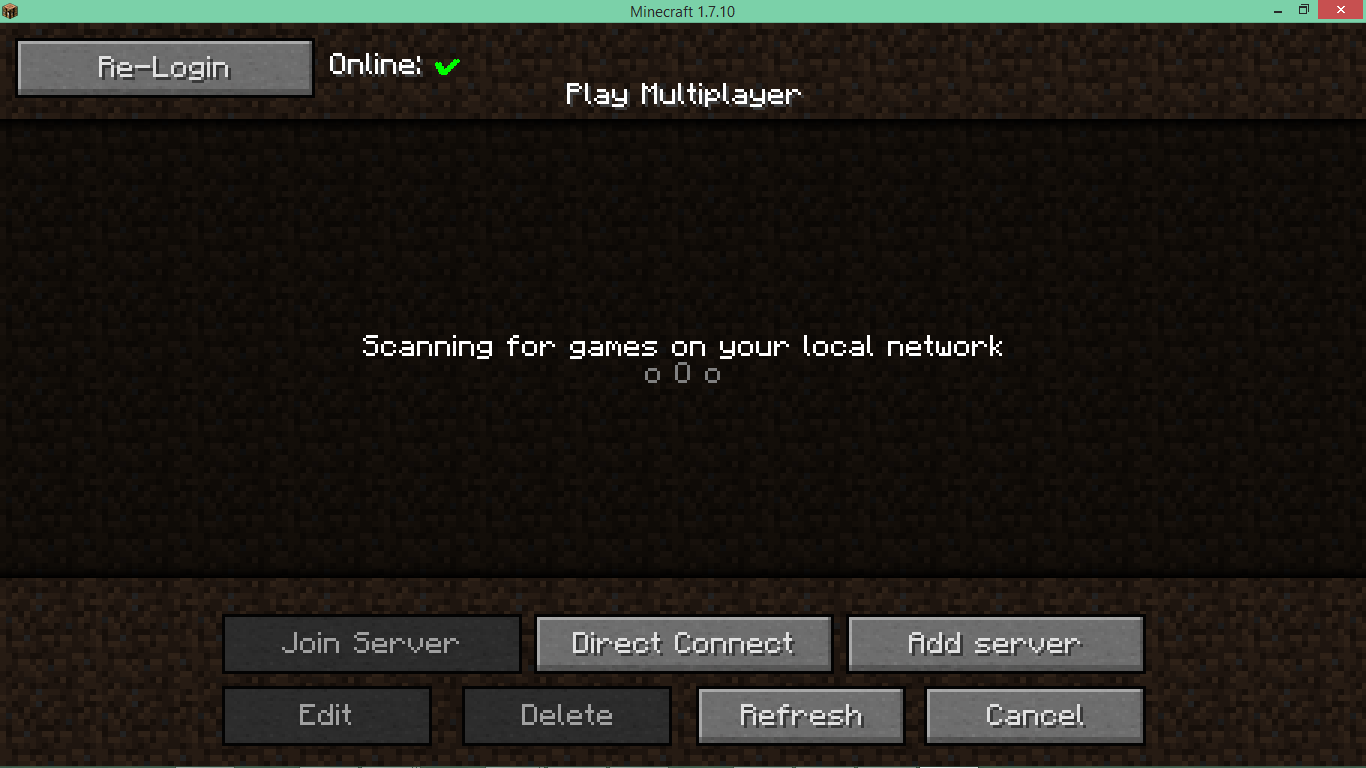
Description:
This Mod is Clientside only - it will have no effect in a servers mod folder.
While entering your Logindata into a "random" Mod might sound risky, you are more than welcome to look at the code yourself. To that end the Code is visible on Github; a Java-Decompiler (JD-GUI) is available here.
You are free to include this Mod in any Modpack as long as the Mod is not modified and the ModPack is distributed free of charge and in accordance to Mojangs EULA.
Features:
- The Multiplayer Screen now features a Session indicator at the top: If it's red you'll have to log in again.
- On the Login Screen you can login and optionally save your password to config. Please bear in mind that, while the credentials are encrypted before being saved to config, a malicous programms may still gain access to your password that way. The Encryption is AES based with the Key derived from the Files Location, Symlinks may be used to relocate the config or share it between instances.
- If a connection to a server fails because of an invalid session, two buttons are added to error screen. The first allows for opening the Login Screen. The other provides a quick "login and retry" functionality, when credentials are saved to config.
- From 1.7.2 onwards a hidden button is available in the MainMenu (id 17325) for use with CustomMainMenu.

كيفية تثبيت ReAuth
With Millida Launcher
Install Millida Launcher
The launcher is free: download it at millida.net/launcher and sign in with any nickname.
Click “Install” on this page
The launcher opens and installs the mod for Minecraft 1.7.2–1.19.3 on Forge automatically.
Launch the game
A profile with it appears in the launcher: click “Play”.
Manually
Install Forge
The loader must match the game version of the mod file, for example Minecraft 1.19.3. After installing it, a separate profile appears in your launcher.
Download the file for your version
In the version list above, pick the file ReAuth-1.19-Forge-4.0.7.jar (169 KB) for your game version.
Put it in the mods folder
The folder is inside .minecraft (Windows: %appdata%\.minecraft\mods). If it does not exist, create it.
Launch the loader profile
Open “Mods” in the main menu: ReAuth should be in the list.
Minecraft 1.19.3 runs on Java 17: with a different Java version the game may close right after launch.
الإصدارات
مع المتطلبات
| Minecraft | المشغّل | الملف | التاريخ | الإجراءات |
|---|---|---|---|---|
| 1.19.3 | Forge | ReAuth-4.0.7 Forge 1.19169 KB 1 | ||
| 1.12.1 | — | ReAuth-3.6.0 1.1229.7 KB | ||
| 1.7.2 | — | ReAuth-3.4.1 1.7.225.6 KB |
الأسئلة الشائعة
Which Minecraft versions does ReAuth work on?
There are files for 1.7.2–1.19.3, 7 versions in total. The newest is 1.19.3.
Is ReAuth for Forge or Fabric?
Only for Forge: 1.19–1.19.3. There are no files for Fabric or NeoForge: a mod for another loader will not start.
Does ReAuth need other mods?
The author lists no required dependencies: the Forge loader is enough.
Which Java does ReAuth need?
Minecraft 1.19.3 runs on Java 17. If the game closes right after launch, the usual cause is the wrong Java version in the profile settings.
Where can I download ReAuth safely?
On this page: the file ReAuth-1.19-Forge-4.0.7.jar (169 KB) is stored on Millida’s server, with no link shorteners. SHA-1 checksum: a77cdb9dda452c0b7e3ef225d04c1aa0bf99e3b7.
التقييمات
كن أول من يقيّم ReAuth


